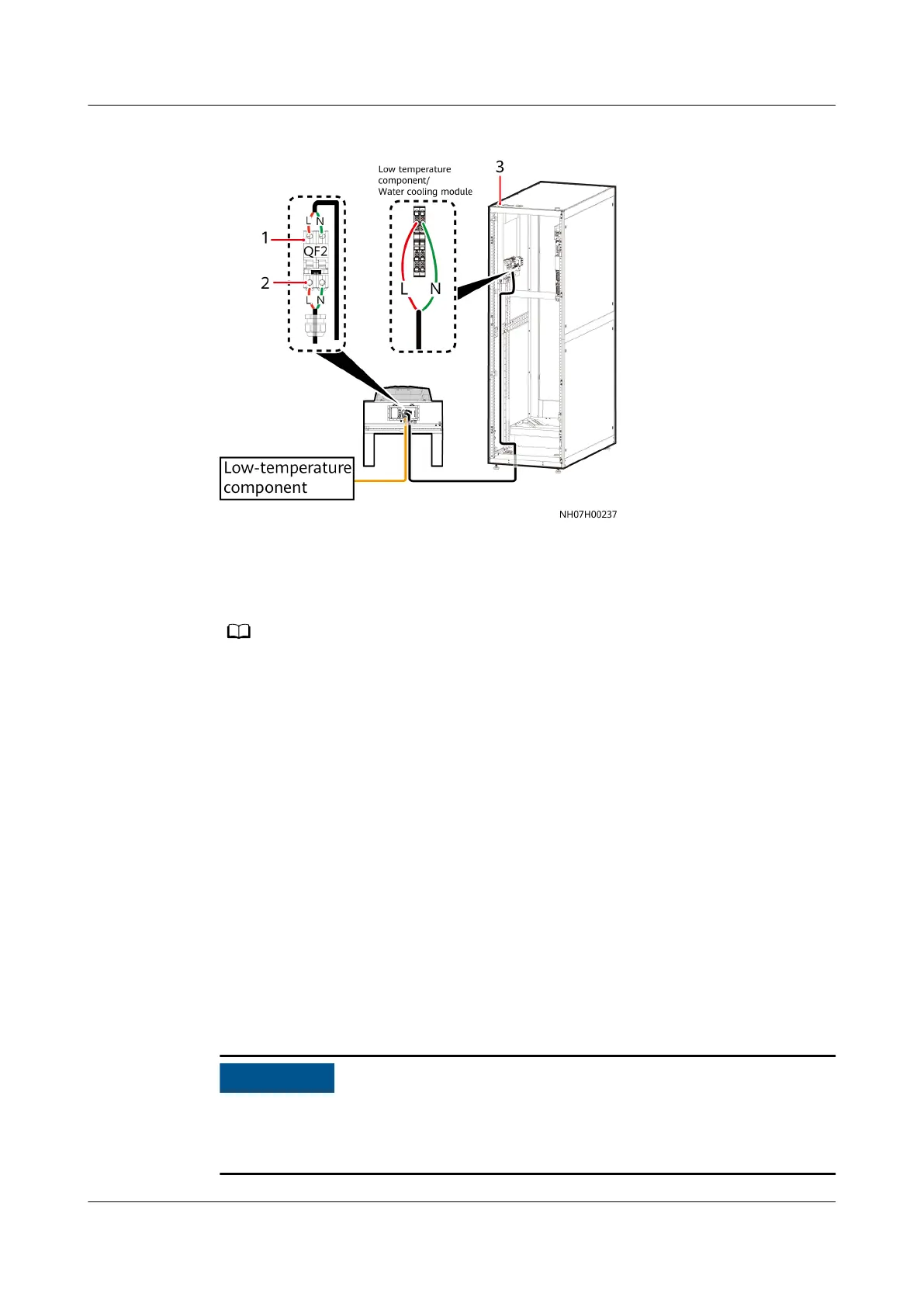
Figure 4-84 Connecting the power cable of the low-temperature component
(1) Cable from outdoor unit to
indoor unit
(2) Low-temperature
component power cable to
outdoor unit
(3) Cable holes at the top
The label is "Receiver heater/Water cooling module" or "Low temperature component/
Water cooling module". The actual label prevails.
Step 2 Connect one end of the additional 2 x 1.5 mm² power cable of the low-
temperature component to the L and N terminals of QF2 on the outdoor unit.
Step 3 Secure the cable on the post of the cabinet with cable ties.
----End
4.9.6 Installing the Outdoor Unit Signal Cable
This operation is required only when the outdoor unit is equipped with a
temperature control intelligent monitoring board.
Procedure
Step 1 Route the cable through the cable hole on the top or at the bottom of the cabinet.
Step 2 Connect one end of the cable to points 1, 2, and 3 on the external signal port
X302 of indoor unit and the other end to ports 1, 2, and 3 on the outdoor unit.
Remove the female connector from the interconnection terminal. After the cable is
connected to the female connector, reconnect the connector to the
interconnection terminal.
NetCol5000-A050 In-row Air Cooled Smart Cooling
Product
User Manual 4 Installation
Issue 08 (2021-09-17) Copyright © Huawei Technologies Co., Ltd. 107



 To Next Page