12.18 Restoring Factory Settings
Context
If you have forgotten the password or need to restore factory settings, you can
restore factory settings by pressing the SW key on the main control module.
● If you restore factory settings, all system data will be restored to the state
before delivery, including login passwords, operation logs, parameter
congurations, alarms, and performance statistics. Perform this operation with
caution as it may aect other users.
● To ensure information security and prevent malicious password reset, you must
keep the cabinet keys securely.
● After factory settings are restored, you need to use the app to obtain a
verication code for startup. Exercise caution when performing this operation.
Procedure
Step 1 Check that the smart cooling product is shut down on the LCD.
Step 2 Hold down the SW key on the main control module for over 10s.
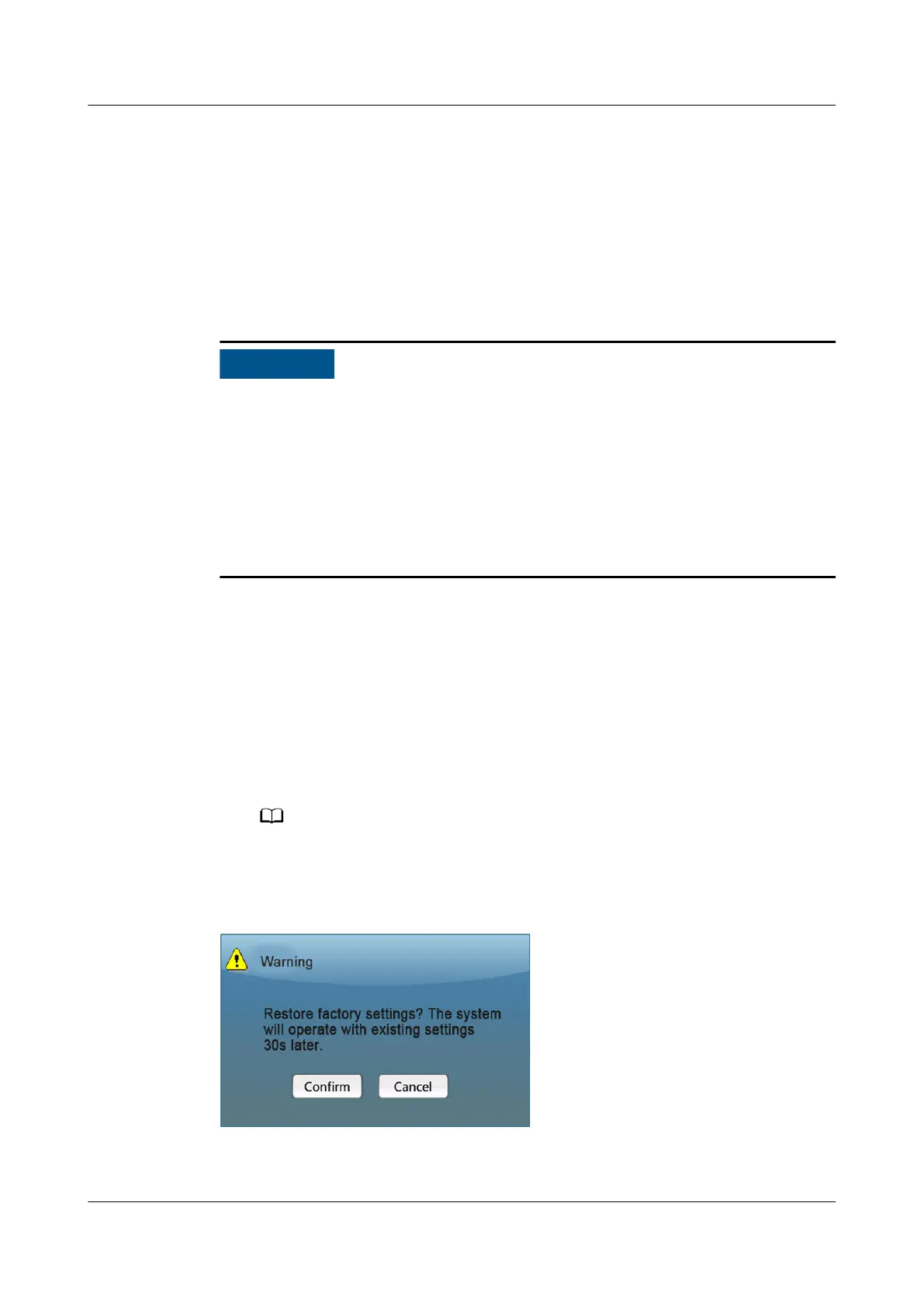
Step 3 The dialog box for restoring factory settings is displayed.
● To continue restoring factory settings, tap Yes, go on the next step.
● Otherwise, tap No.
If you do not conrm the operation within 30s, the dialog box disappears, and the
process of restoring factory settings is terminated.
Figure 12-23 Restoring factory settings
NetCol5000-A050 In-row Air Cooled Smart Cooling
Product
User Manual 12 FAQ
Issue 08 (2021-09-17) Copyright © Huawei Technologies Co., Ltd. 309



 To Next Page
 Loading...



