5 Installation Verication
5.1 Checking the Indoor Unit
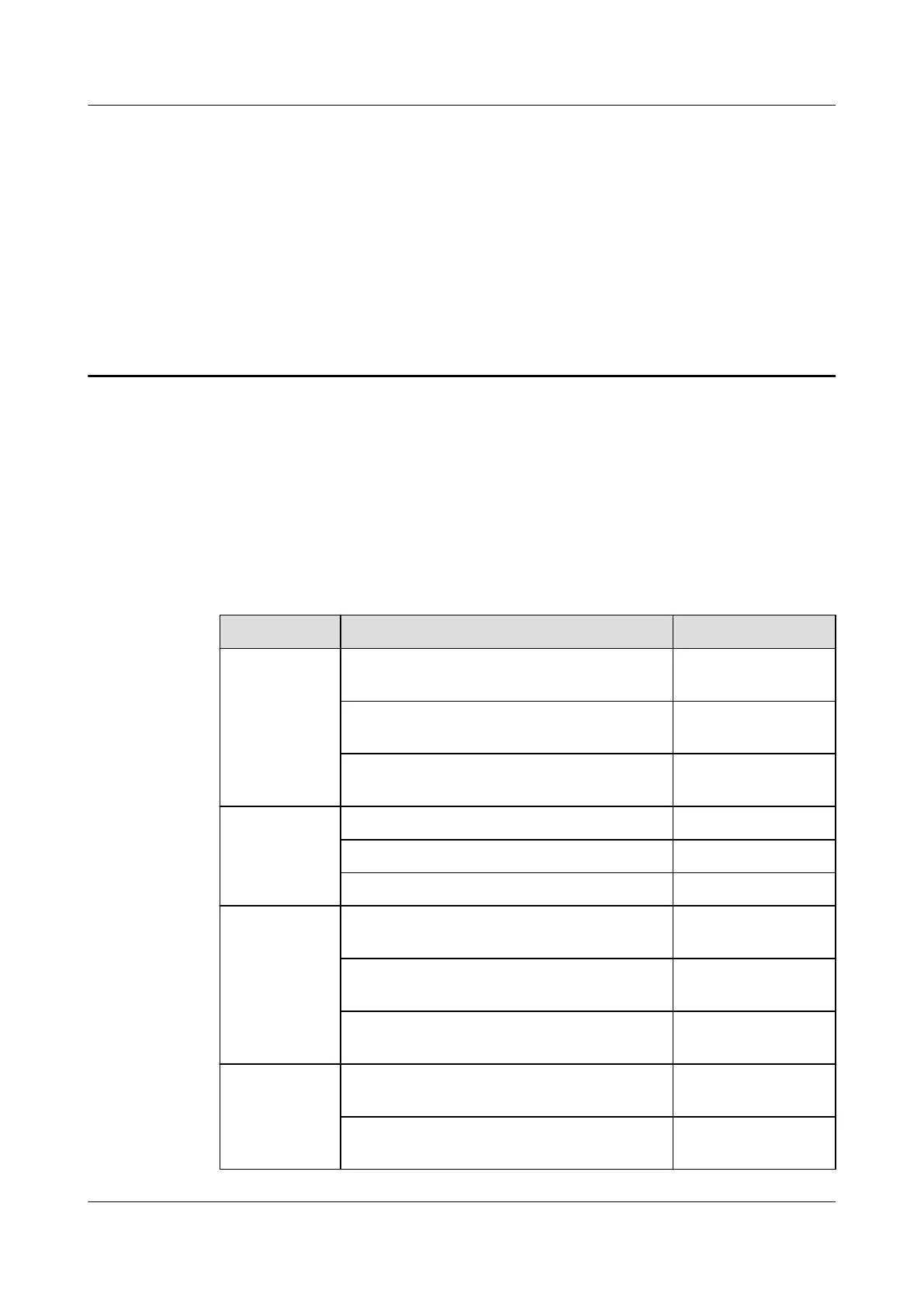
After the installation, check the items listed in Table 5-1, Table 5-2, and Table
5-3, and record the check results.
Table 5-1 Cabinet checklist
Check Item
Expected Result Actual Result
Cabinet The cabinet is installed properly, without
any tilts.
□ Passed □ Failed
The cabinet is secured to the bottom base
using bolts as required.
□ Passed □ Failed
The foreign matter inside the cabinet such
as cable ties and stubs is cleaned up.
□ Passed □ Failed
Fan The fan is secured. □ Passed □ Failed
The fan has no foreign matter inside. □ Passed □ Failed
The fan blades rotate properly. □ Passed □ Failed
(Optional)
Wet lm
humidier
The water inlet solenoid valve is secured
reliably and steadily.
□ Passed □ Failed
The wet lm is secured reliably and
steadily.
□ Passed □ Failed
Water inlet pipes are connected securely
without leaks.
□ Passed □ Failed
Compressor The sheet metal for transporting the
compressor is removed.
□ Passed □ Failed
The bolts on the compressor are
tightened.
□ Passed □ Failed
NetCol5000-A050 In-row Air Cooled Smart Cooling
Product
User Manual 5 Installation Verication
Issue 08 (2021-09-17) Copyright © Huawei Technologies Co., Ltd. 116



 To Next Page