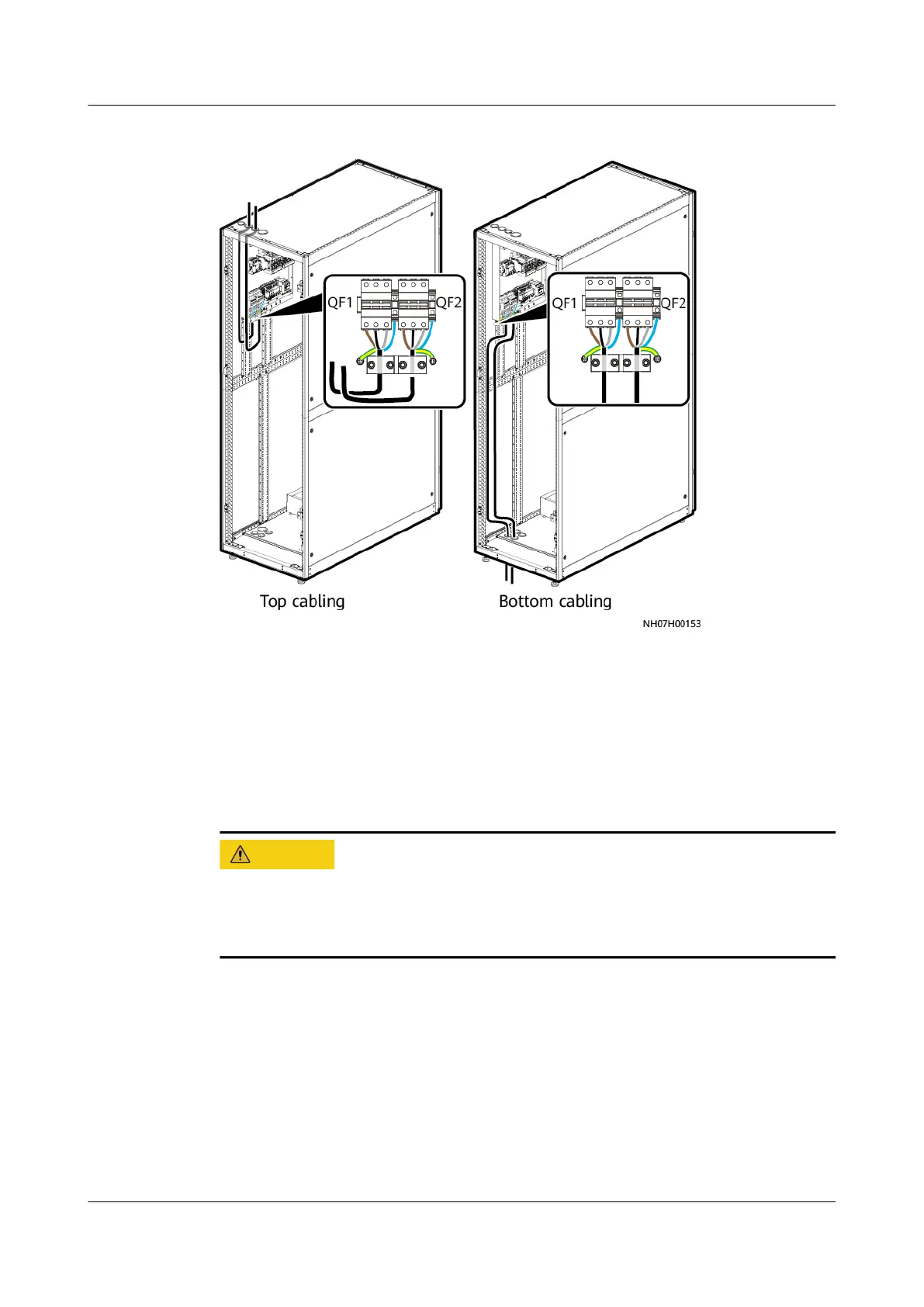
Figure 4-82 Routing cables for the dual power supplies
Step 2 Connect the PE cable to the ground screw, as shown in Figure 4-82
Step 3 Secure the cables on the post of the cabinet with cable ties.
----End
4.9.4 Installing the Outdoor Unit Power Cable
● The outer insulation sheath should be retained when you route a cable through
the waterproof connector.
● Ensure that the phase sequence is correct when connecting cables.
Step 1 Route the outdoor unit power cable through the cabinet cable hole and connect
the cable to the 1U, 1V, and 1W wiring terminals on the indoor unit.
NetCol5000-A050 In-row Air Cooled Smart Cooling
Product
User Manual 4 Installation
Issue 08 (2021-09-17) Copyright © Huawei Technologies Co., Ltd. 105



 To Next Page