Step 3 Follow the onscreen instructions to complete the wizard startup.
● The fan commissioning item is mandatory. After commissioning a component
succeeds, the system automatically performs commissioning for the next
component you selected. If commissioning fails, startup wizard ends. After the
fault is cleared, choose Maint > Wizard Startup to enter the wizard startup
screen for new commissioning.
● If the system is not
congured with the electric heater and humidier
components, the electric heater and humidier commissioning items will not
appear on the screen.
● If the heating function and humidication function are disabled, you cannot
select the electric heater and humidier items.
● All the items are selected by default if you rst enter the screen where you
select commissioning items. Except that the indoor fan item is mandatory, you
can clear other commissioning items that are not required.
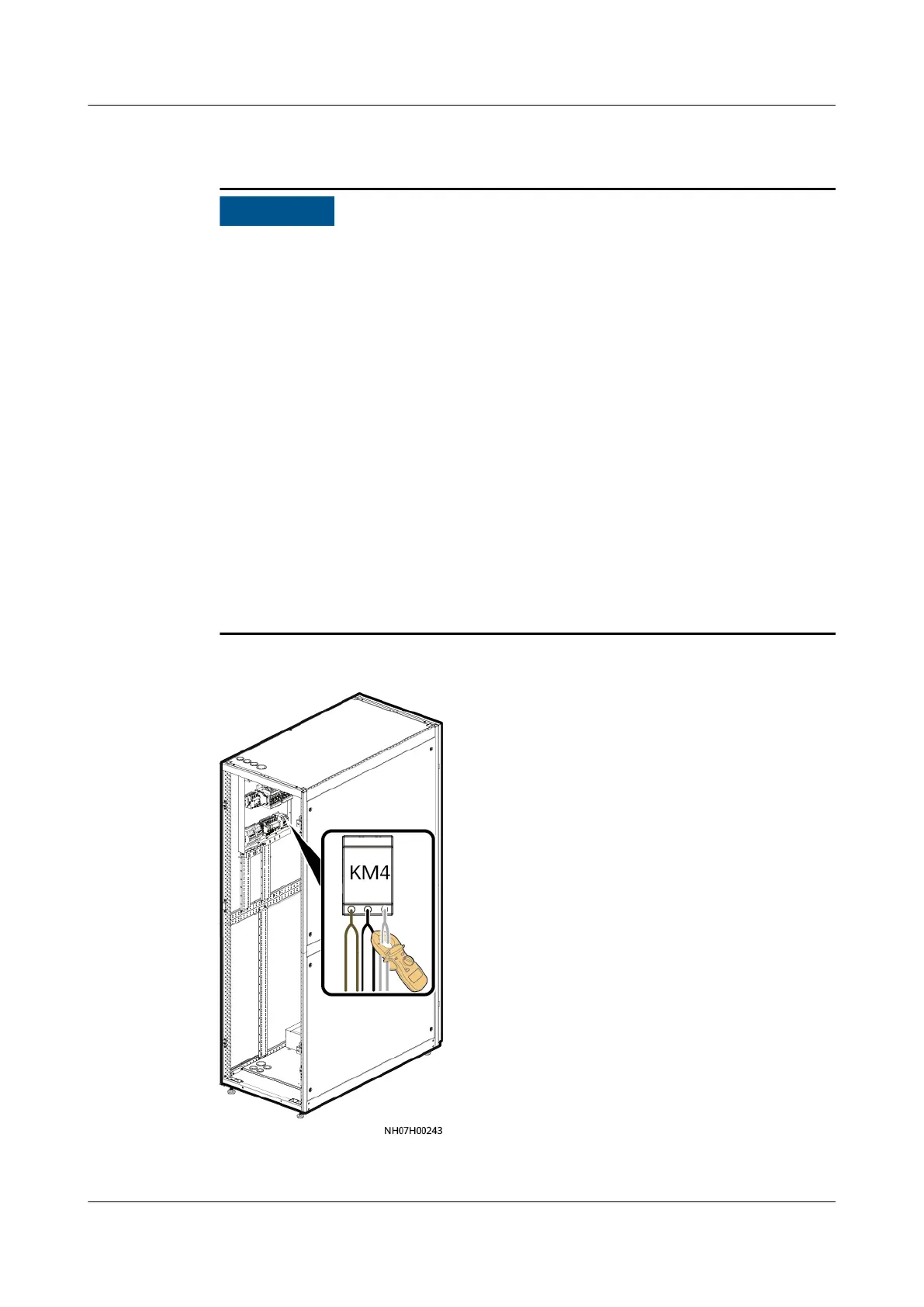
● After the fan commissioning, the electric heater commissioning screen is
displayed. Use a clamp meter to measure the currents cables of KM4 terminal.
Enter the measured values on the screen, and tap Submit within the time limit
displayed on the screen. The controller automatically determines whether the
current of the smart cooling product is within the normal range.
Figure 6-38 Current detection
----End
NetCol5000-A050 In-row Air Cooled Smart Cooling
Product
User Manual 6 Power-On Commissioning
Issue 08 (2021-09-17) Copyright © Huawei Technologies Co., Ltd. 165



 To Next Page