After you power on the smart cooling product for the rst time, the screen
displays the Wizard Startup screen. If the smart cooling product is not started for
the rst time, choose Maint > Wizard Startup to enter the Wizard Startup
screen.
Tapping No or Exit, submission timeout, and system exception all result in
commissioning failures. Choose Maint > Wizard Startup to enter the Wizard
Startup screen for new commissioning.
Procedure
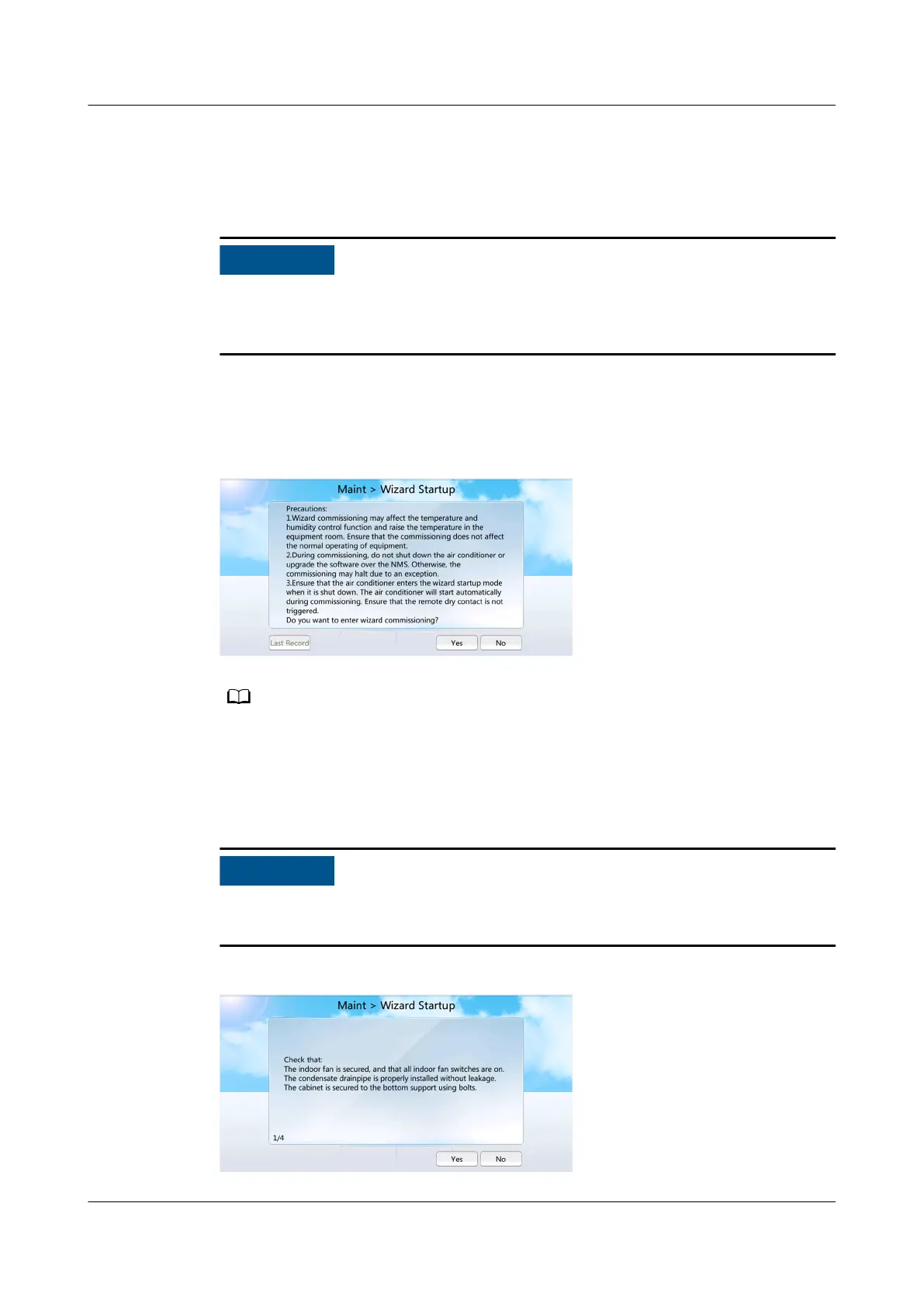
Step 1 On the home screen, choose Maint > Wizard Startup, as shown in Figure 6-36.
Figure 6-36 Wizard Startup
● For the initial wizard startup, Last Record is in gray, indicating that operation is not
allowed.
● For a non-initial wizard startup, you can choose Last Record to view the last wizard
startup report.
Step 2 Tap Yes. The checking before startup screen is displayed, as shown in Figure 6-37.
If the remaining refrigerant is not charged, tap No. Complete refrigerant charging,
and then perform the wizard commissioning.
Figure 6-37 Checking before startup
NetCol5000-A050 In-row Air Cooled Smart Cooling
Product
User Manual 6 Power-On Commissioning
Issue 08 (2021-09-17) Copyright © Huawei Technologies Co., Ltd. 164



 To Next Page