Alarm and Event Icons 101
User Guide v 1.0 — February 2020 Heat the Mold
9.6 Alarm and Event Icons
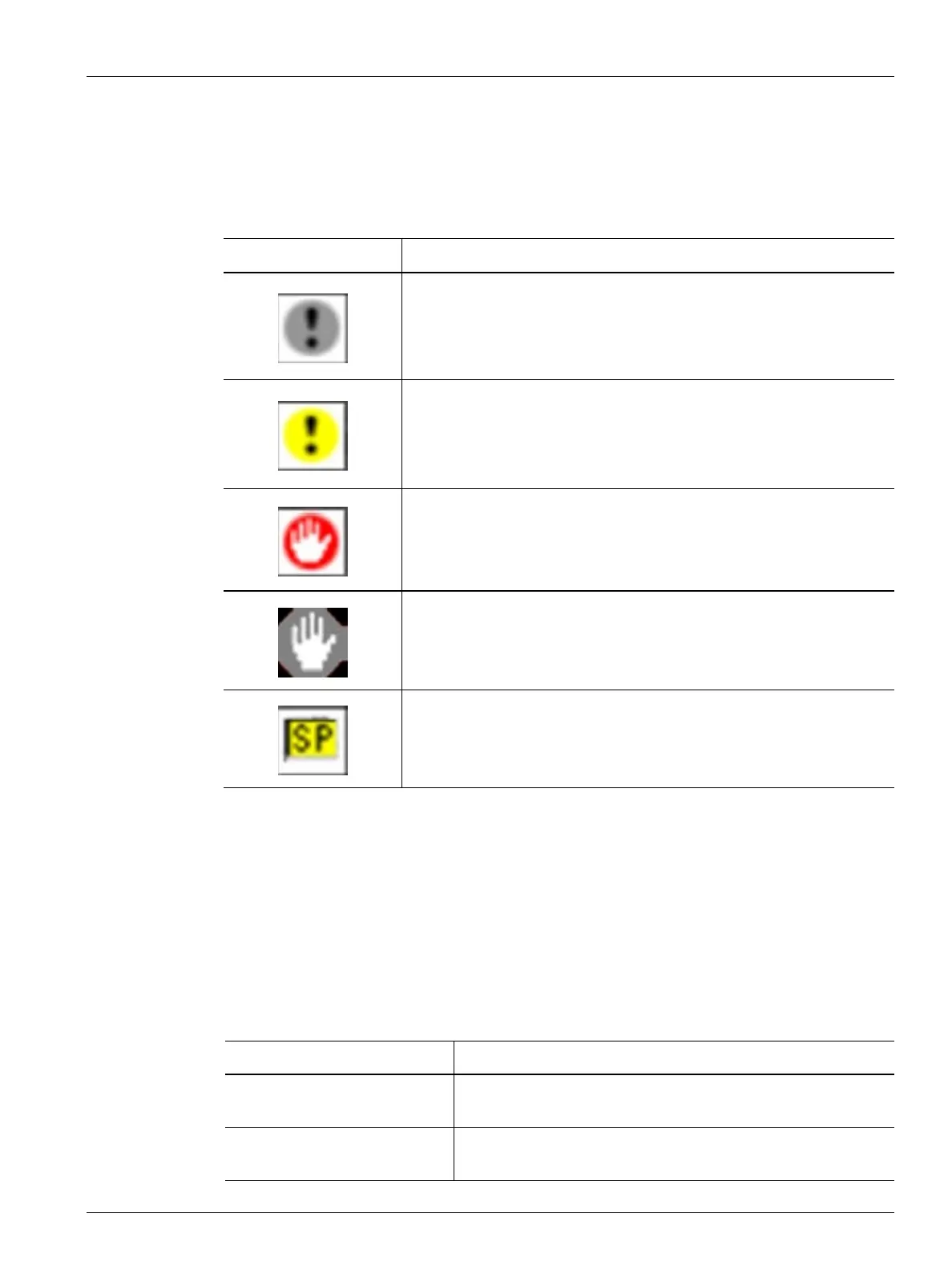
Table 9-5 identifies the icons that show on the Alarms and the Event History screens.
9.7 Alarm Conditions — Warning Errors
Alarm conditions are shown on the Alarms and the Event History screens. The conditions
listed in Table 9-6 cause audible and visual alarms. Because they are warnings, they will not
shutdown the system.
Table 9-5 Icons
Icon Description
The warning is inactive.
The warning is active.
The alarm or zone alarm is active.
The alarm or zone alarm is inactive.
A user has made a change.
NOTE: This icon shows on the Event History screen, not on the Alarms
screen.
Table 9-6 Warning Errors
Warning Description
Alarm Over Temp A zone's actual temperature is more than its setpoint by the
degrees set in the Alarm Window field on the Quick Set screen.
Alarm Under Temp A zone's actual temperature is less than its setpoint by the
degrees set in the Alarm Window field on the Quick Set screen.



 To Next Page