v 1.0 — February 2020 Altanium Matrix5
16 Altanium Buttons
Because of the features installed or not installed on your Altanium system, your Home screen
and other screens can look different from the screens shown in this user guide.
4.1.3 Altanium Buttons
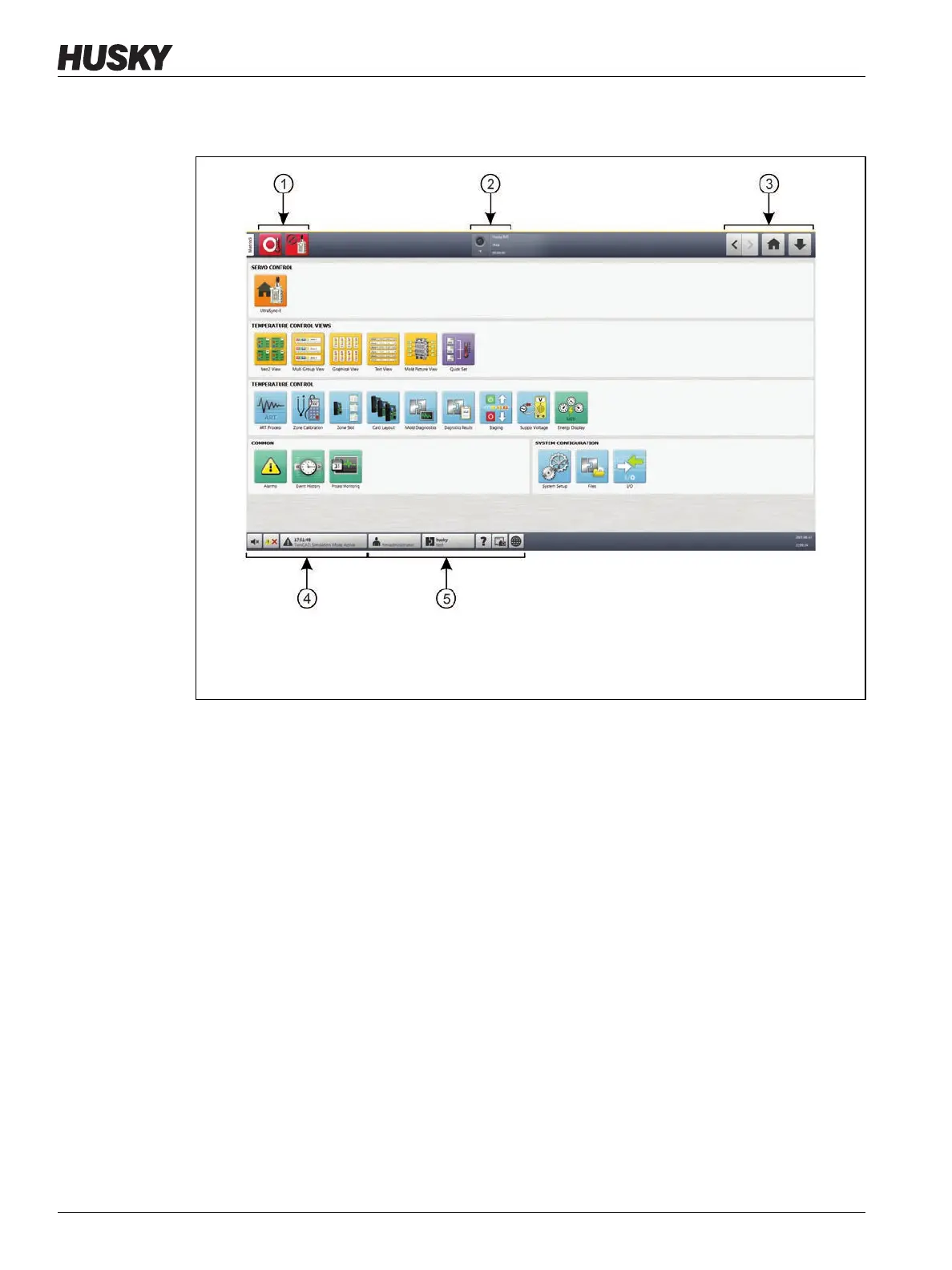
Altanium has a system header and a footer on every screen in the system.
4.1.3.1 Controller Function Buttons
Refer to Figure 4-1 for the Controller Function buttons location. Table 4-1 describes the
button functions.
Figure 4-1 Home Screen
1. Controller Function (drop-down) Buttons 2. System Status Field 3. Navigation Buttons
4. Alarm Buttons 5. System and User Management Buttons



 To Next Page