v 1.0 — February 2020 Altanium Matrix5
86 Set the Maximum Test Time
8.1.3 Set the Maximum Test Time
On some molds, if there is a thermocouple wiring problem, a heater could be damaged during
test. Heaters in some configurations may not support the peak temperatures in the default test
time when full power is applied. An example could be a test on a hot runner without the cavity
plate in position.
If a heater is large, a short test time is not long enough to heat up and can result in a failed
test. Operators can set the maximum test time for each zone to work with different types of
heaters.
To set the maximum test time, do the steps that follow:
1. On the Mold Diagnostics screen, select the zone(s) to change.
2. Touch the Maximum Test Time field.
3. Enter the maximum test time in the HH:MM:SS format.
4. Touch the Accept button.
NOTE: The Maximum Test Time default is 2 minutes. Each mold setup can have its own set of
maximum test times.
8.2 Diagnostics Results
To review the diagnostic test results, do the steps that follow:
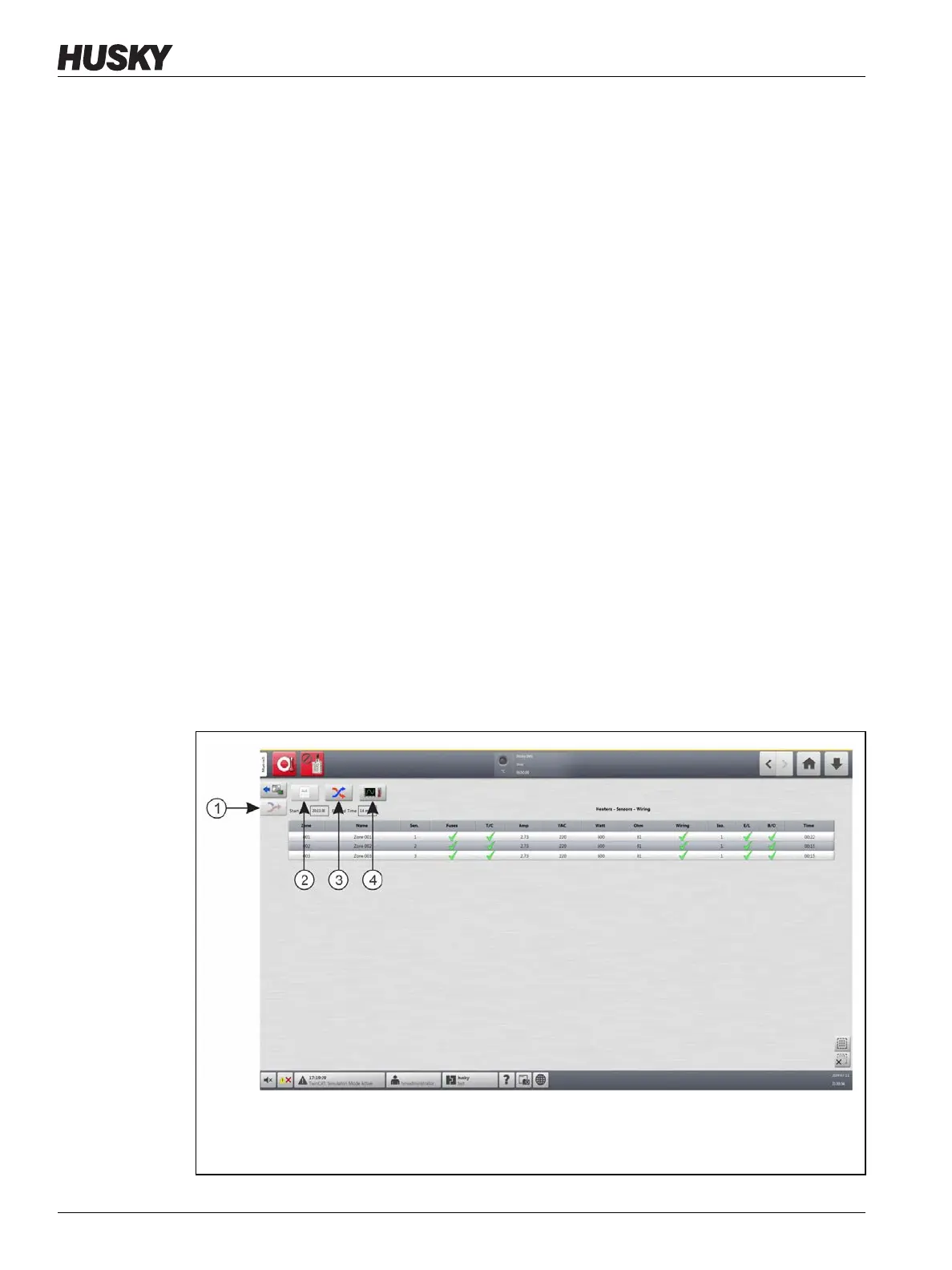
On the Home screen, touch the Diagnostics Results button to open the Test Results screen.
Refer to Figure 8-2.
Figure 8-2 Test Results Screen
1. Rewire 2. Test Results 3. Cross-Talk 4. Temperature Graphs



 To Next Page