Heats Setup - Monitoring 115
User Guide v 1.0 — February 2020 System Setup
10.1.3.3 Heats Setup - Monitoring
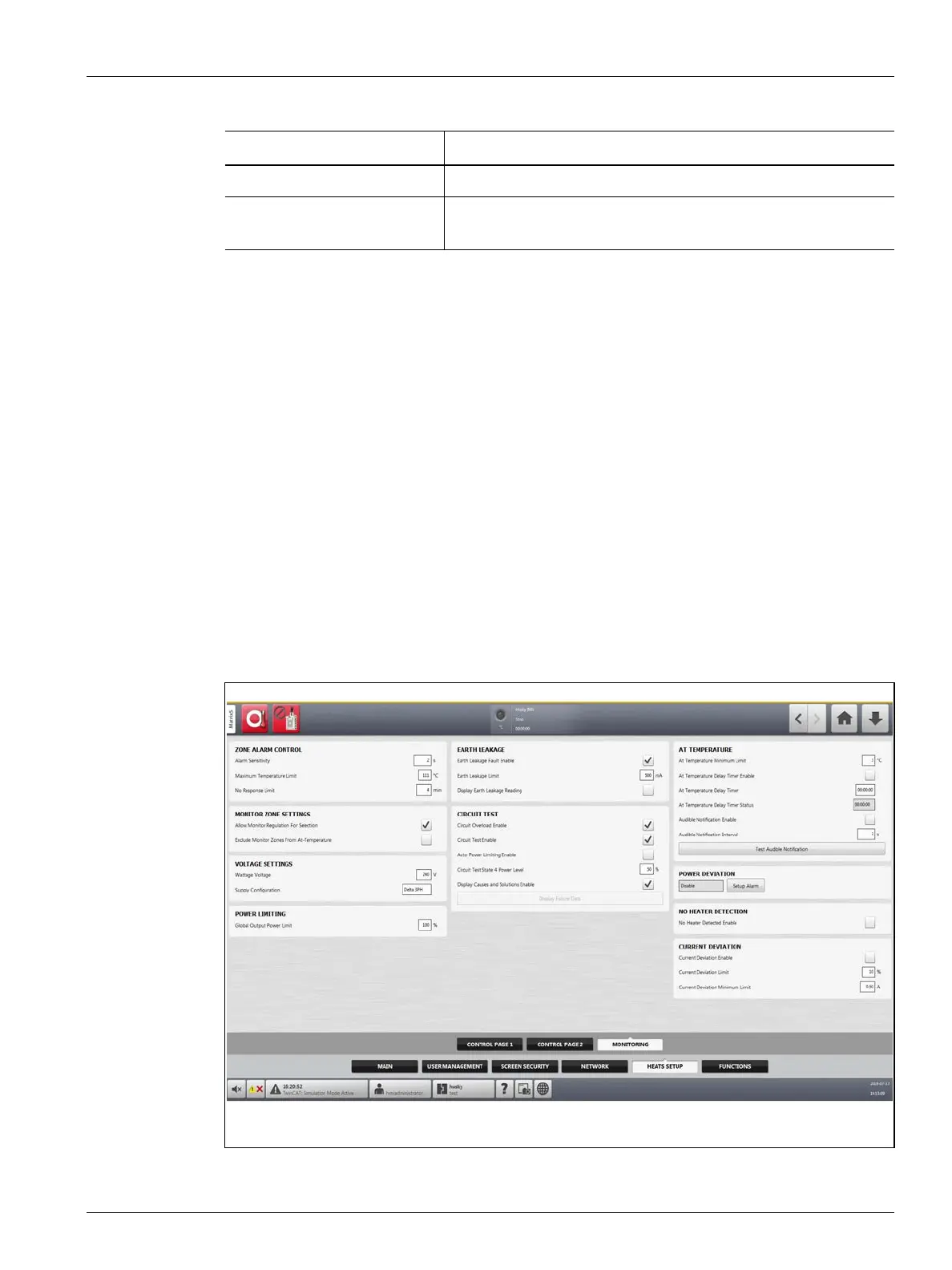
On the Monitoring tab of the Heats Setup screen, mold monitoring configurations are set for
the categories that follow:
• Zone Alarm Control
• Monitor Zone Settings
• Voltage Settings
• Power Limiting
• Earth Leakage
• Circuit Test
• At Temperature
• Power Deviation
• No Heater Detection
• Current Deviation
The Monitoring tab is shown in Figure 10-5 with the configuration settings for each category.
The configuration settings are described in Table 10-5.
Grid Size Used to change the mainframe layout on the Card Layout screen.
Group Offset Used to configure the linked systems. The default group offset
setting is 96 zones.
Table 10-4 System Setup Screen - Heats Setup - Control Page 2 (Continued)
Item Description
Figure 10-5 Heats Setup - Monitoring



 To Next Page