6.2 Removing and Installing Nozzle Stacks
The nozzle stacks are pre-assembled and installed in the manifold system. To replace a nozzle
stack component, use the following procedures to remove and install the nozzle stack. Part
numbers and torque values are included in the assembly drawings.
6.2.1 Removing the Nozzle Stack
To remove the nozzle stack from a Unify manifold system, do the following:
1. Remove the Unify from the machine and position it so the nozzle stacks can be accessed.
Refer to Section 4.2.2.
2. Install the nozzle assembly tool over the housing assembly until the dowels of the tool
engage with receiving holes in the manifold.
3. Remove the stepped washers and stepped washer fasteners.
4. Remove the nozzle assembly tool. Make sure to hold onto the nozzle stack housing
assembly.
5. Remove the housing assembly from the manifold.
6.2.2
Installing the Nozzle Stack
To install the nozzle stack in the Unify manifold system, do the following:
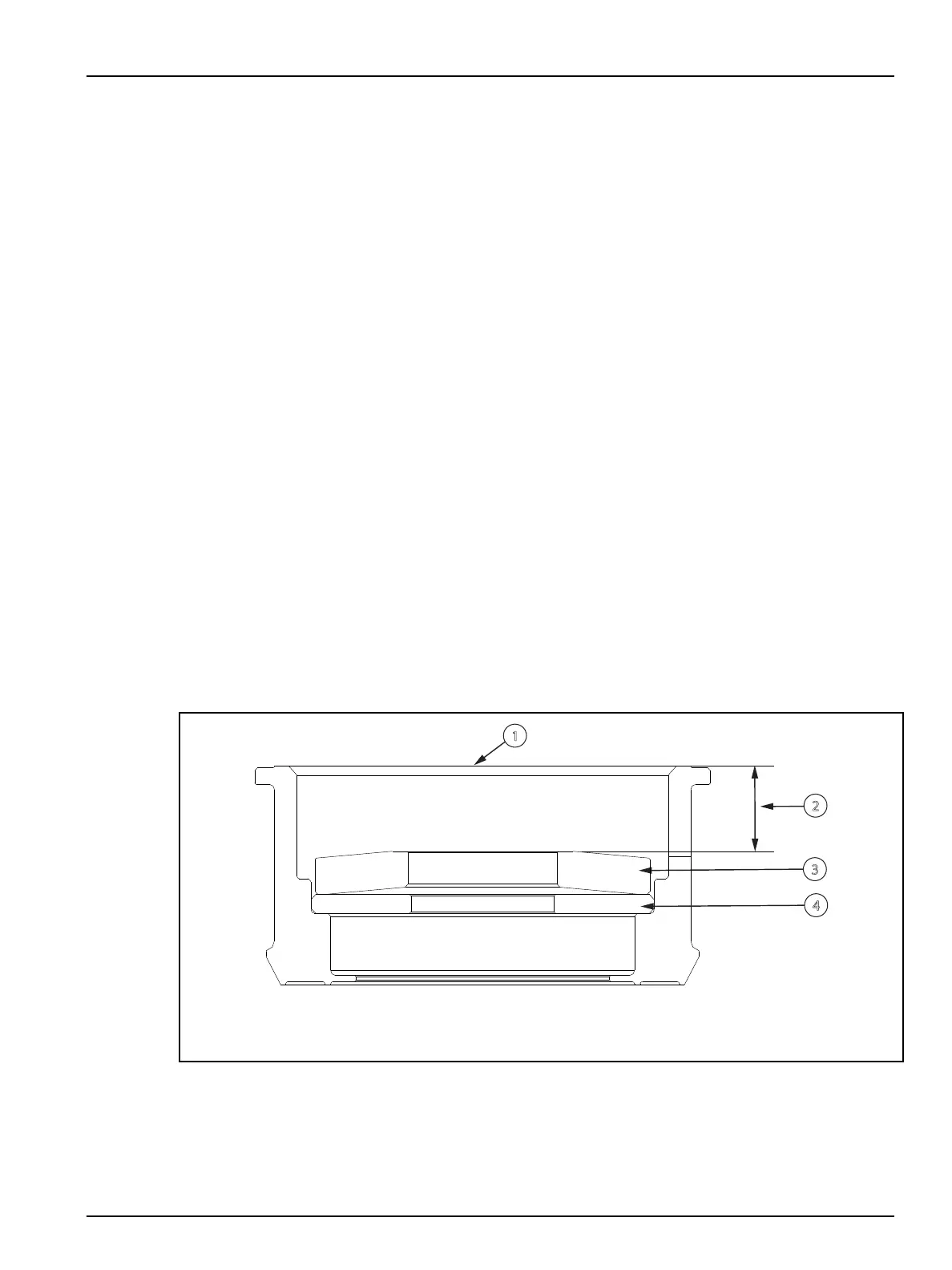
1. Insert the locator and spring in the retainer, making sure the orientation is correct.
Figure 6-1: Retainer
1. Retainer 2. Dimension R 3. Spring 4. Locator
2. Measure the spring bore depth inside the retainer to verify it matches the dimension "R" on
the assembly drawing.
3. Remove the locator and spring from the retainer.
Hot Runner Installation Manual v 2.2 — March 2021 Maintenance
Scheduled and Non-Scheduled Maintenance 63


 To Next Page