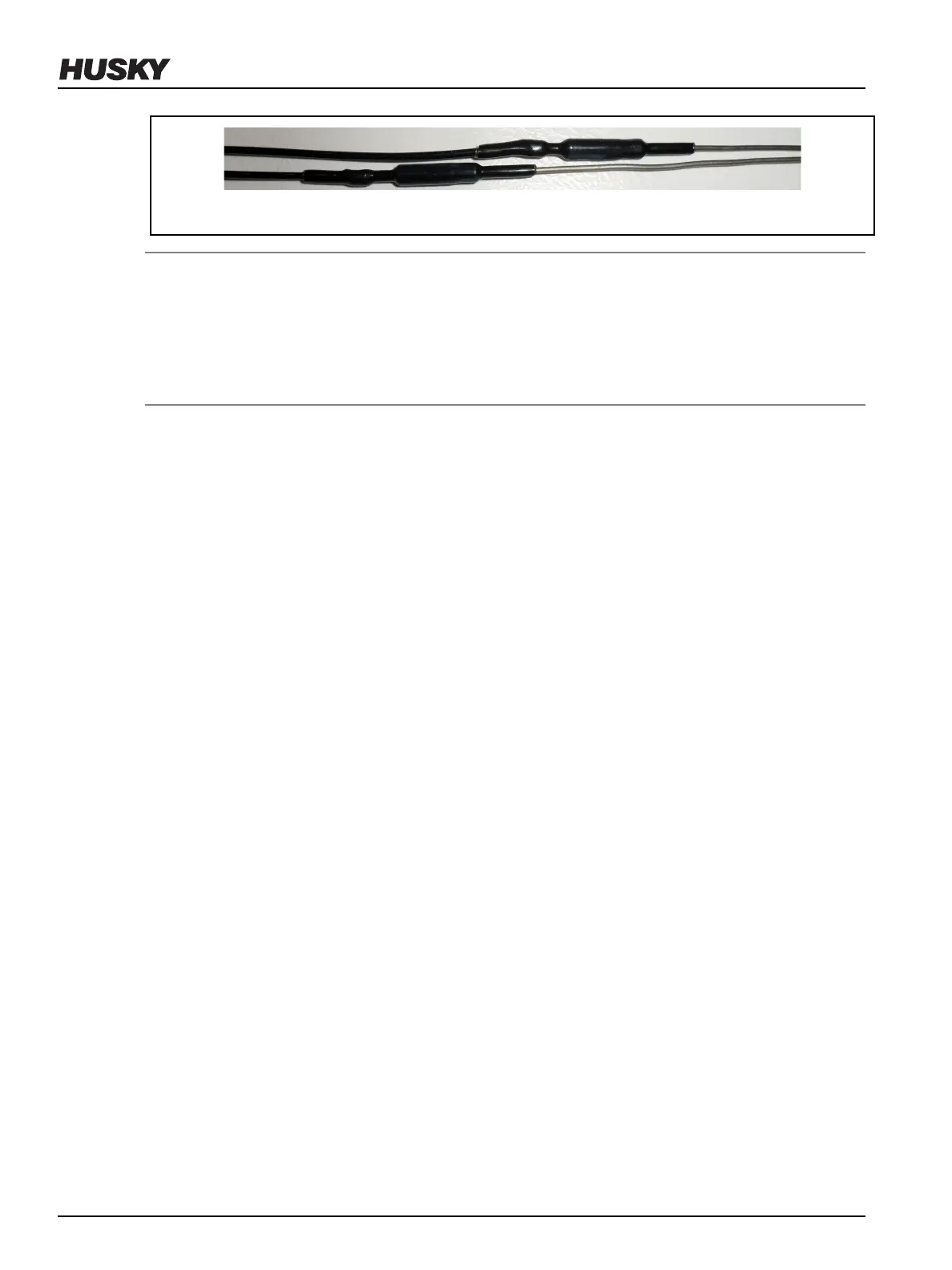
Figure 6-33: Staggering the Knuckles in the Wire Grooves
NOTE:
All wire, including heater or thermocouple wire, that could contact a heated component such as a
nozzle housing or manifold must be mineral insulated high temperature wire (hard lead). If the
mineral insulated lead is not long enough to allow this, additional steps must be taken, such as
using high temperature sleeving, to prevent the knuckles and PTFE or Kapton insulated wire (soft
lead) from overheating.
12. Label each wire with the heater zone number. Refer to the electrical schematic for the zone
number.
13. Crimp the wire ends and connect the wires to the appropriate multi-pin connectors. Refer to
the electrical schematic for more information.
14. Test each nozzle heater. Refer to Section 6.13 for more information.
6.10.4
Removing and Installing Triton Heaters on U750-UP Systems
The following procedures describe how to remove and install Triton nozzle heaters on U750-
UltraPackaging (UP) Systems.
6.10.4.1
Removing Triton Nozzle Heaters on U750-UP Systems
To remove a Triton nozzle heater, do the following:
1. Separate or remove the cavity plate from the manifold.
2. Remove the nozzle retainer.
3. While holding the retaining clip and nozzle heater rmly against the wave springs, remove
the retaining clip from the nozzle tip.
v 2.2 — March 2021 Unify Manifold System
92 Removing and Installing Triton Heaters on U750-UP Systems


 To Next Page