EasyManua.ls Logo

IAI ASEP - User Manual

IAI ASEP
116 pages
Print Icon
To Next Page IconTo Next Page
Loading...
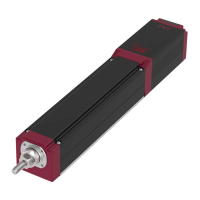
DSEP Controller
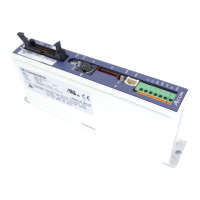
ASEP Controller
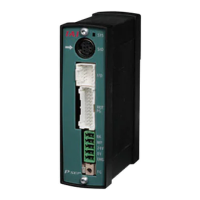
PSEP Controller
Instruction Manual Tenth Edition
/

Table of Contents

Other manuals for IAI ASEP

Questions and Answers

  • G
    George WilkinsSep 23, 2025
    What to do if IAI ASEP issues a movement command in incomplete home return?
    • G
      Gregory BakerSep 23, 2025
      If the IAI Controller issues a movement command while the home return has not been completed, input the ST0 signal to perform the home return operation.
  • V
    veronica95Sep 3, 2025
    What to do if the IAI ASEP displays an Excitement Detection Error?
    • M
      Marissa ArcherSep 3, 2025
      If the IAI Controller shows an excitement detection error: * Check the motor connecting cable wiring condition. * Confirm that there is no error in the mechanical part assembly condition. * Move the actuator away from the mechanical end and re-input the power. * If the load weight is normal, move the actuator by hand to check the sliding resistance after the power is turned OFF. This error may occur due to loose cable connections, brake not released, excessive motor load, the actuator hitting the mechanical end during power input, or high sliding resistance in the actuator.
  • T
    Tina DonaldsonAug 27, 2025
    How to fix excitement detection error in IAI ASEP Controller?
    • K
      Kathryn RobertsAug 27, 2025
      Check for the motor connecting cable wiring condition. Confirm that there is no error in the mechanical part assembly condition. Move the actuator away from the mechanical end and re-input the power. In the case that the load weight is normal, move the actuator by hand to check the sliding resistance after the power is turned OFF. In the case that there is any error in the actuator itself, contact our company in case of Excitement Detection Error in IAI Controller.
  • M
    Mr. Brandon RamirezSep 15, 2025
    What to do if IAI Controller shows overload?
    • N
      newmankimberlySep 15, 2025
      Confirm about the load conditions, that the work does not interfere with any object nearby or the brake has been released, etc., and if any, remove the cause. Restart the operation after making sure to remove the cause. Also, in the case that the power is turned OFF, turn ON the power again after 30 minutes or to prevent motor coil burning in case of Overload in IAI Controller.
  • K
    Karen MartinezSep 18, 2025
    What to do if PC board mismatching error in IAI ASEP Controller?
    • C
      christopherbooneSep 22, 2025
      Contact our company in case of PC Board Mismatching Error in IAI Controller.
  • B
    Brian SimonSep 6, 2025
    What to do for absolute encoder error detection 1 on IAI ASEP Controller?
    • D
      David MckeeSep 6, 2025
      To resolve an absolute encoder error detection 1 in the IAI Controller, turn OFF the power, ensure no vibration is added to the actuator, and then turn the power back ON. The error can occur if the current position changes due to an external force after the absolute unit reset is completed and the power is re-input, or when the absolute unit is reset.
  • P
    pzamoraSep 9, 2025
    What to do if IAI ASEP issues movement command during home return operation?
    • D
      davidkingSep 9, 2025
      If the IAI Controller issues a movement command during a home return operation, input the command after confirming that the home return is complete (LS0 or PE0 is turned ON).
  • J
    Julie MurraySep 15, 2025
    How to resolve A, B, or Z-phase wire breakage in IAI ASEP?
    • J
      Joel MitchellSep 15, 2025
      Check for the connection condition of the actuator connecting cable and perform the continuity test. If normal, contact our company in case of A, B or Z-phase Wire Breakage in IAI Controller.
  • P
    Peter RuizSep 23, 2025
    What to do if IAI Controller experiences A and B-phase wire breaking?
    • C
      Carolyn GibsonSep 23, 2025
      If the IAI Controller experiences A and B-phase wire breaking, it means the encoder signal is not being detected properly. Check the condition of the actuator connection cable and perform a continuity check. If no abnormalities are detected, contact support.
  • J
    Jonathan HoganAug 25, 2025
    What to do if the IAI ASEP Controller displays a Z-Phase Detection Time Out error?
    • C
      Cristian WhitneyAug 26, 2025
      If the IAI Controller displays a Z-Phase Detection Time Out error: * Check the actuator cable wiring condition. * Confirm that there is no error in the mechanical part assembly condition. * If the load weight is normal, move the actuator by hand to check the sliding resistance after the power is turned OFF. Potential causes include loose cable connections, brake not released, excessive motor load, or high sliding resistance in the actuator itself.

Summary

Safety Guide

Safety Precautions

General safety precautions for robot operation to prevent injury or damage.

Precautions in Operation

Operational Requirements

Guidance on teaching tools, data backup, operation patterns, and signal inputs.

Standards Compliance

International Standards and CE Marking

Details on RoHS, CE Marking, and UL compliance for the products.

Starting Procedures

Initial Setup and Checks

Steps for initial settings, power checks, servo ON, and safety circuit verification.

Component Identification

Controller Parts and Functions

Identifies key controller components like connectors, LEDs, and indicators.

Actuator Axes Types

Axis Type Illustrations

Illustrates rod, slider, table, arm, gripper, and rotary actuator axis types.

Specifications Overview

Product Check and Teaching Tools

Lists product parts, required teaching tools, and related manuals for setup.

Basic Specifications

External Dimensions

Controller and Battery Unit Dimensions

Provides external dimensions for controller models and the absolute battery unit.

I;O Specifications

PIO Input;Output Interface

Details PIO interface specifications, voltage, current, and circuit diagrams.

Installation Environment

Installation and Noise Elimination

Grounding, Wiring, and Noise Reduction

Guidelines for proper grounding, wiring, and noise reduction techniques.

Wiring Overview

Wiring Diagrams and Connections

Shows overall wiring connections for controller, battery, and actuators.

PIO Patterns and Circuit Examples

PIO Signal Assignments

Circuit Diagrams

Power, Emergency Stop, and PIO Circuits

Provides circuit diagrams for power, emergency stop, and PIO pattern examples.

Wiring Methods

Connector Wiring Details

Details wiring for power supply, FG terminal, actuator, PIO, SIO, and battery connectors.

Operation Procedures

Initial Settings and Configuration

Guides through initial configuration steps using PC software or Touch Panel.

Position Data Setting

Absolute Reset Procedure

Power-up and PIO Control

Input Signal Control

Explains input signal requirements and time constants for reliable operation.

Home-return Operation

Timing Charts

Movement and Control Timing Diagrams

Illustrates timing for point-to-point, pause, speed change, and pressing operations.

User Parameters

Parameter Descriptions

Details user parameters for positioning, speed, gain, torque, and other settings.

Servo Adjustment

Adjustment Guides for ASEP;PSEP and DSEP

Provides step-by-step guidance for servo adjustment based on model and situation.

Alarm Management

Alarm Levels and Troubleshooting

Details alarm classification, cancellation methods, and comprehensive troubleshooting for errors.

Appendix: Specifications

Connectable Actuator Specifications

Lists detailed specifications for various connectable actuators.

Pressing Force and Current Limit Value

IAI ASEP Specifications

General IconGeneral
Operating Temperature0 to 40°C
Storage Temperature-10 to 60°C
Vibration Resistance4.9 m/s² (0.5 G) or less
Protection ClassIP20
Number of Axes1
Communication InterfaceEthernet, RS-232C
Power Supply24V DC
Humidity20 to 80% RH (non-condensing)
Control MethodPosition, Speed, and Torque Control
Programming LanguageProprietary language (IAI language)

Related product manuals