22 Installation, Support, and Maintenance Guide
Evolution X1 Satellite Router
X1 Outdoor Router Interfaces
4.2.2 X1 Outdoor Router Power Module Unit Connectors
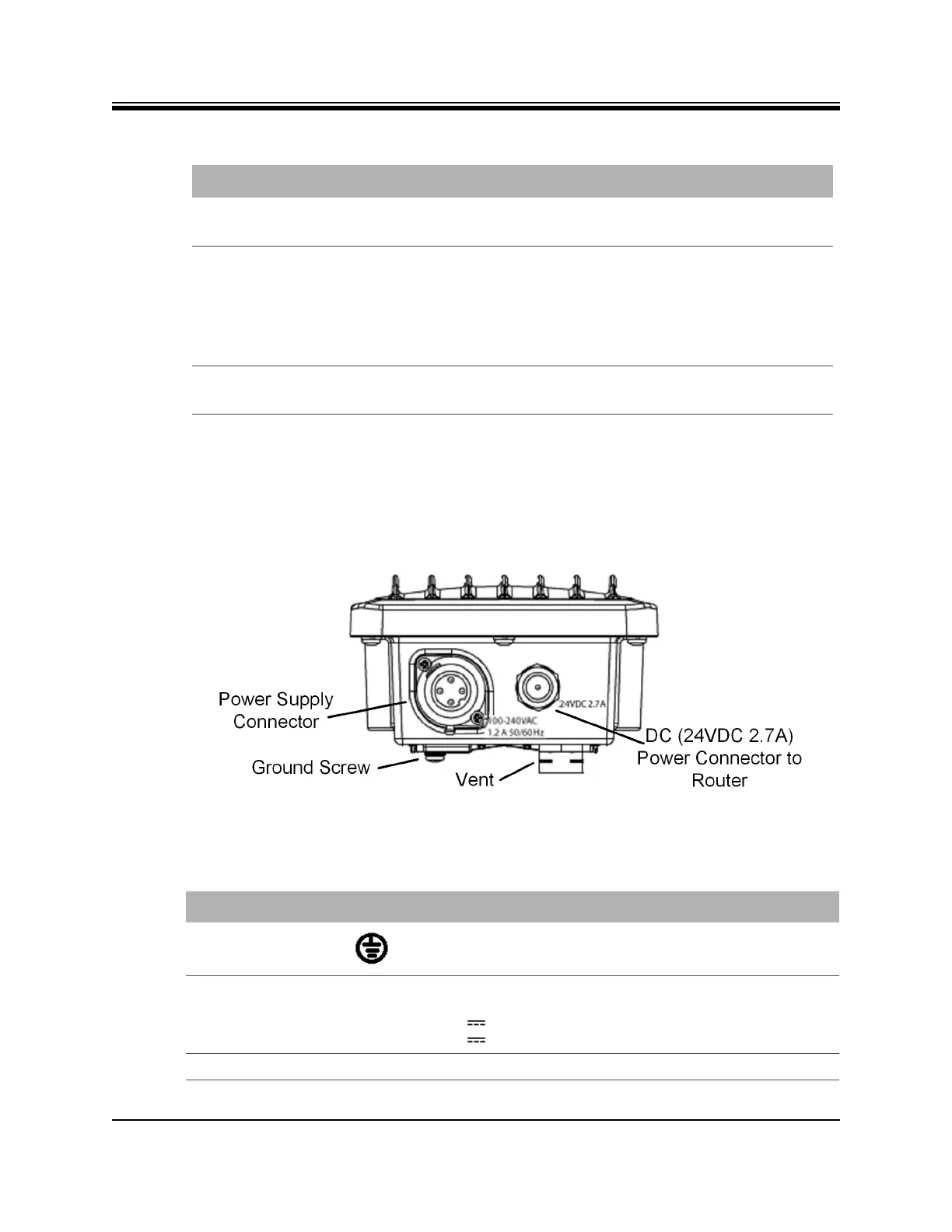
The Power Module interface connectors for the X1 Outdoor Router are shown in Figure 4-4 and
described in Table 4-5. The pin assignments for the AC power connector are defined in
Table 4-6 on page 23 and pin assignments for the DC power connector are defined in Table 4-7
on page 23.
Figure 4-4. X1 Outdoor Router Power Module with Connectors Labeled
Table 4-4. X1 Outdoor Router Connector-Cable Cross-Reference
Connector Label Connector Type Cable Type
24 VDC 2.7A Supplied with order DC power cable supplied with
order
TX Out and RX In Either:
• Standard (crimp type) F connector
and wrapping with weatherproof
tape
• Waterproof (compression type) F
connector
Coax RG 6 or RG 11
LAN (Ethernet) RJ45, protected with an M25 Cable
Gland (gland supplied with order)
Cat 5 - Cat 7
Table 4-5. X1 Outdoor Router Power Module Connector Descriptions
Callout Label Description
Ground Screw Grounding screw (provided)
Power Supply
Connector
Option 1: 100-240 VAC, 1.2 A 50/60
Hz
Option 2: 12-36 V 9 A
Option 3: 36-76 V 3 A
Power supply connector
Vent None Environment pressure relief vent













 To Next Page