Installation, Support, and Maintenance Guide 41
Evolution X1 Satellite Router
External Power Module Mounting Instructions
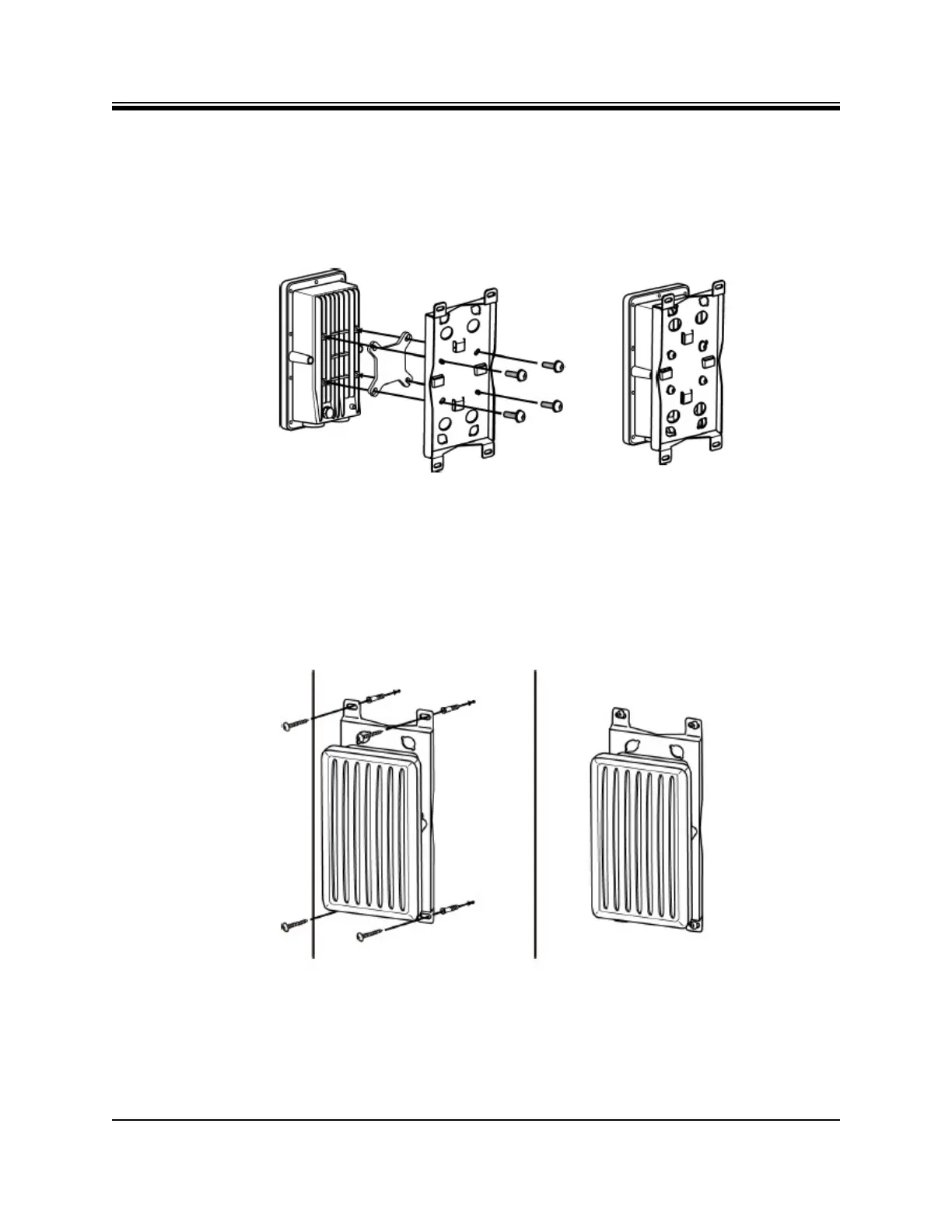
6.6.1 Attaching the Mounting Plate to the Power Module
Before mounting the Power Module, first attach the mounting plate, to the Power Module,
using the M6x20 screws as shown in Figure 6-6.
Figure 6-6. Mounting the Power Module
6.6.1.1 Wall Mount
After attaching the mounting plate to the Power Module, mount the Power Module assembly
to the wall as shown in Figure 6-7.
Figure 6-7. Power Module Wall Mount













 To Next Page