40 Installation, Support, and Maintenance Guide
Evolution X1 Satellite Router
External Power Module Mounting Instructions
6.5.3.2 Router Pole Mount
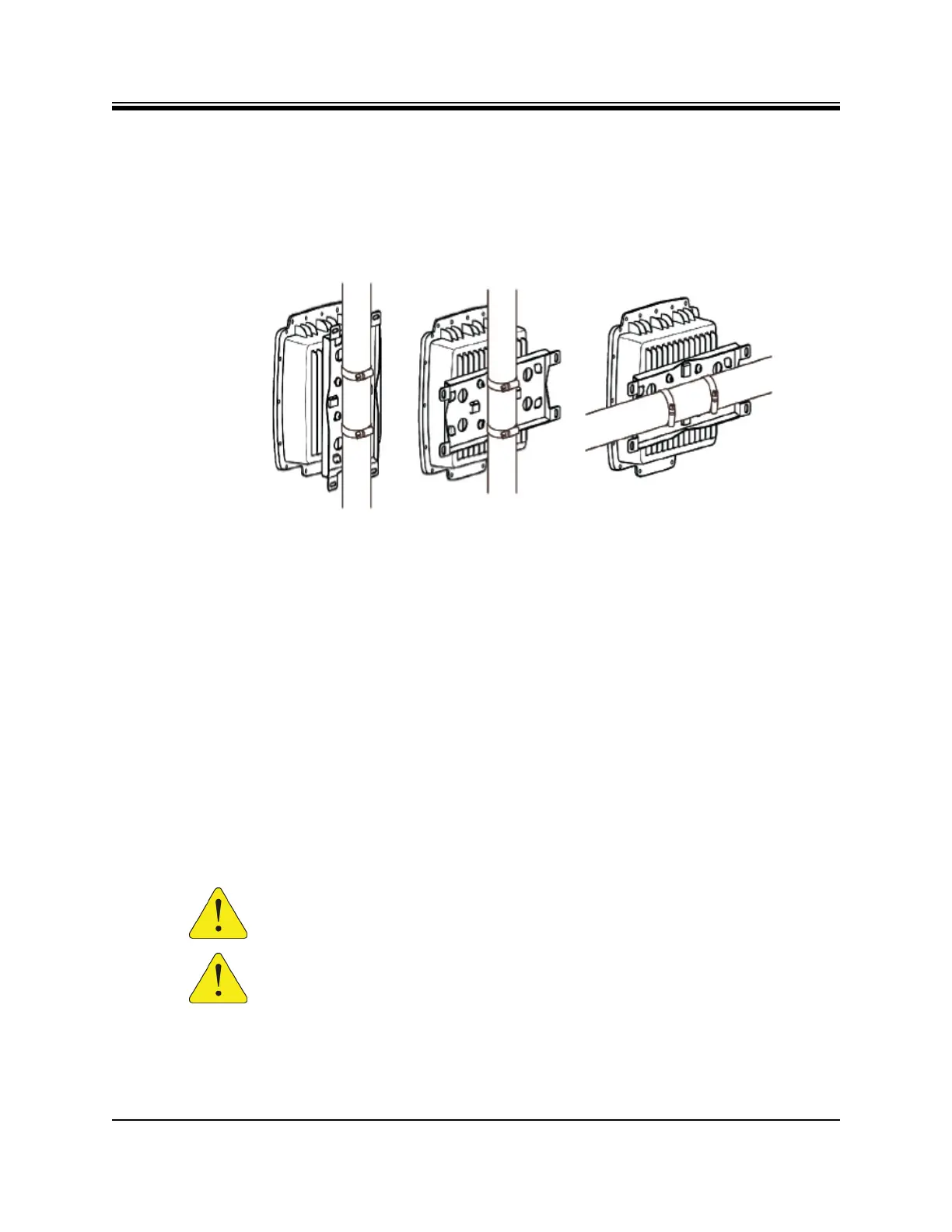
After attaching the mounting plate to the router, mount the X1 Outdoor Router to a pole,
mount the assembly to the pole using the two stainless steel tie back straps as shown in
Figure 6-5 (various mounting options are shown).
Figure 6-5. X1 Outdoor Router Pole Mount
6.6 External Power Module Mounting Instructions
The Power Module may be mounted to a wall or to a pole by using the GTT-MNT-LP22
(GTT:GLBAC-WALLMOU-SCC) mounting kit, The kit includes:
• 1 mounting plate
• 2 stainless steel tie back straps
• 4 wood screws
• 4 wood/gyprock plugs (anchors)
• 4 M5x20 screws
• 4 flat washers for M5 screws
• 4 spring (lock) washers for M5 screws
• 1 spacer
CAUTION: The Power Module must be wall or pole mounted with the cable and
power connectors on the bottom of the unit, facing downward.
CAUTION: The Power Module should be installed below or side-by-side the X1
Outdoor Router if installed on poles.













 To Next Page