42 Installation, Support, and Maintenance Guide
Evolution X1 Satellite Router
Connecting the Ethernet LAN Cable
6.6.1.2 Pole Mount
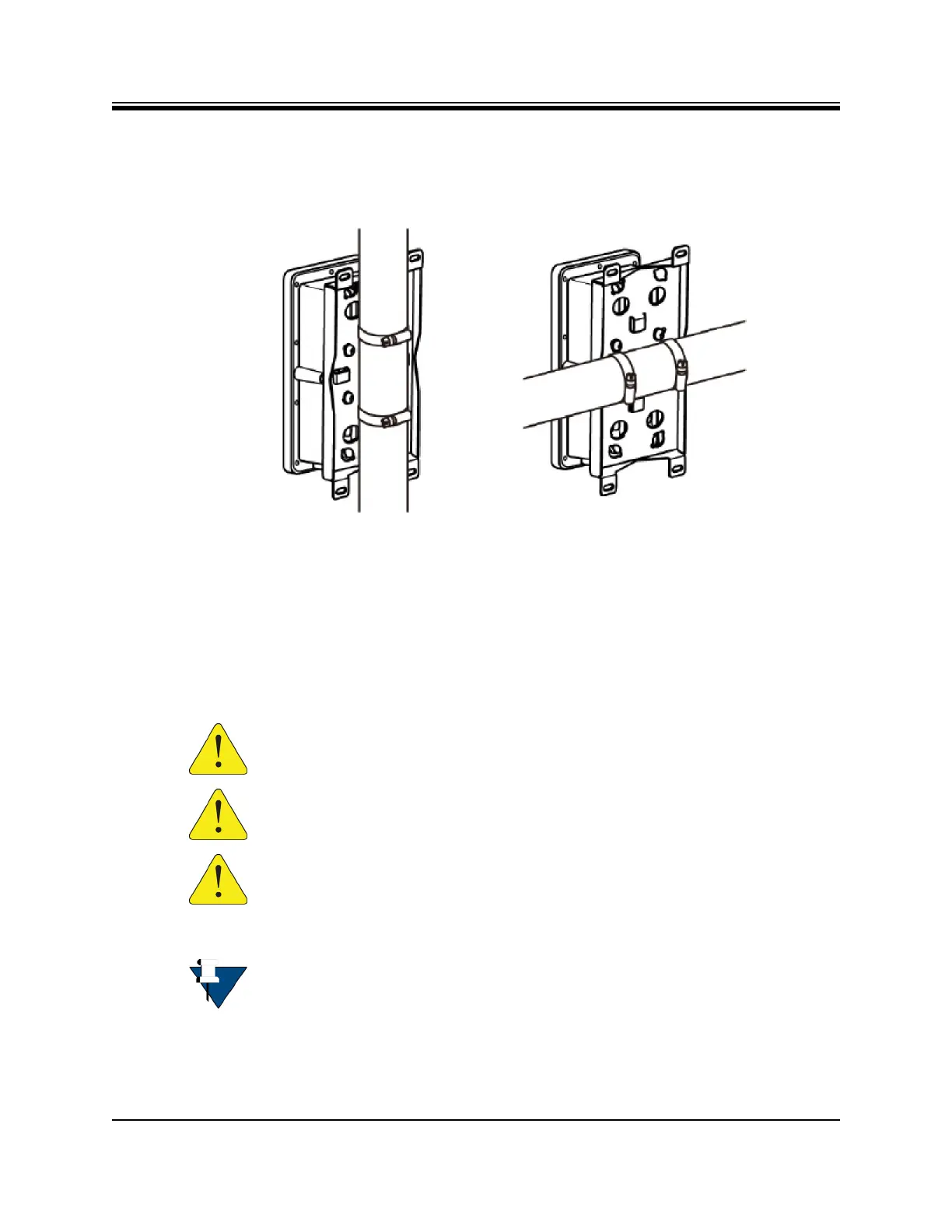
After attaching the mounting plate to the Power Module, mount the Power Module assembly
to the pole as shown in Figure 6-8 (horizontal and vertical mounting options are shown).
Figure 6-8. Power Module Pole Mount
6.7 Connecting the Ethernet LAN Cable
This section describes the installation of the Ethernet LAN cable. Appendix C, Ethernet and
Console RJ45 Pinouts on page 65 lists the pinout details, Table C-1 on page 65 shows the pin
order, and Table 6-1 shows the X1 Outdoor Router Ethernet cable installation steps.
CAUTION: Failure to follow the steps in Table 6-1 on page 43, in the order they
are listed, can cause damage to the Ethernet LAN cable.
CAUTION: After tightening the power connectors, wrap with weatherproofing
tape, if necessary, following manufacturer’s guidelines.
CAUTION: All cables should be installed with a drip loop or service loop.
NOTE: The X1 Outdoor Router connectors and cable for Ethernet may be attached
before or after mounting on a wall or pole.













 To Next Page