99
HDK-99 1803 VER1 (E)
5
CAMERA SETTINGS and ADJUSTMENT
5.2 Settings from the Menu
■
FILE SET
FILE SET creates a lens le.
To change the lens le settings, select
"LENS SELECT"
on
MENU (3/4)
, then
"FILE SET"
.
The following explains the set values, descriptions, and setting procedures.
Set Value Description
OFF (default) Does not create lens files.
MANUAL Stores the current lens status as a file. ("LENS No. x" will be displayed at the bottom of the screen.)
AUTO
Starts auto setup for lens file creation. ("PUSH SET -> START" will be displayed and flash at the bottom of
the screen.)
㻻㻲㻲
㻱㼄㼀
㻼㻻㼃㻱㻾
㻭㻯㼀㻵㼂㻱
㻿㼀㻭㻺㻰㻮㼅
㻮㻿㻛㻯㻯㼁
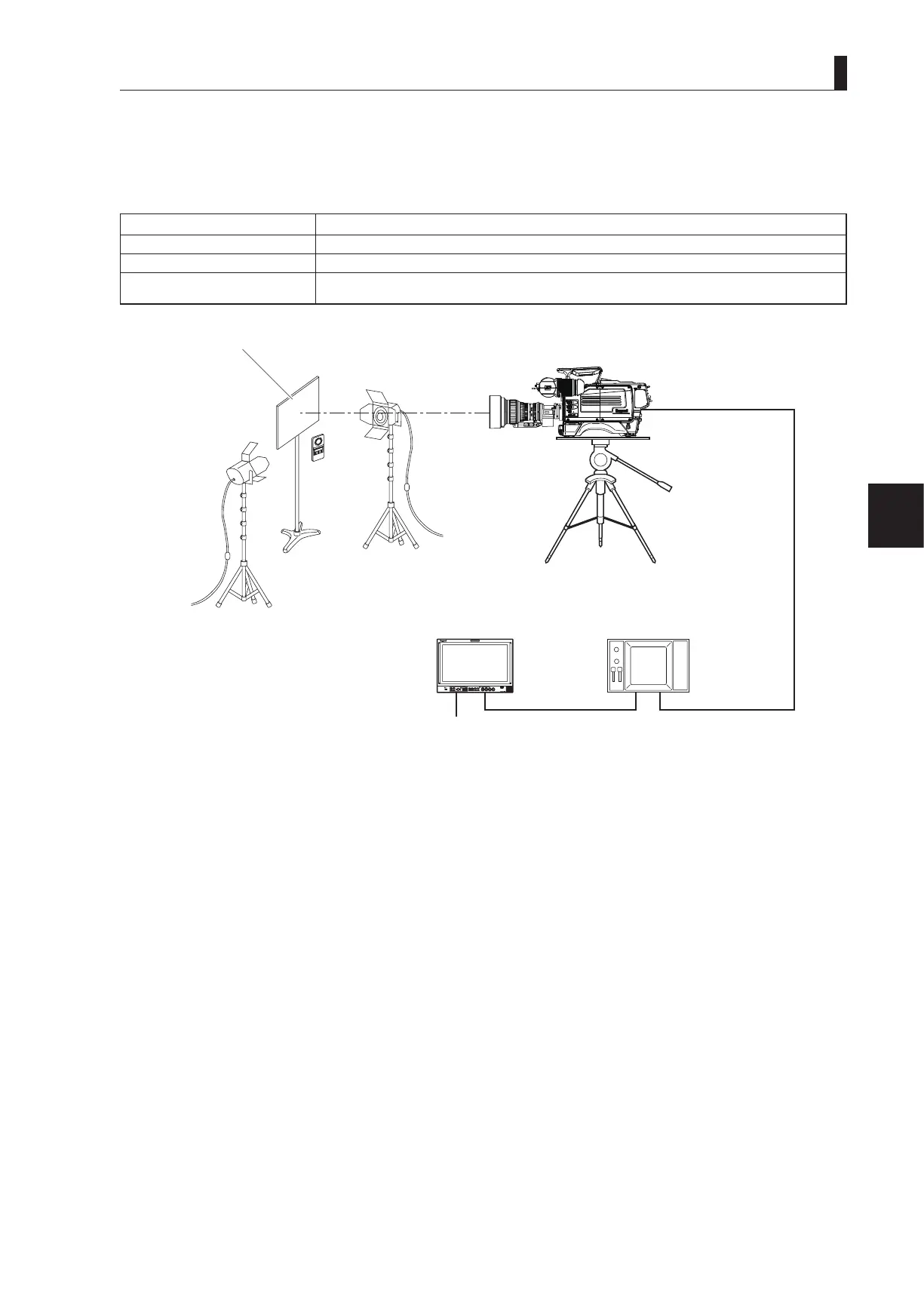
Chart on which Kent paper, etc. has been pasted
and the entire surface is a unif
orm white.
Light
Light
Camera
Tripod
Picture monitor
(connect if required)
Illumination
meter
Q-TV/GL、
MON OUT connector
WFM
Note:
- The creation of lens le requires precise adjustment; therefore, lens les are protected against unintentional update by the S3-4 DIP
switch of the MPU_MULTI_B module.
- When creating a lens le, set the optical lter to ND:CLEAR and the CC lter to 3200K. Also conrm that no special effect lter is
attached to the front of the lens or internal lter disk. If a special effect lter is attached, it may not be possible to correctly create the
lens le.
- When operating the DIP switch (S3) in the MPU_MULTI_B module, turn the POWER switch of the camera OFF once.
1 Set the camera for level setup.
- Mount the standard lens, which is used as a reference lens, to the camera.
- Chart on which Kent paper, etc. has been pasted and the entire surface is uniform white.
- Use an illumination meter to adjust the light so that light is evenly distributed over the whole chart.
2 Dip switch S3-4 On allows creation of a lens file, Off prohibits creation of new lens files.



 To Next Page