101
HDK-99 1803 VER1 (E)
5
CAMERA SETTINGS and ADJUSTMENT
5.2 Settings from the Menu
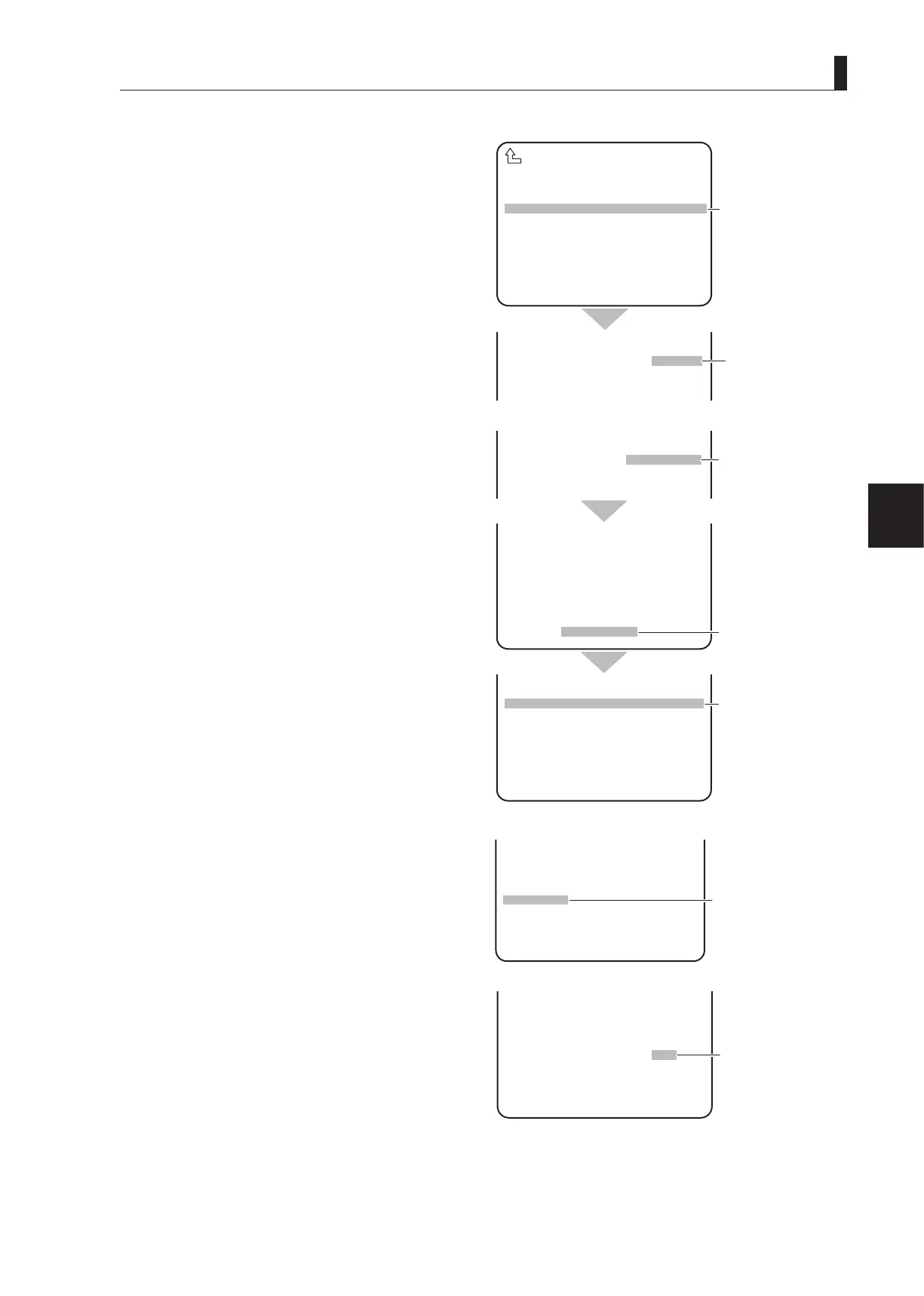
M1
Turn the rotary pulse switch to position the cursor
on the AUTO SEL NAME display part (AB40X10
ABCD), and press the SET button.
The screen switches to a display for obtaining a new
model number from the lens, and the letters "CANCEL"
ash.
Note:
"(AB40X10 ABCD)" is used here for an example of
the model name automatically and previously obtained
from the lens.
M2
Turn the rotary pulse switch to switch the cursor on
"CANCEL" to "AUTO READ," and press the SET
button.
- "COMPLETED" appears on the bottom.
- When "COMPLETED" disappears, a newly loaded
model name will appear.
Note:
"(BB40X10 BCDE)" is used here for an example of the
model name automatically and newly obtained from the
lens.
M3
Turn the rotary pulse switch to position the cursor
on "FILE SET," and press the SET button.
The cursor moves to the mode selection column.
M4
Turn the rotary pulse switch to switch the cursor on
"MANUAL" to "OFF," and press the SET button to
complete the lens file creation. Then, go to Step 8.
▲
NUMBER NO.1
NAME ( )
(AB40X10 ABCD )
EXTENDER OFF
AUTO SEL OFF
FILE SET MANUAL
LENS TYPE ***
LENS NO.1
LENS SELECT
NUMBER NO.1
NAME ( )
MODEL CANCEL
EXTENDER OFF
AUTO SEL OFF
▲
M①
Position the cursor on
"AB40X10 ABCD" and
confirm.
The letters "CANCEL"
flash.
▲
NAME ( )
MODEL AUTO READ
EXTENDER OFF
AUTO SEL OFF
FILE SET MANUAL
▲
NUMBER NO.1
NAME ( )
MODEL AUTO READ
EXTENDER OFF
AUTO SEL OFF
FILE SET MANUAL
LENS TYPE ***
LENS NO.1
COMPLETED
▲
NUMBER NO.1
NAME ( )
(BB40X10 BCDE )
EXTENDER OFF
AUTO SEL OFF
FILE SET MANUAL
LENS TYPE ***
LENS NO.1
M②
Switch the cursor to
"AUTO READ" and
confirm.
"COMPLETED"
appears.
The model name newly
loaded from the lens
appears.
▲
NAME ( )
(BB40X10 BCDE )
EXTENDER OFF
AUTO SEL OFF
FILE SET MANUAL
LENS TYPE ***
LENS NO.1
M③
Position the cursor on
"FILE SET" and confirm.
▲
NAME ( )
(BB40X10 BCDE )
EXTENDER OFF
AUTO SEL OFF
FILE SET OFF
LENS TYPE ***
LENS NO.1
M④
Switch the cursor on
"MANUAL" to "OFF"
and confirm.



 To Next Page