102
HDK-99 1803 VER1 (E)
5.2 Settings from the Menu
Note:
- When the new model name cannot be loaded from the
lens, "READ ERROR" appears on the bottom instead
of "COMPLETED."
- When the rotary pulse switch is turned to switch the
cursor on "CANCEL" to "CLR" and the SET button is
pressed in Step M2, "COMPLETED" appears on the
bottom.
Next, when "COMPLETED" disappears, the area to
display a model name automatically obtained from the
lens will be blank.
Note:
The lens name used for "AUTO SEL" can be edited so that the lens le can be shared with a similar lens.
The following explains the procedures.
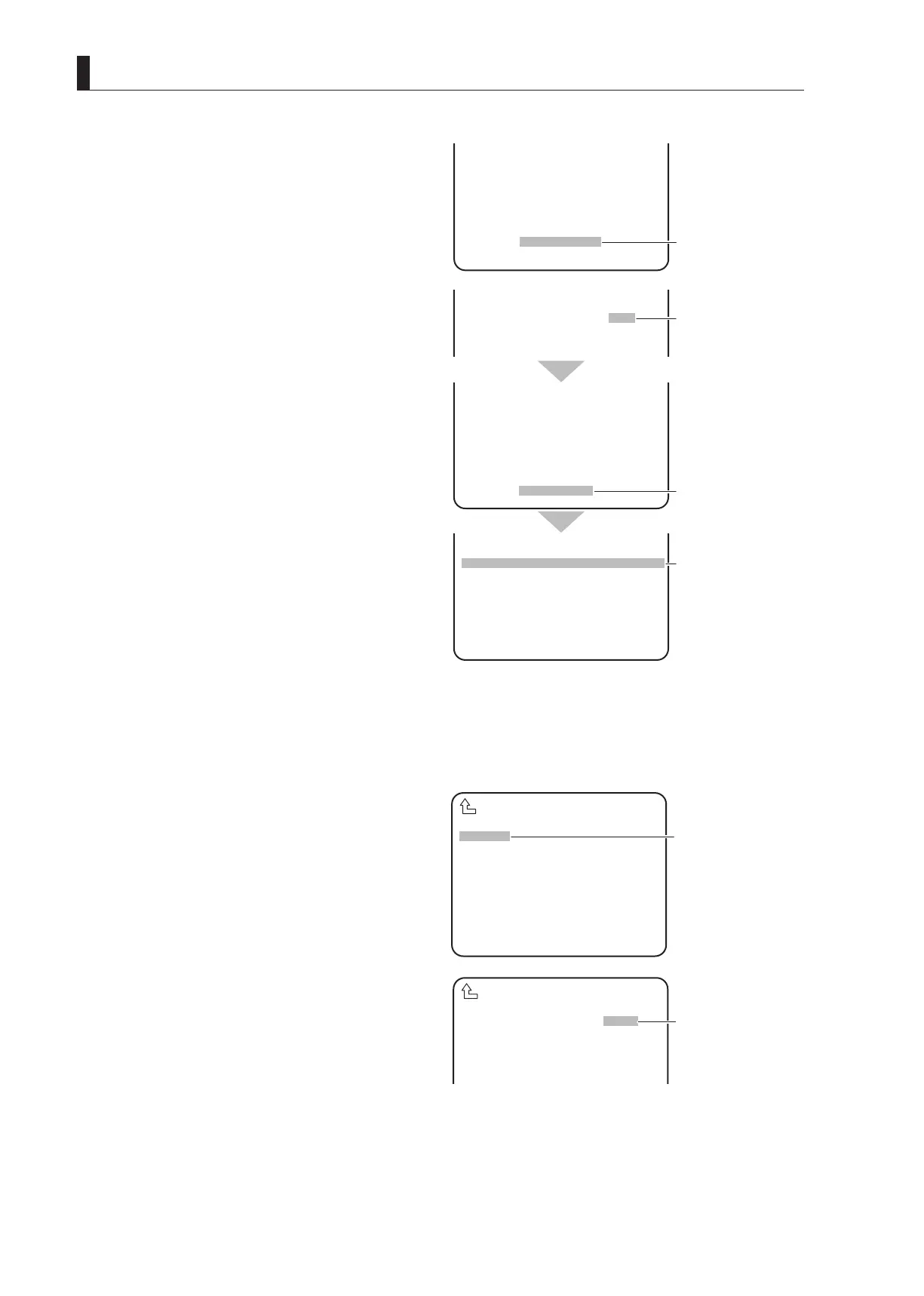
E1
Follow Steps 1 to 3 of lens file creation to display the submenu.
E2
Turn the rotary pulse switch to position the cursor
on "NUMBER", and press the SET button.
The registered lens numbers (NO. 1 to NO. 8) are
displayed.
E3
Turn the rotary pulse switch to position the cursor
on the lens number of the file name to be edited,
and press the SET button.
The NO.5 lens set in "AUTO SEL" is selected here as
an example and the AUTO SEL NAME display part
displays "AB40X10 ABCD".
▲
NAME ( )
MODEL AUTO READ
EXTENDER OFF
AUTO SEL OFF
FILE SET MANUAL
LENS TYPE ***
LENS NO.1
READ ERROR
When the new model
name cannot be
▲ ▲
NAME ( )
MODEL CLR
EXTENDER OFF
AUTO SEL OFF
FILE SET MANUAL
NUMBER NO.1
NAME ( )
MODEL AUTO READ
EXTENDER OFF
AUTO SEL OFF
FILE SET MANUAL
LENS TYPE ***
LENS NO.1
COMPLETED
NUMBER OFF
NAME ( )
( )
EXTENDER OFF
AUTO SEL OFF
FILE SET MANUAL
LENS TYPE ***
LENS NO.1
Switch the cursor to
"CLR" and confirm.
"COMPLETED"
appears.
The area will be blank.
▲
NUMBER OFF
NAME ( )
( )
EXTENDER OFF
AUTO SEL OFF
FILE SET OFF
LENS TYPE ***
AUTO X0.8 CONV OFF
LENS SERIAL I/F OFF
LENS SELECT
E②
Position the cursor on
"NUMBER" and confirm.
▲
NUMBER NO.5
NAME ( )
(AB40X10 ABCD )
EXTENDER OFF
AUTO SEL OFF
LENS SELECT
E③
Select the target lens
number and confirm.



 To Next Page