32
3.4.4. ASCII Code Recognition Range Setting
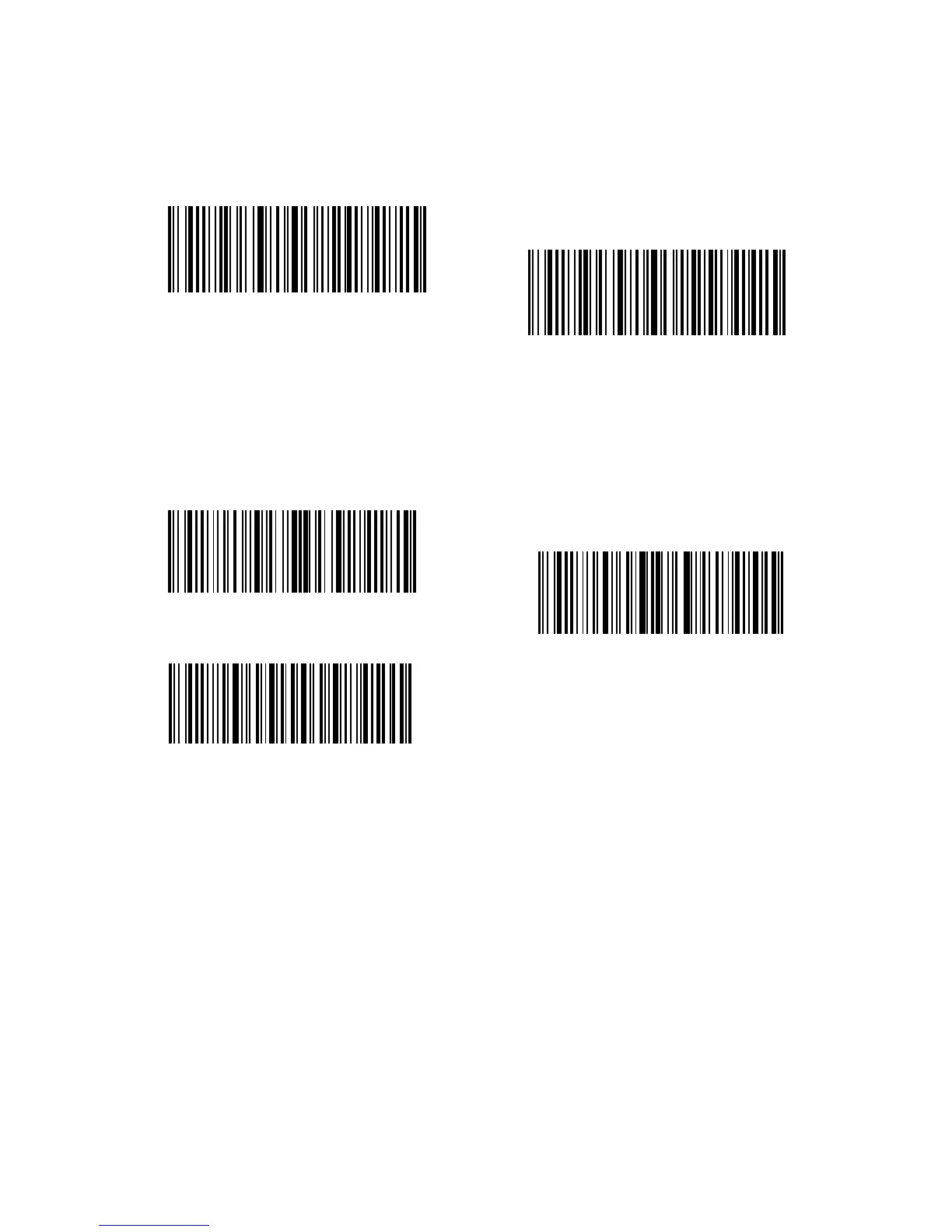
Decide whether to support Code 39 Full ASCII that includes all the alphanumeric and
special character by selecting the correspondent barcodes below. The inateck BCST-
33 Scanner takes “Disable Code 39 Full ASCII” as defaults. It could Disable full ASCII
Code 39” via setting.
For example, Operations are as below if you want to enable Code 39 Full ASCII:
1. Read the "Enter Setup" barcode;
2. Read the "Enable Code 39 Full ASCII" barcode;
3. Read the "Exit with Save" barcode.
Enter Setup
Enable Code 39 Full ASCII
Exit with Save
(*)Disable Code 39 Full ASCII
Exit without Save



 To Next Page