54
4.2. Stop Code of Barcode Setting
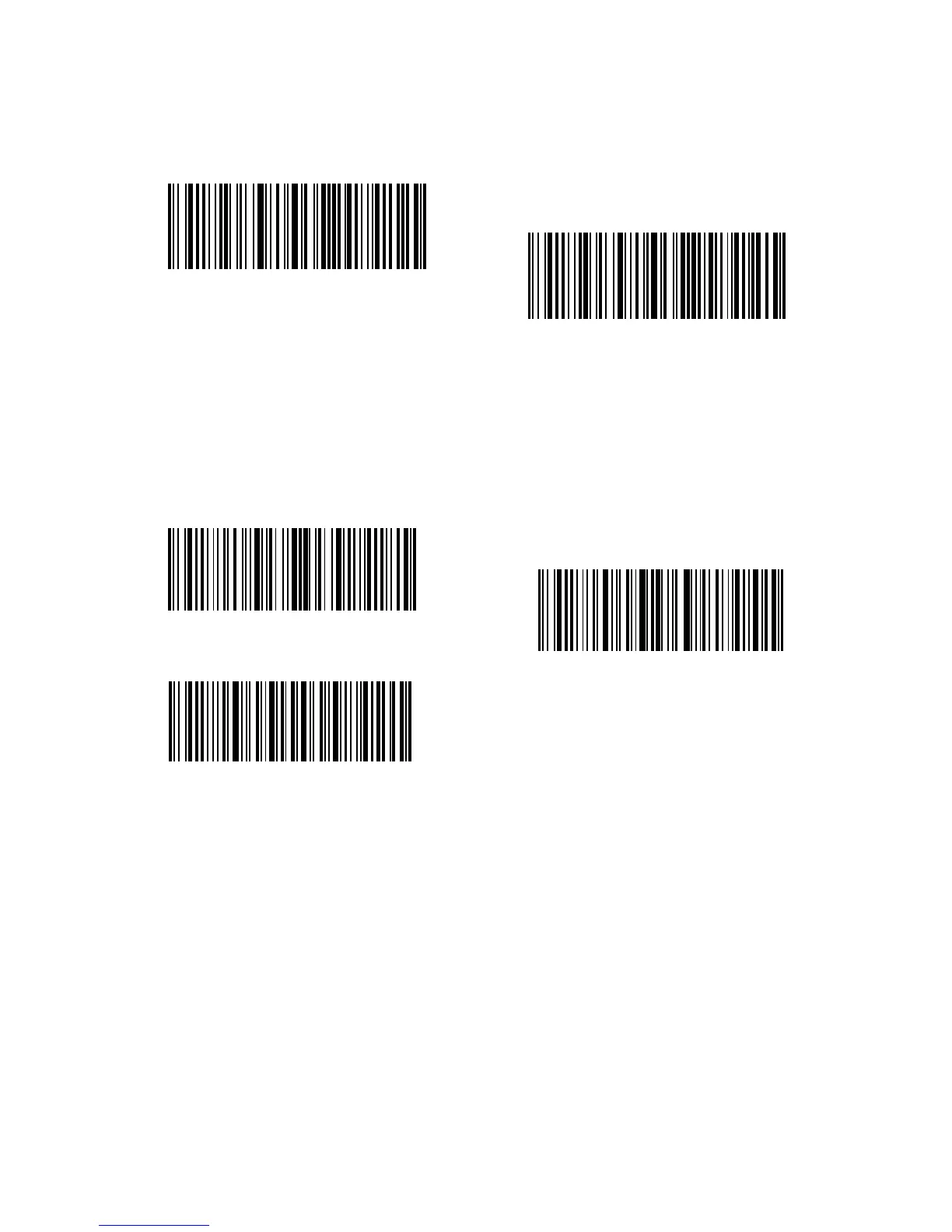
Decide whether to apply Enter as the stop character of barcode data by scanning
correspondent barcode below. Inateck BCST-33 defaults to “Apply Enter as the stop
character of barcode”.
Steps to not apply Enter as Stop Character are as below:
1. Read the "Enter Setup" barcode;
2. Read the "Do Not Apply Enter as Stop Character" barcode;
3. Read the "Exit with Save" barcode.
Enter Setup
Exit with Save
Exit without Save
(*) Apply Enter as Stop Character
Do not Apply Enter as Stop Character



 To Next Page