55
4.3. Customized Settings of Prex and Sux Code of Barcode
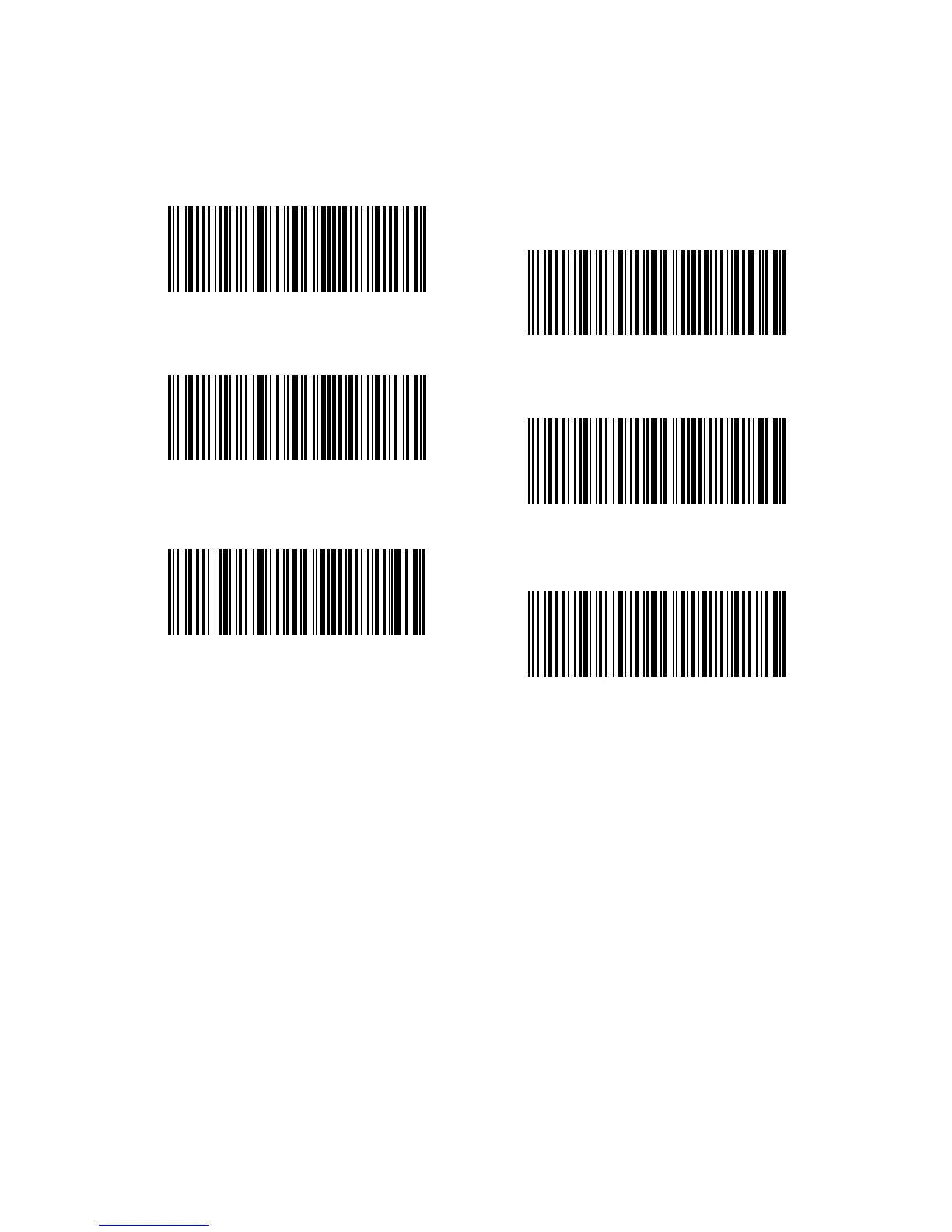
Customized 1 to 32 digits prefix / suffix setting is supported by Inateck BCST-33.
Though Inateck BCST-33 takes recovering the prefix and suffix as default, Hiding
the prefix and suffix is also available through scanning correspondent barcode.
Supported prex/Sux number can be seen in Appendix 1.
Steps to set “#%1”as sux and “!@D” as prex are as below:
1. Read the "Enter Setup" barcode;
2. Read the "Prex Setting" barcode;
3. Read the "#" barcode (see in Appendix 1);
4. Read the "%" barcode (see in Appendix 1);
5. Read the "1" barcode (see in Appendix 1);
6. Read the "Sux Setting" barcode;
7. Read the "!" barcode (see in Appendix 1);
8. Read the "@" barcode (see in Appendix 1);
9. Read the "D" barcode (see in Appendix 1);
10. Read the "Exit with Save" barcode.
Note: Inateck BCST-33 will recover the prex and sux automatically once the Prex/
Sux Setting is nished.
Prex Setting
(*)Recover Prex
(*)Recover Sux
Sux Setting
Hide Prex
Hide Sux



 To Next Page