21
Under Manual Mode, the Inateck P7 Scanner will emit a red-light line which indicates the scanner
can scan if the user keeps pressing the Trigger. The scanning status will not end until you operate
the barcode scanner like below.
* Read a barcode successfully;
* Release the Trigger;
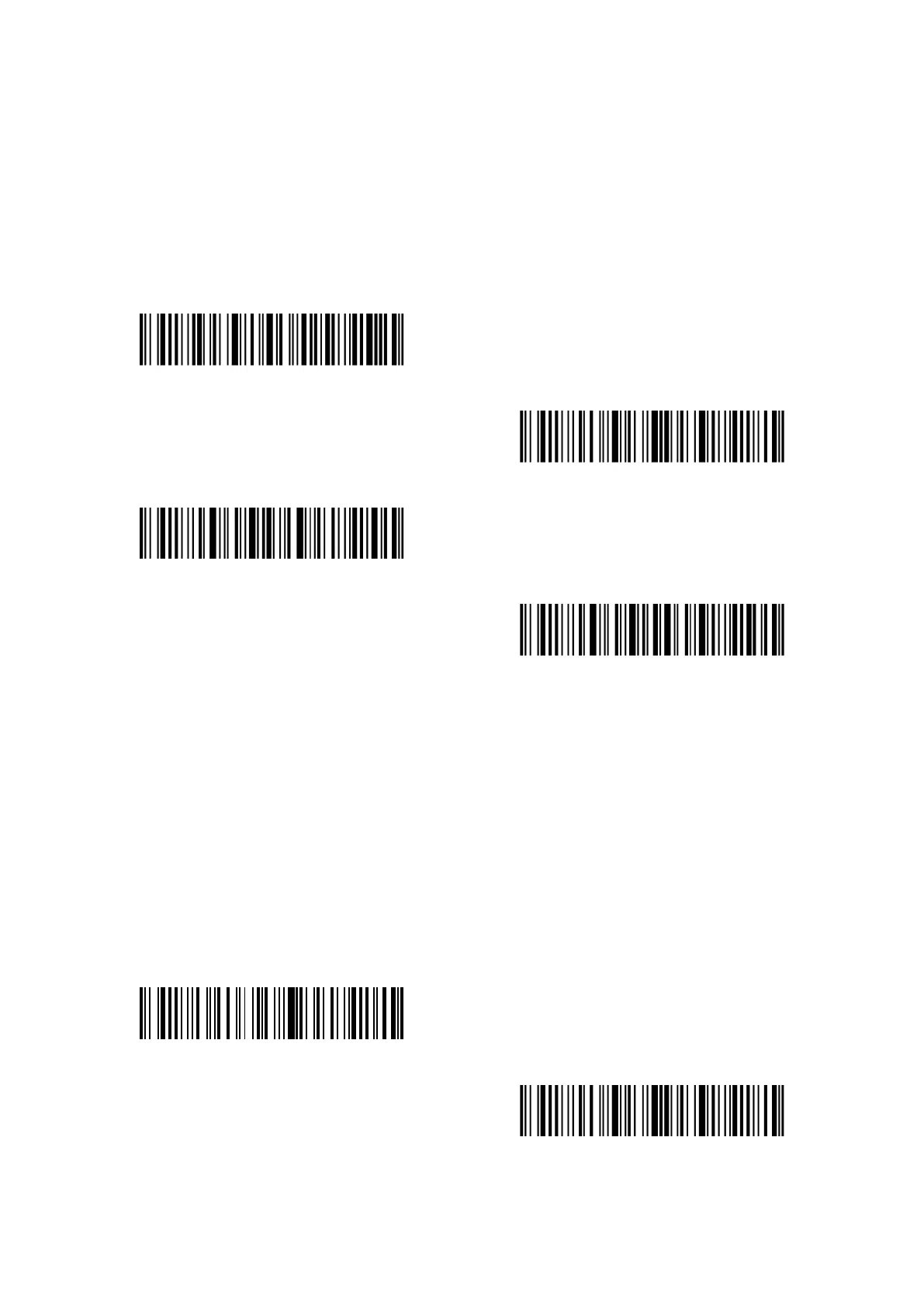
Manual Mode
Enter setup
Exit with save
Exit without save
For Example, if you want to set the scanner into manual mode, you need to:
1. Read the "Enter Setup" barcode;
2. Read the "Manual Mode" barcode;
3. Read the "Exit with Save" barcode.
Under the Hands-free Mode, the red light still stays on after the P7 reads a barcode successfully,
but it won’t read it repeatedly. You can scan the barcode below to set the scanner into
Hands-free Mode.
Hands-free Mode
Enter setup



 To Next Page