63
4.2 Stop Code of Barcode Setting
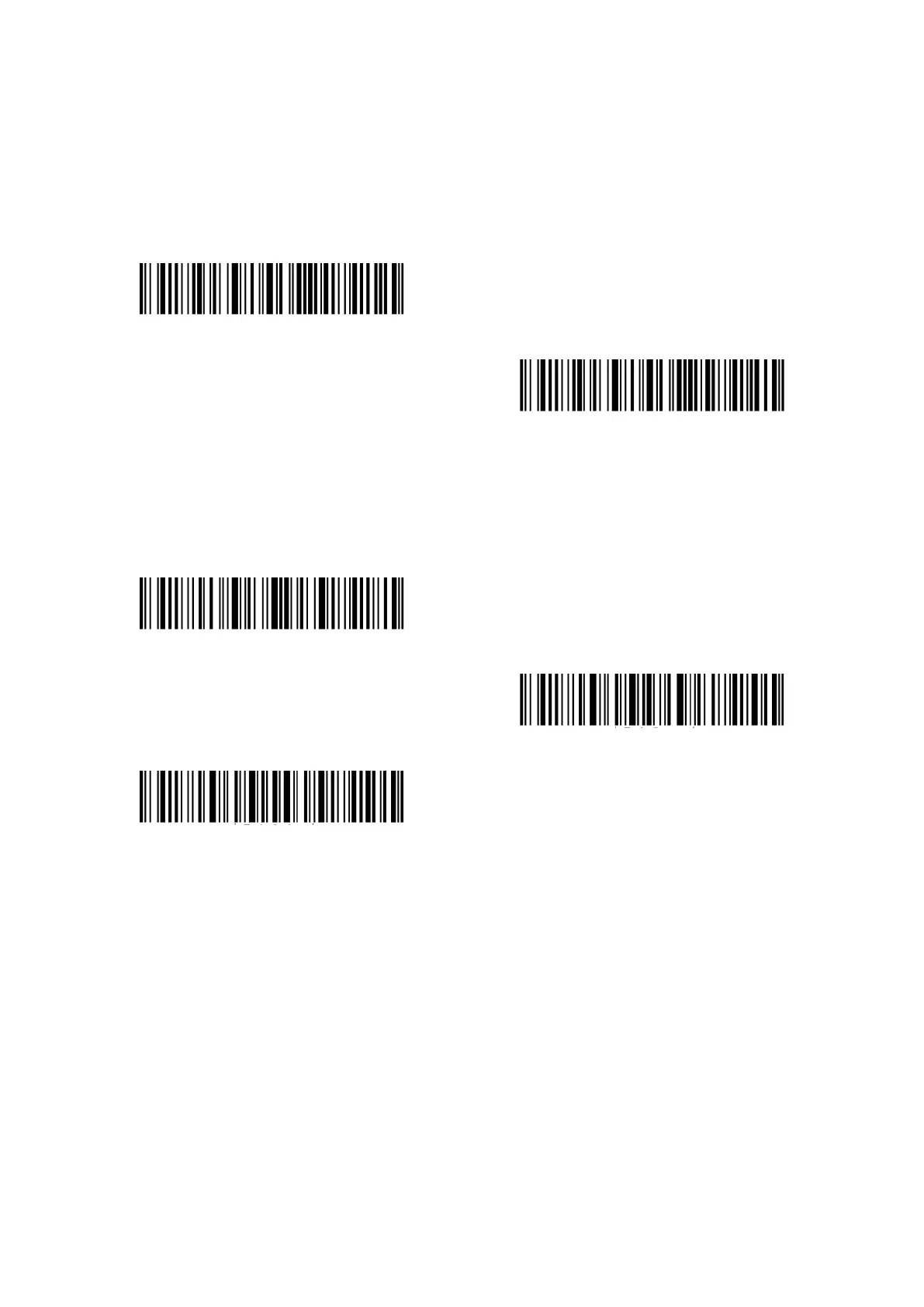
Decide whether to apply Enter as the stop character of barcode data by scanning correspondent
barcode below. Inateck P7 defaults to “Apply Enter as the stop character of barcode”.
(*)Apply Enter as Stop Character
Do not Apply Enter as Stop Character
Steps to not apply Enter as Stop Character are as below:
1). Read the "Enter Setup" barcode;
2). Read the "Do Not Apply Enter as Stop Character" barcode;
3). Read the "Exit with Save" barcode.
Enter setup
Exit with save
Exit without save



 To Next Page