68
4.6 Additional Code
The occurrence of additional code can be found in several types of barcode like EAN-8, EAN-13,
ISBN, ISSN, UPC-A and UPC-E. Being 2 or 5 characters, additional code is usually on the right side
of the main code but with shorter height. Inateck P7 will only be able to read the main code if
additional code is disabled.
4.6.1 Two digits Additional Code
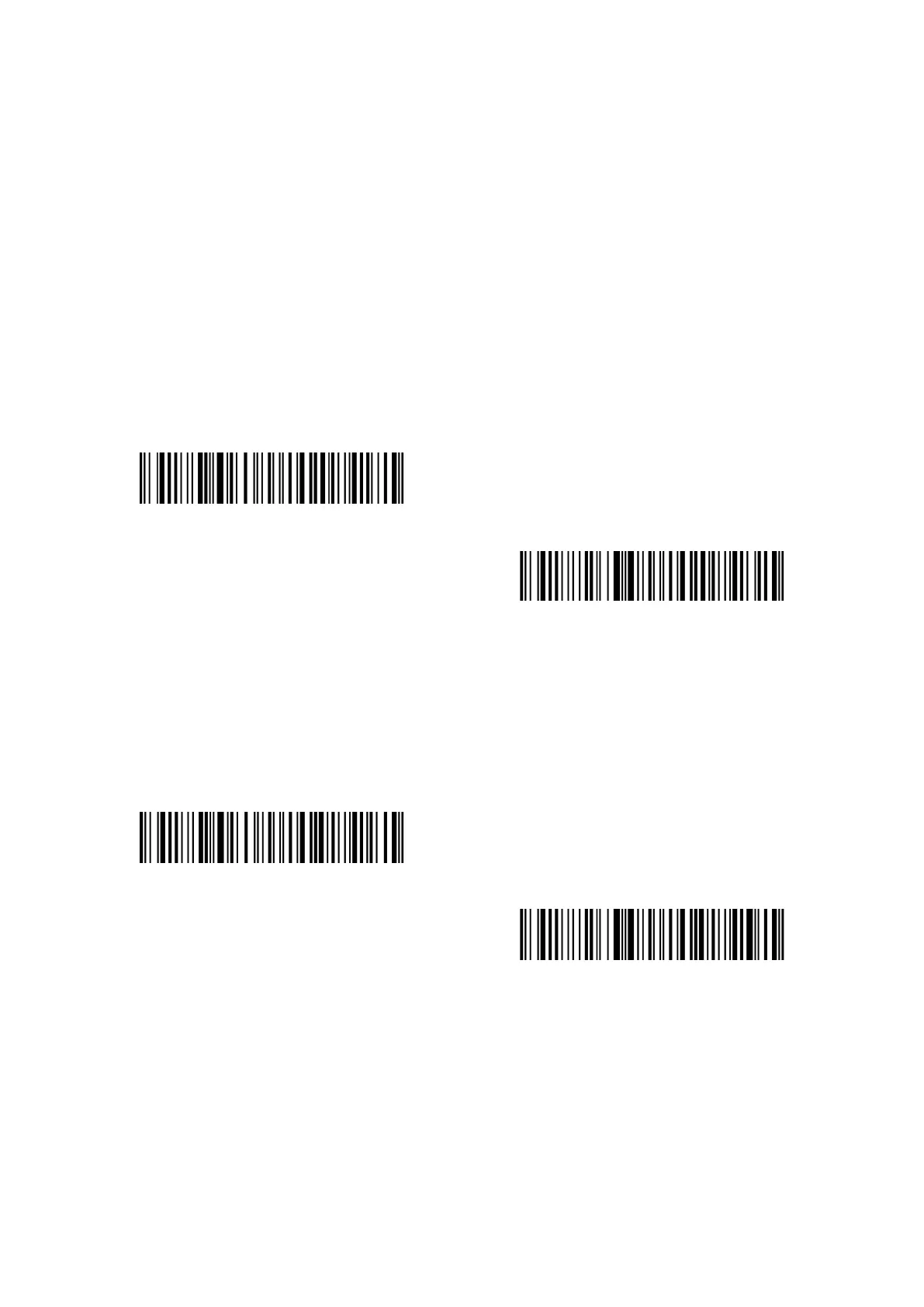
Decide whether to read two digits additional code, which applies to EAN-8, EAN-13, ISBN, ISSN,
UPC-A and UPC-E, by scanning correspondent barcode below. Inateck P7 defaults to “Disable Two
Digits Additional Code”.
Enable Two Digits Additional Code
(*)Disable Two Digits Additional Code
4.6.2 Five digits Additional Code
Decide whether to read five digits additional code, which applies to EAN-8, EAN-13, ISBN,ISSN,
UPC-A and UPC-E, by scanning correspondent barcode below. Inateck P7 defaults to “Disable Five
Digits Additional Code”.
Enable Five Digits Additional Code
(*)Disable Five Digits Additional Code
Steps to Enable Two Digits and Five Digits Additional Code are as below:
1). Read the "Enter Setup" barcode;
2). Read the "Enable Two Digits Additional Code" barcode;
3). Read the "Enable Five Digits Additional Code" barcode;
4). Read the "Exit with Save" barcode.



 To Next Page