Page 7 © Mass Electronics Pty Ltd 2017Edition 1.2 dated 03.08.2018
List of Illustrations
Omni C40D Dimensions and Identification ............................................................19
Omni C40D Dimensions (End View) ........................................................................ 19
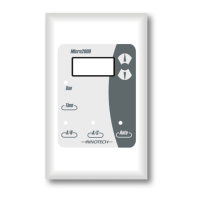
Omni OMH01 HMI ....................................................................................................20
Expansion Bay (C20D Shown) .................................................................................20
Ethernet Ports, MicroSD Card Slot and RS-485 Ports on side of Omni C40 .......... 20
Omni C20D Dimensions and Identification ............................................................21
Omni C20D Dimensions (End View) ........................................................................ 21
Omni OMH01 HMI ....................................................................................................22
Expansion Bay .........................................................................................................22
Ethernet Ports, MicroSD Card Slot and RS-485 Ports on side of Omni C20 .......... 22
Omni C14D Dimensions and Identification ............................................................23
Omni C14D Dimensions (End View) ........................................................................ 23
Omni OMH01 HMI ....................................................................................................24
Expansion Bay EOL Jumpers .................................................................................. 24
Ethernet Port, MicroSD Card Slot and RS-485 Ports on side of Omni C14 ............24
Omni U10 Dimensions and Identification .............................................................. 25
Omni U10 EOL Jumper Setting ...............................................................................25
Expansion Bay Cover and Expansion Board ..........................................................26
Figure 2-1:
Figure 2-2:
Figure 2-3:
Figure 2-4:
Figure 2-5:
Figure 2-6:
Figure 2-7:
Figure 2-8:
Figure 2-9:
Figure 2-10:
Figure 2-11:
Figure 2-12:
Figure 2-13:
Figure 2-14:
Figure 2-15:
Figure 2-16:
Figure 2-17:
Figure 2-18:
Contents (Continued)
Commissioning
5-1 Introduction ............................................................................................................. 74
5-1.1 Inspect the Installation ...........................................................................................74
5-1.2 Check Input and Output Wiring ..............................................................................76
5-1.3 Check Ethernet Connections ..................................................................................80
5-1.4 Check RS-485 Connections .....................................................................................80
5-1.5 Check EOL Jumpers .................................................................................................81
5-1.6 Install Soware and Configure the Controller(s) ...................................................82
5-1.7 Initial Tests ..............................................................................................................86
5-1.8 Final System Check .................................................................................................88
Customer Assistance ...................................................................................................... 89
Innotech Support ..............................................................................................................89


 To Next Page
 Loading...