13
Intermec EasyCoder 201 II – Technical Manual
Before starting the installation, carefully examine the delivery for
possible damage or missing parts:
❑ Open the box and lift the printer, together with the foam-plastic
shock absorbers, out of the box.
❑ Remove the shock absorbers and check that the machine has not
been visibly damaged during the transportation. Keep the pack-
ing material until you are sure that the printer functions properly.
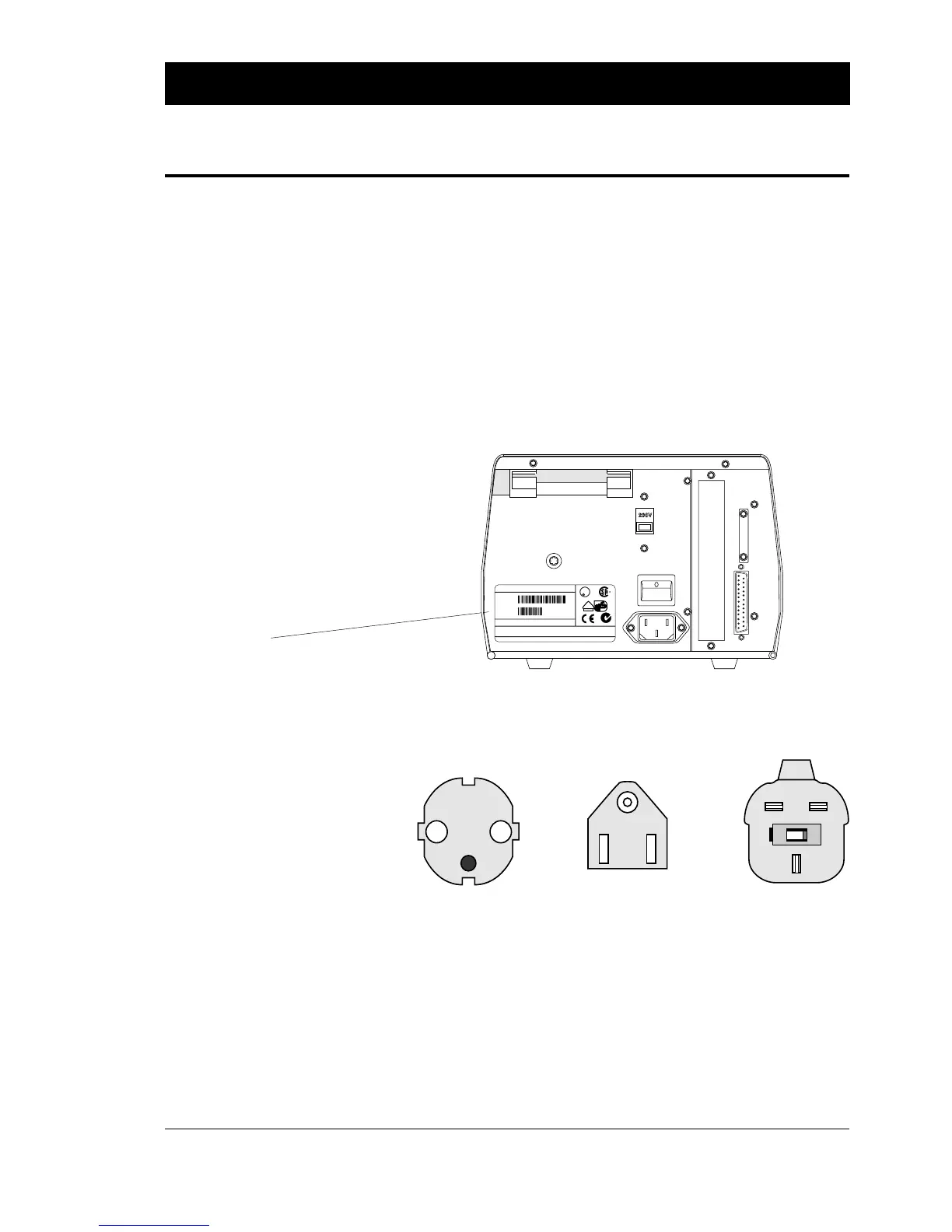
❑ The machine sign on the printer's rear plate gives information on:
• Type
• Part Number
• Serial Number
❑ Check the printer in regard to possible options ordered.
❑ Check that the mains cord has a pin configuration that will fit into
a wall socket according to the local standard.
Should any kind of damage have occurred during transportation,
immediately make a complaint to the carrier.
Any incorrect delivery or missing parts should be reported to the
distributor.
INSTALLATION, cont'd.
Unpacking
Machine Sign
MADE IN SWEDEN
Thermal Printer 201
Model #
1-201011-11
Serial #
115-230V 2.6-1.3A 50-60Hz
INTERMEC PRINTER AB
MADE IN SWEDEN
50105
This equipment complies with the requirements for a Class A computing device in FCC Rules
Part 15 Subpart J. Operation of this device in a residential area may cause harmful interference
requiring the user to take whatever steps may be necessary to correct the interference.
U
L
LISTED 65B5
R
N309
LR67809
V
DE
geprüfte
Sicherheit
European type US/Canadian type GB type
230V mains plug 115V mains plug 230V mains plug















 To Next Page