63
Intermec EasyCoder 201 II – Technical Manual
Maintenance
PAPER CUTTER, cont'd.
Dimensions
Turn off the power before cleaning.
Keep fingers away from cutting parts.
The cutter requires no maintenance other than occasional cleaning
of the outside surfaces and the cutting parts.
To facilitate removal of possible remaining paper and to make it
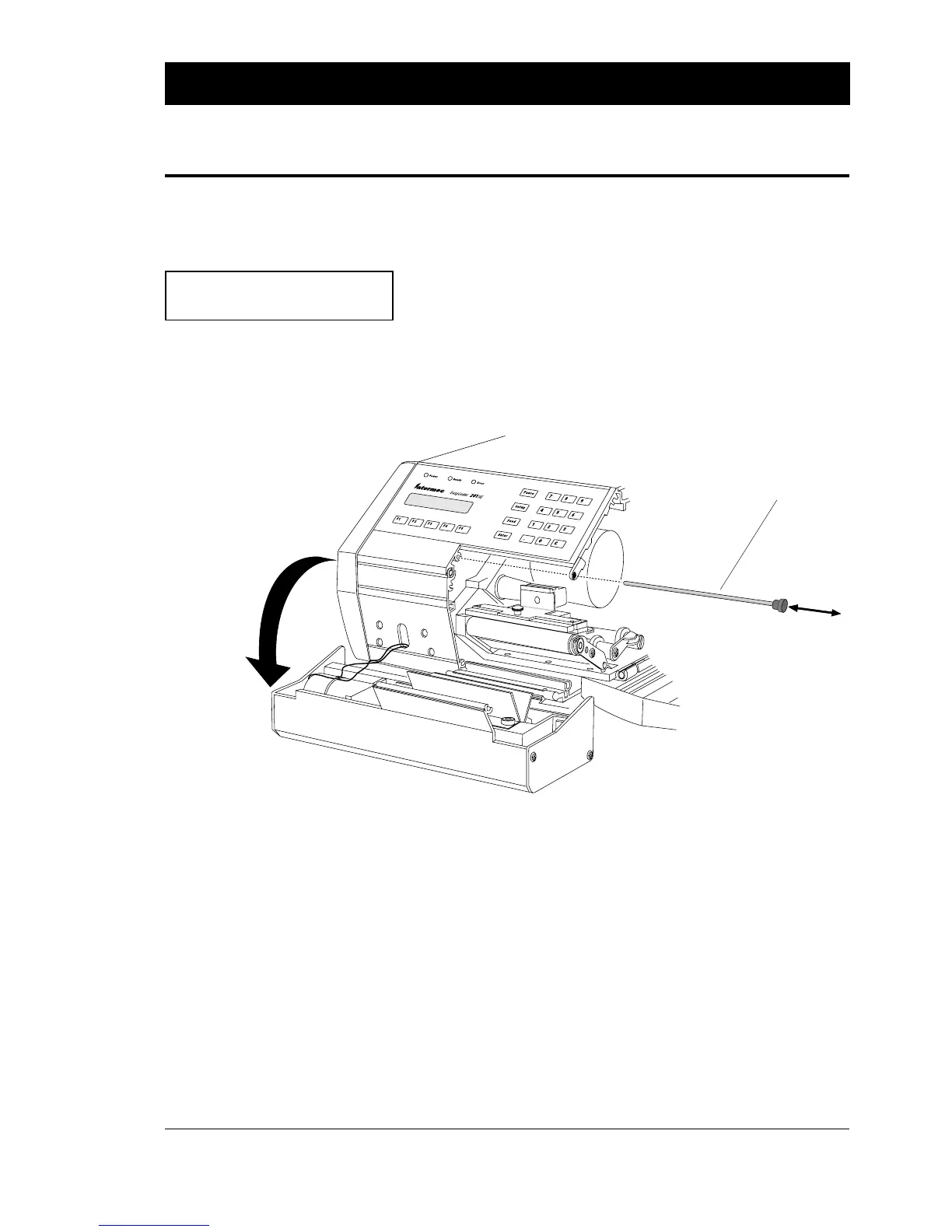
easier to clean the printhead, the cutter can be tilted forward:
❑ Turn off the power, remove the power cord and place the printer
in such a way that the cutter protrudes outside the table.
❑ Open the right-hand door.
❑ Pull out the locking shaft and tilt the cutter forward.
❑ Reassemble in reverse order.
The illustration depicts a cutter fitted on an EasyCoder 201 IIE.
The paper cutter increases the following of the printer's dimensions
to a total of:
Length: ......................................... 450.5 mm (17.7 ")
Width: .......................................... 237.2 mm (9.3 ")
Weight: ............................................ 10.2 kgs (22.2 lbs)
Locking Shaft















 To Next Page