64
Intermec EasyCoder 201 II – Technical Manual
BLACK MARK SENSOR KIT
The Black Mark Sensor Kit can be fitted to replace the standard
label-taken sensor in such EasyCoder 201 II printers that do not use
an internal backing paper rewind unit. The Black Mark Sensor
(BMS) controls the paper feed according to preprinted black marks,
either on top of the paper or at the back of the paper, depending on
how the sensor is fitted.
The Black Mark Sensor cannot detect gaps between labels or
stamped-out slits in a ticket web.
The Black Mark Sensor is connected to the same connector on the
CPU board as the Label-Taken Sensor and is adjusted by means of
the same straps and potentiometer.
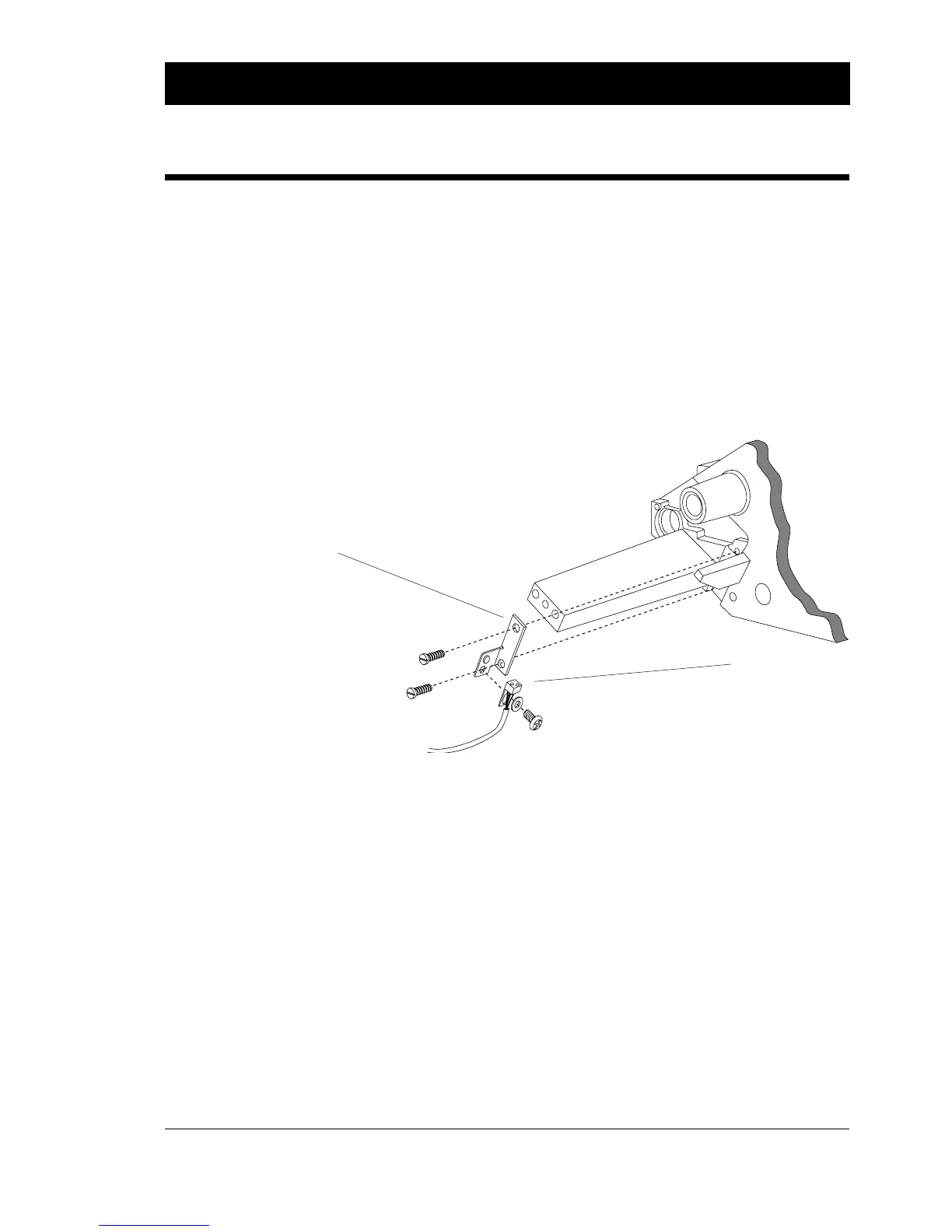
A Black Mark Sensor being fitted to detect marks at the back of the paper. The
sensor can be rotated 180
°
before it is fitted in order to detect marks on the top
of the paper. Printhead, print roller and other parts have been omitted to
improve clarity.
The Black Mark Sensor's point of detection is 7 mm (0.28") outside
the printer's centreline gable. That implies that the point of detection
is situated 7 mm (0.28") inside the inner edge of the paper web on
a standard printer and 2 mm (0.08") on a Big Roll printer.
Black marks should be printed adjacent to the inner edge of the
paper web and have length (along the web) of at least 5 mm (0.2")
and a width (across the web) of at least 10 mm (0.4").
The printer should be placed on a non-reflecting surface and be run
with the right-hand door closed to avoid interference caused by
lamps and sunlight.
General Information
Bracket
Sensor















 To Next Page