58
Intermec EasyCoder 201 II – Technical Manual
MEMORY CARDMEMORY CARD
MEMORY CARD
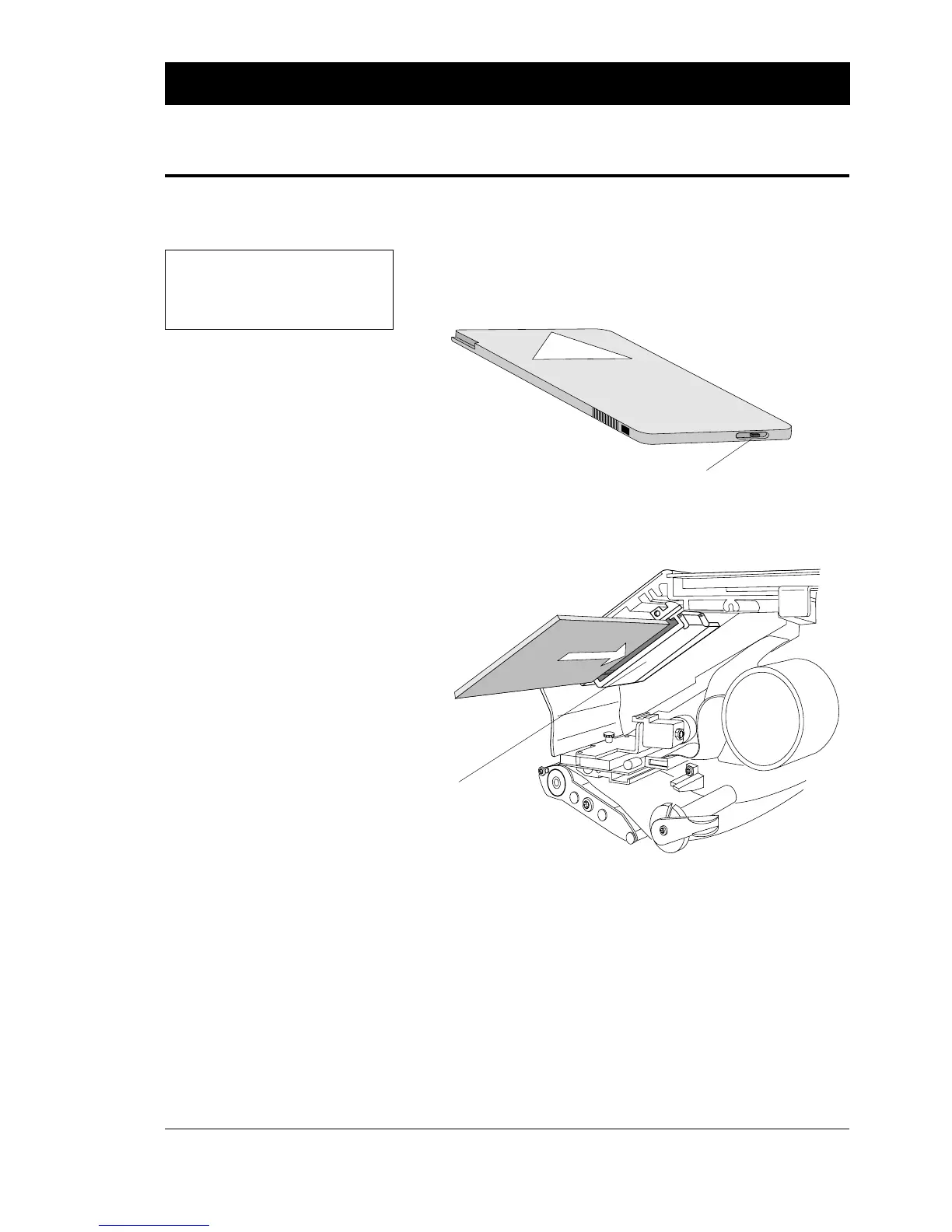
❑ Turn off the power to the printer and open the right-hand door.
❑ In case of non DOS-formatted memory card, check that the
protection switch is set to Write Protect. (The location of the
switch varies between different brands). This does not apply to
DOS-formatted memory cards!
❑ Insert the memory card into its adapter as illustrated below.
Make sure that the manufacturer's logotype on the memory card
is facing downwards.
❑ Press firmly inwards so the pins in the adapter engage the
corresponding slots in the memory card.
❑ Turn on the power again and close the right-hand door.
❑ Before removing the memory card, turn off the power.
❑ Open the right-hand door and pull the card straight out.
❑ Close the door and turn on the power again.
MEMORY CARD ADAPTER, cont'd.
IMPORTANT!
The printer must be OFF when
the memory card is inserted or
removed.
Fitting a Memory Card
Removing a Memory Card
Protection Switch
Memory Card
Adapter















 To Next Page