Hardware Operations
2015-MNU-000009
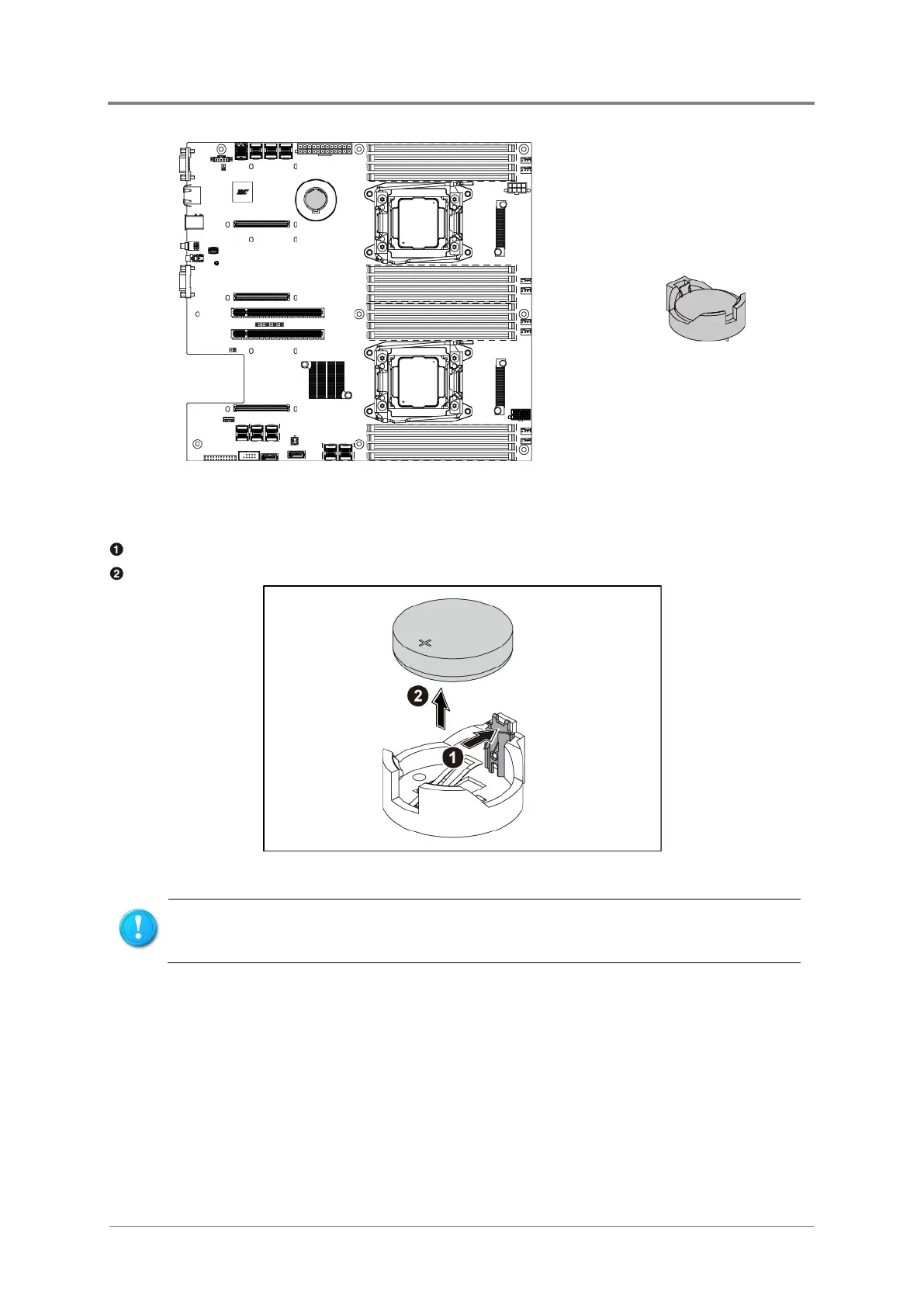
Figure 2-2 System Battery Location
2.3.1 To remove the system battery
Pull the battery retaining clip away from the system battery.
Lift the system battery on the lever side and pull it out of the holder.
Figure 2-3 Pulling the System Battery out of the Holder
Do not bend the retaining clip during system battery replacement. For proper
operation, the clip must maintain a position of contact with the system battery.
2.3.2 To install the system battery
Put the system battery into the holder in the direction as shown below.



 To Next Page