Hardware Operations
2015-MNU-000023
2.14 Fan Duct
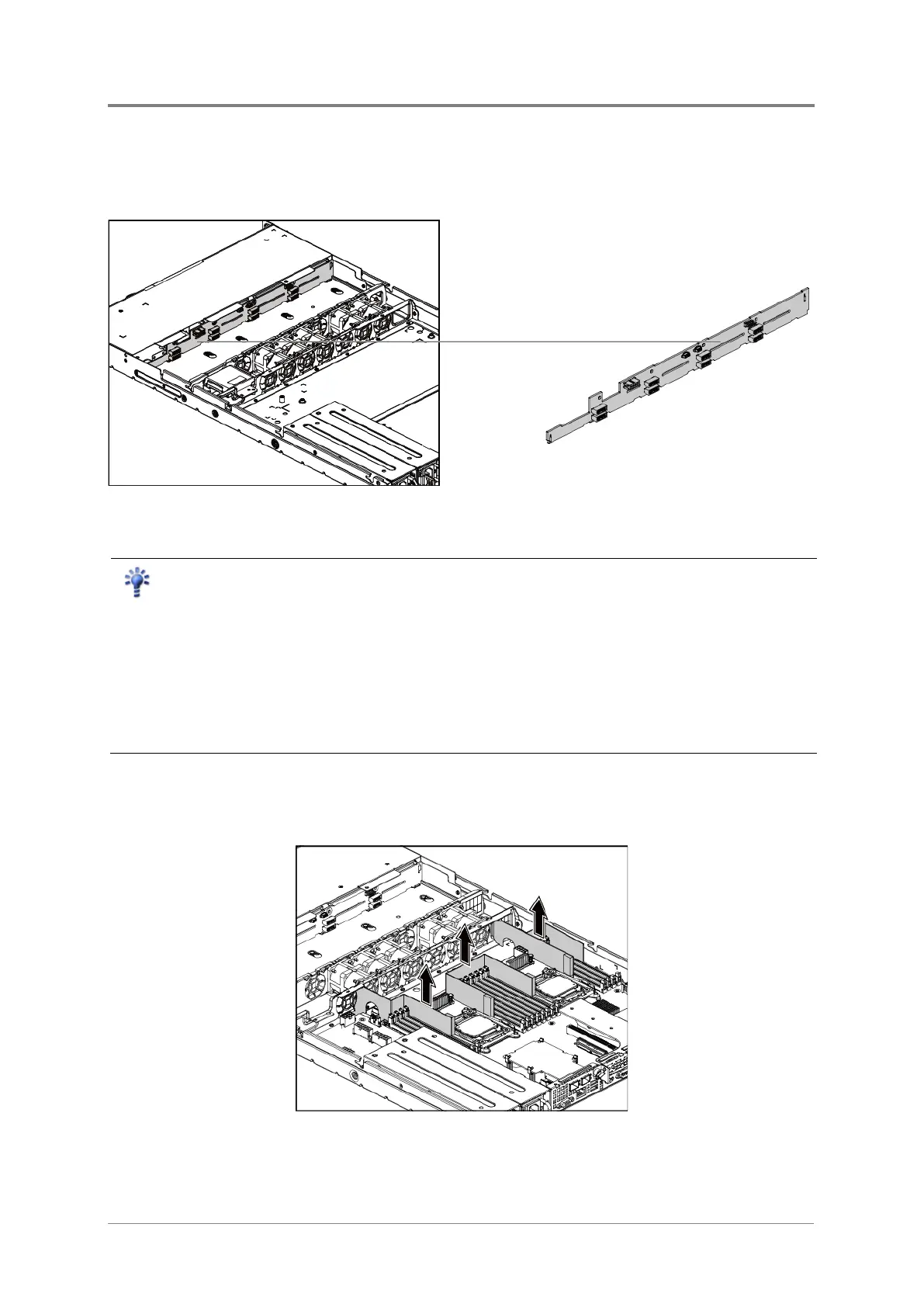
The location of fan duct is shown below:
Figure 2-46 Fan Duct Location
Reminder
Before you remove or install the 3.5” HDD backplane, please follow the steps below:
Make sure the server is not turned on or connected to the AC power. To power off
the server, see “2.1.1 Power Off”.
Remove the chassis cover. To remove the chassis cover, see “2.2 Chassis
Cover”.
Disconnect all the necessary cables.
2.14.1 To remove the fan duct
Lift the fan duct out of the chassis cover.
Figure 2-47 Removing the Fan Duct



 To Next Page