Hardware Operations
2015-MNU-000023
2.2.1 To remove the chassis cover
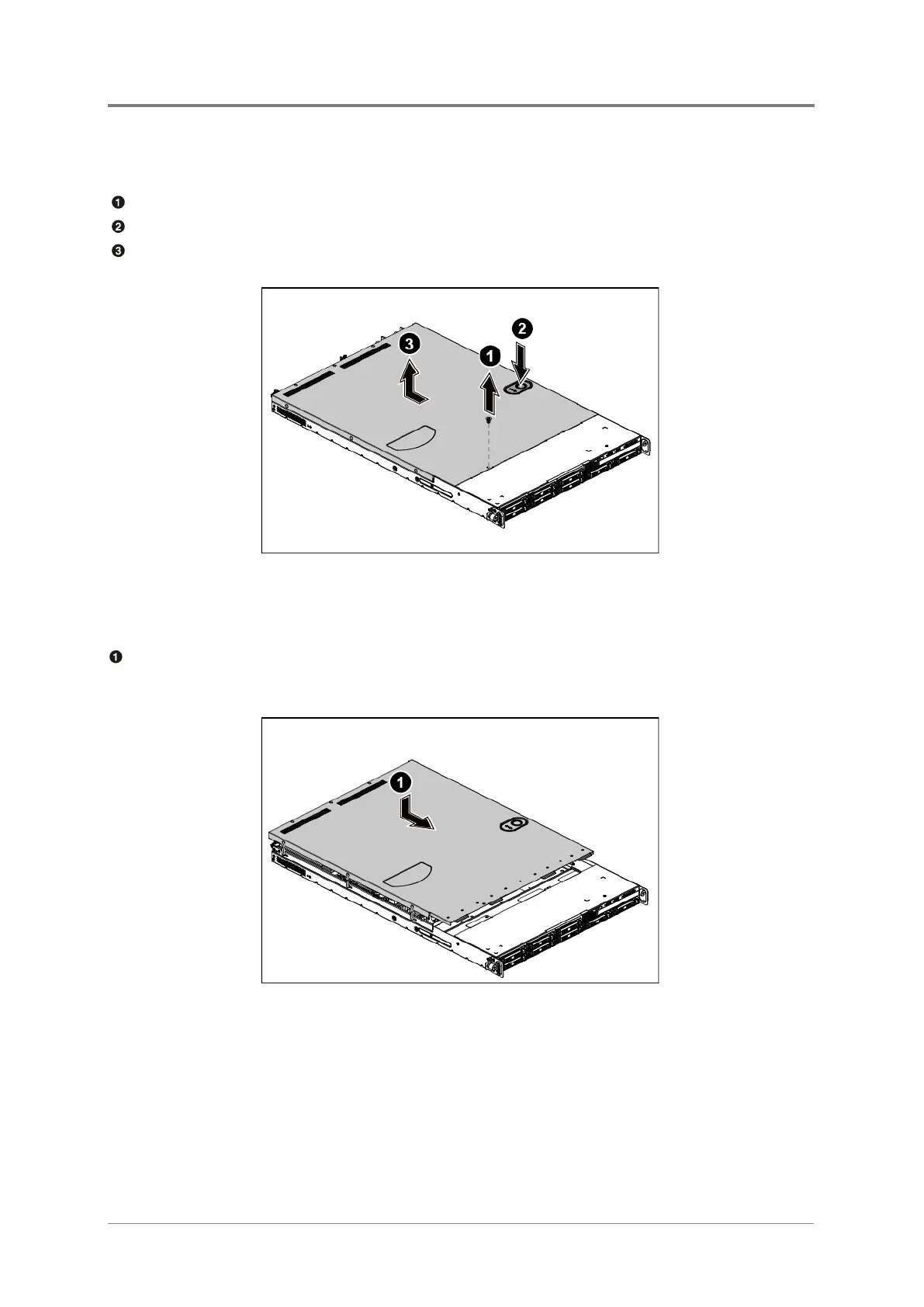
Release the screw on the chassis cover.
Press the button along the direction of the arrow.
Simultaneously slide the cover horizontally to the back and remove it.
Figure 2-3 Removing the Chassis Cover
2.2.2 To install the chassis cover
Locate the chassis cover to the right position on the chassis as shown below and then slide
it to the front until it is closed.
Figure 2-4 Sliding the Chassis Cover to the Front



 To Next Page