Introduction
2015-MNU-000023
1.6.4 Buttons and System LED Information
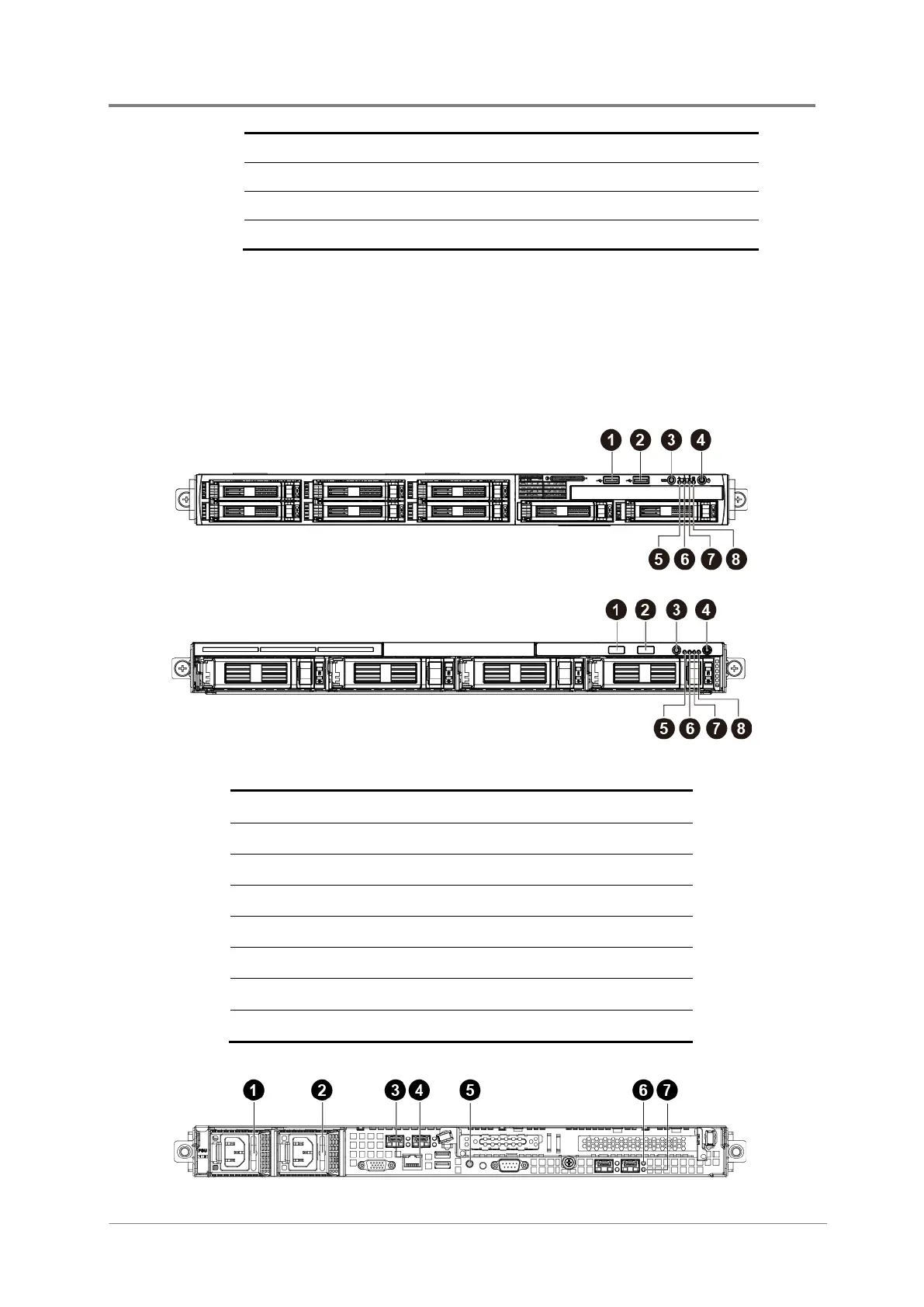
This server is equipped with system LED indicators, and buttons located on the front panels.
The front panel status LEDs allow constant monitoring of basic system functions while the
server is operating. These LEDs provide visual cues to the status of power and ID of
motherboard.
Figure 1-8 Front Panel Buttons and LEDs – 8x2.5”HDDs
Figure 1-9 Front Panel Buttons and LEDs – 4x3.5”HDDs
1 USB Port 0
2 USB Port 1
3 ID LED/Button
4 Power LED/Button
5 System Health LED
6 Activity LED of NIC Port 1
7 Activity LED of NIC Port 2
8 HDD Stauts LED
7
Serial Port
8
9
10G NIC Port 1
10



 To Next Page