Hardware Operations
2015-MNU-000023
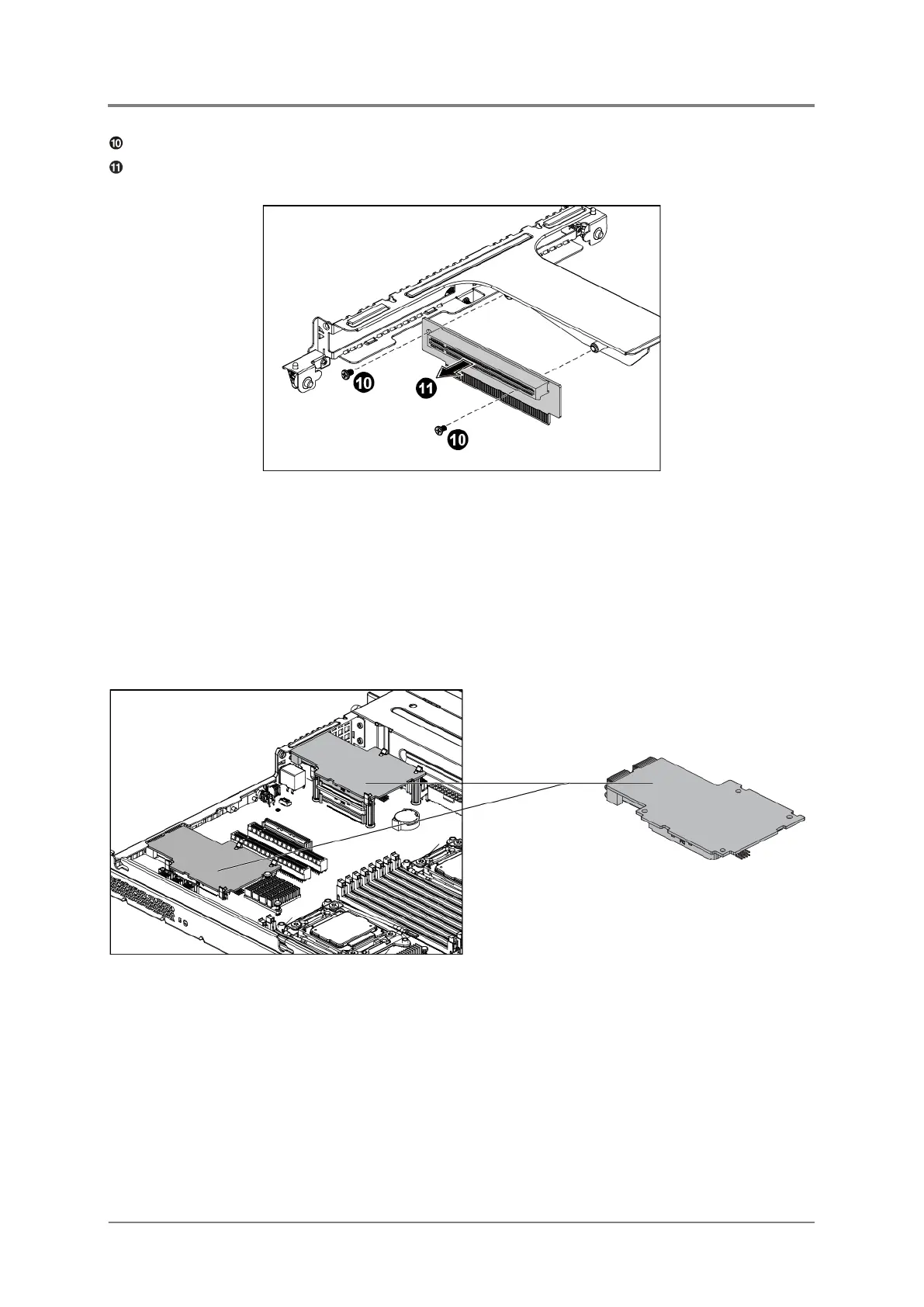
Unscrew the riser card on the left side.
Remove the riser card on the left side along the direction of the arrow.
Figure 2-20 Removing the Riser Card on the Left Side
2.7.2 To install the expansion cards and riser cards
Reverse the steps above to install the expansion cards and riser cards.
2.8 10G NIC Card
The location of the 10G NIC card is shown below:
Figure 2-21 10G NIC Card Location



 To Next Page