Hardware Operations
2015-MNU-000023
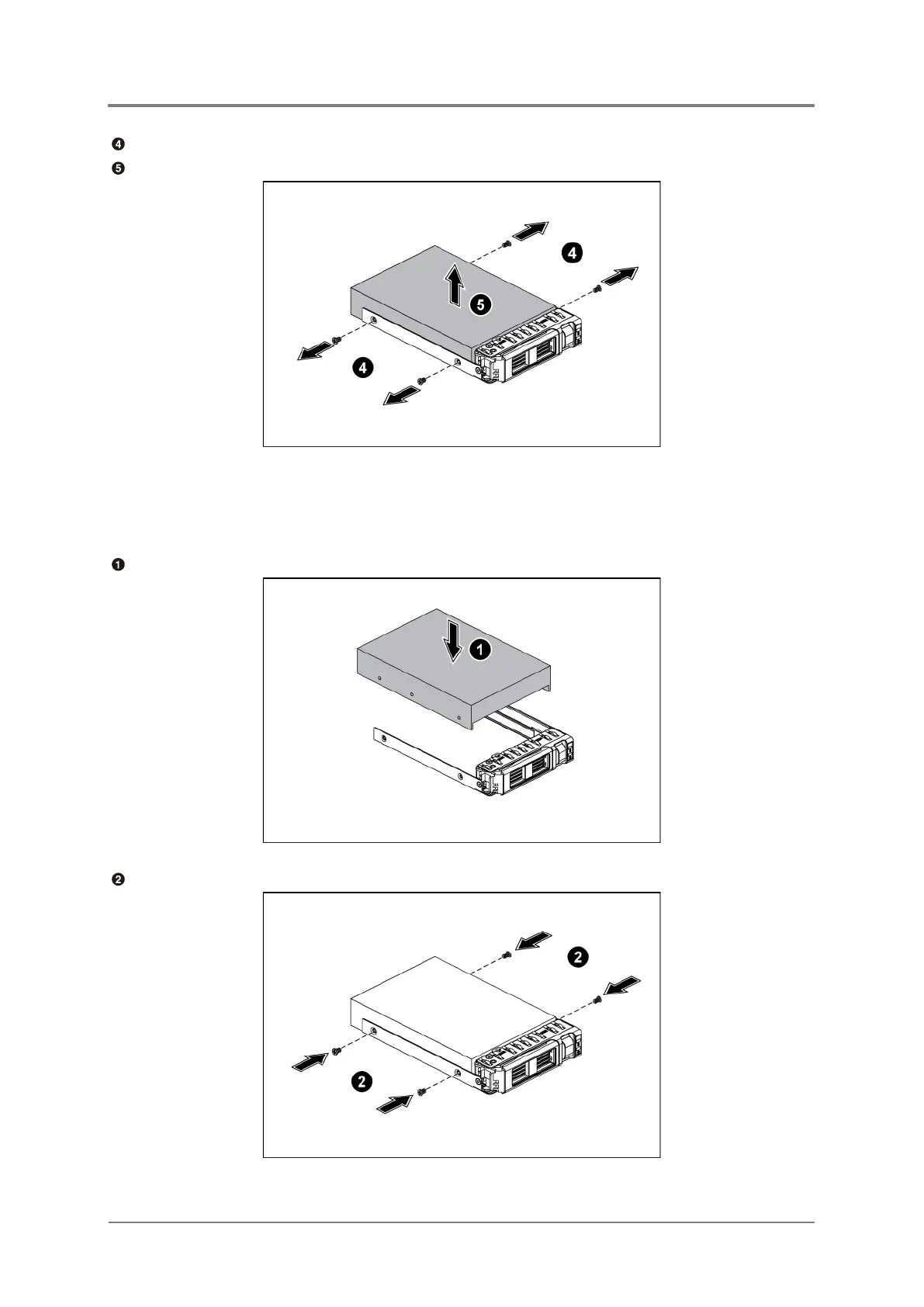
Loosen the four screws that secure the HDD.
Lift the HDD out of the HDD tray.
Figure 2-36 Removing the HDD
2.11.2 To install the HDD
Place the HDD to the HDD tray.
Figure 2-37 Placing the HDD
Secure the HDD to the HDD tray with four screws.
Figure 2-38 Securing the Screws



 To Next Page