Hardware Operations
2015-MNU-000023
2.9.2 To install the RAID card
Reverse the steps above to install the RAID card.
2.10 2.5”SATA HDDs
The server can support 8x2.5” hot-pluggable SATA HDDs. Each HDD is with an adapter
bracket. You don’t need to power-off the system when removing or installing a HDD.
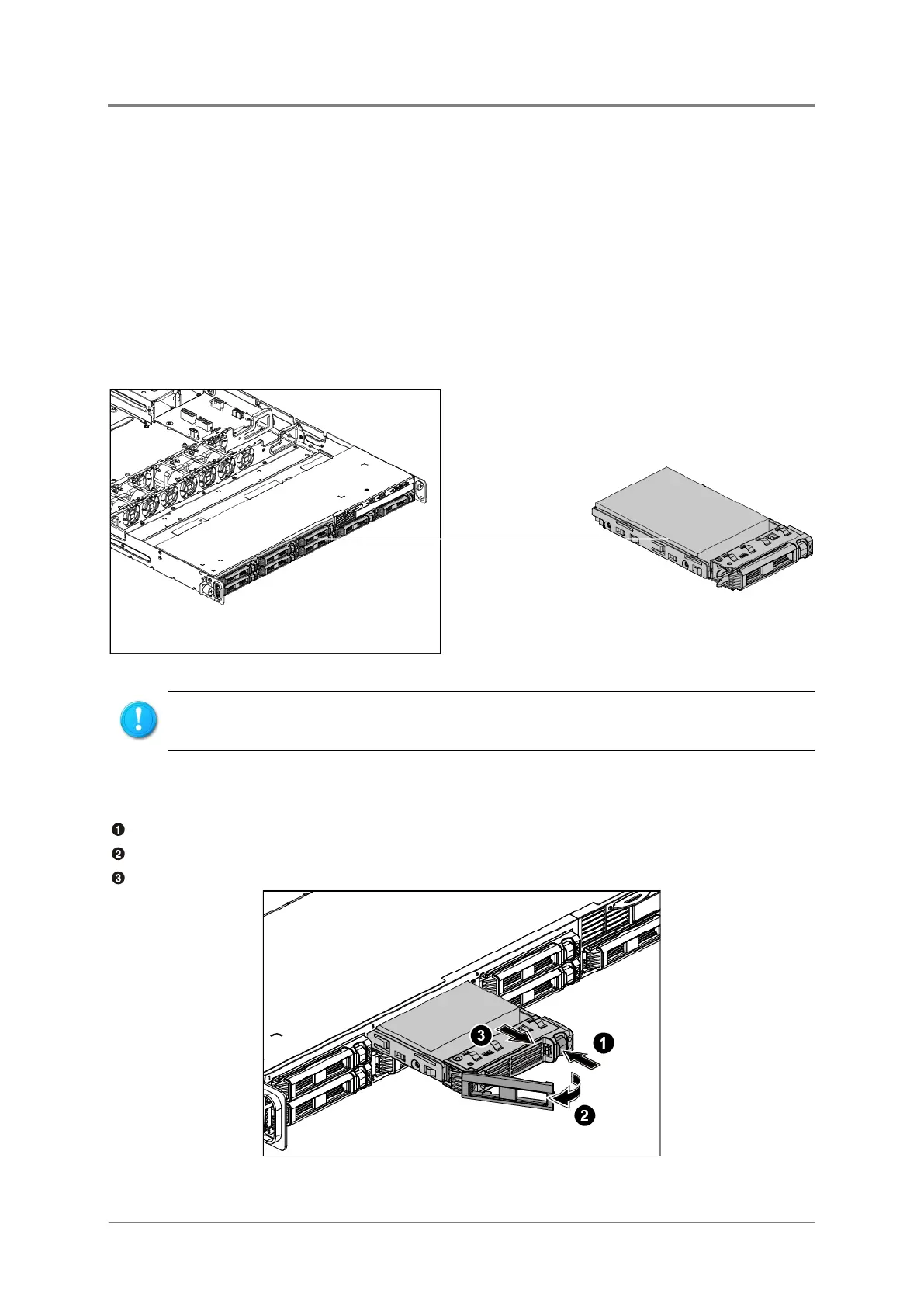
The location of the 2.5” HDDs on the server is shown below:
Figure 2-28 2.5” SATA HDD Locations
2.10.1 To remove the HDD
Push the release button.
Pull the lever open.
Slide the HDD assembly out of the HDD bay.
Figure 2-29 Sliding out the HDD Assembly
Take note of the drive tray orientation before sliding it out.
The tray will not fit back into the bay if inserted incorrectly.



 To Next Page