Hardware Operations
2015-MNU-000023
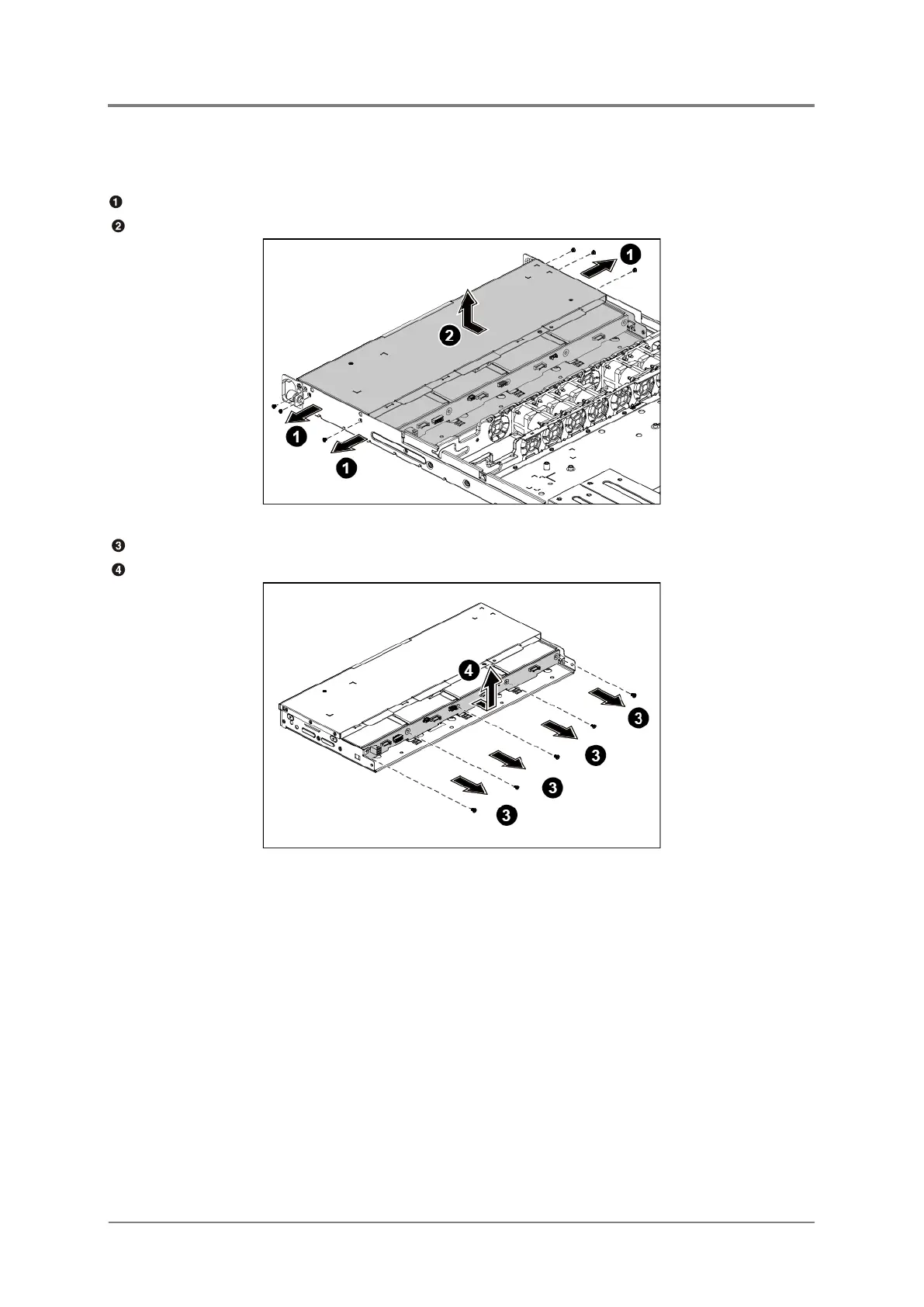
2.13.1 To remove the 3.5”HDD backplane
Remove the screws that secure the HDD cage.
Remove the HDD cage along the direction of the arrow.
Figure 2-44 Removing the 3.5” HDD Cage
Loosen the screws that secure the backplane to the HDD cage.
Remove the backplane from the HDD cage.
Figure 2-45 Removing the 3.5” HDD Backplane
2.13.2 To install the 3.5” HDD backplane
Reverse the steps above to install the backplane.



 To Next Page