12.1 KVM OVER IP
Remote KVM provides greater control of hardware including access to power controls and
monitoring functions through the Baseboard Management Controller (BMC). Remote KVM
solutions provide more direct access to out-of-band system performance data and efficient integration
with system-level monitoring information.
Because Remote KVM solutions operate out-of-band of the system processor, they don’t place
undue burdens on the host processor. This also means that, although the Remote KVM resides in the
server box.
12.2 BROWSER SUPPORT
The embedded console client performs the KVM/IP functionality. This client is in the form of an
ActiveX control for the Windows platform and an application for the Linux systems. The application
needs to be installed at the client system before doing the console redirection.
The client supports the following browsers.
■ Internet Explorer (IE) 7.0 or later version for Windows platforms
■ Mozilla 1.1 or later for Linux platforms
■ Firefox 1.02 or later version for all platforms
12.3 SCREEN RESOLUTION AND COLOR DEPTH SUPPORT
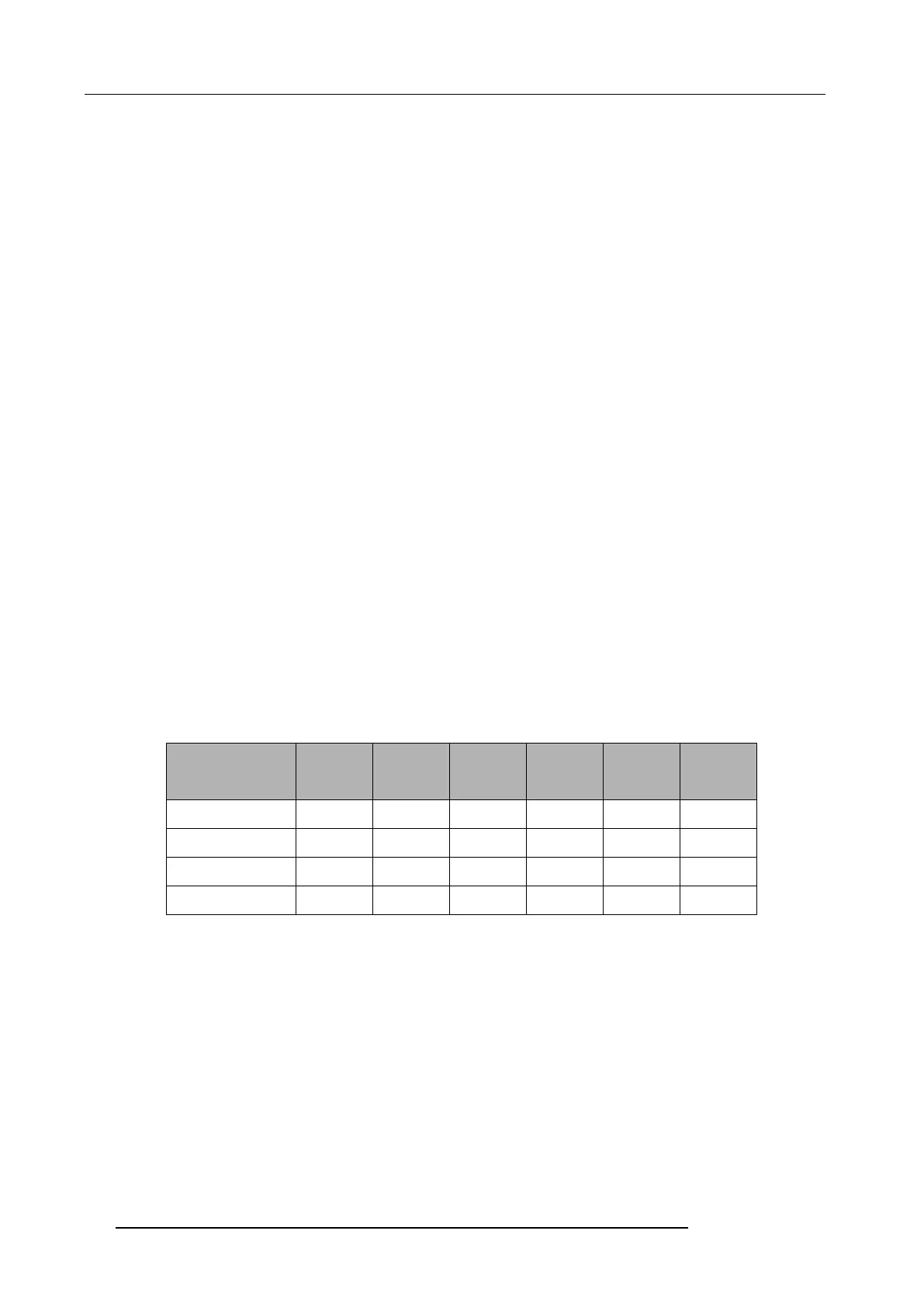
The client implements a dynamic selection of the different color depth and the screen resolution
of the server. Following table shows the different combinations.
The color depth can be chosen at any time while the console redirection is active. If the client (console
side) has a lower screen resolution than that of the server side, then a scroll bar will be automatically
displayed to view the entire screen. There is no fit-to-screen option for the screen resolution
accommodation at the client side.
12.4 FULL SCREEN AND WINDOWED MODE
The console is capable of viewing the server side screen in both windowed and the full screen. In
the full screen mode the display fills the entire screen area of the client. This provides a virtual
presence feature of the server’s screen.
Resolution 1-bit 4-bit
Gray
7-bit
color
8-bit
color
16-bit
color
32-bit
color
640 X 480 Yes Yes Yes Yes Yes Yes
800 X 600 Yes Yes Yes Yes Yes Yes
1024 X 768 Yes Yes Yes Yes Yes Yes
1280 X 1024 Yes Yes Yes Yes Yes Yes



 To Next Page