Hardware Operations
2015-MNU-000009
46 Serial Port (J102)
50 USB3.0 Connector (J4)
52 VGA Connector (J3)
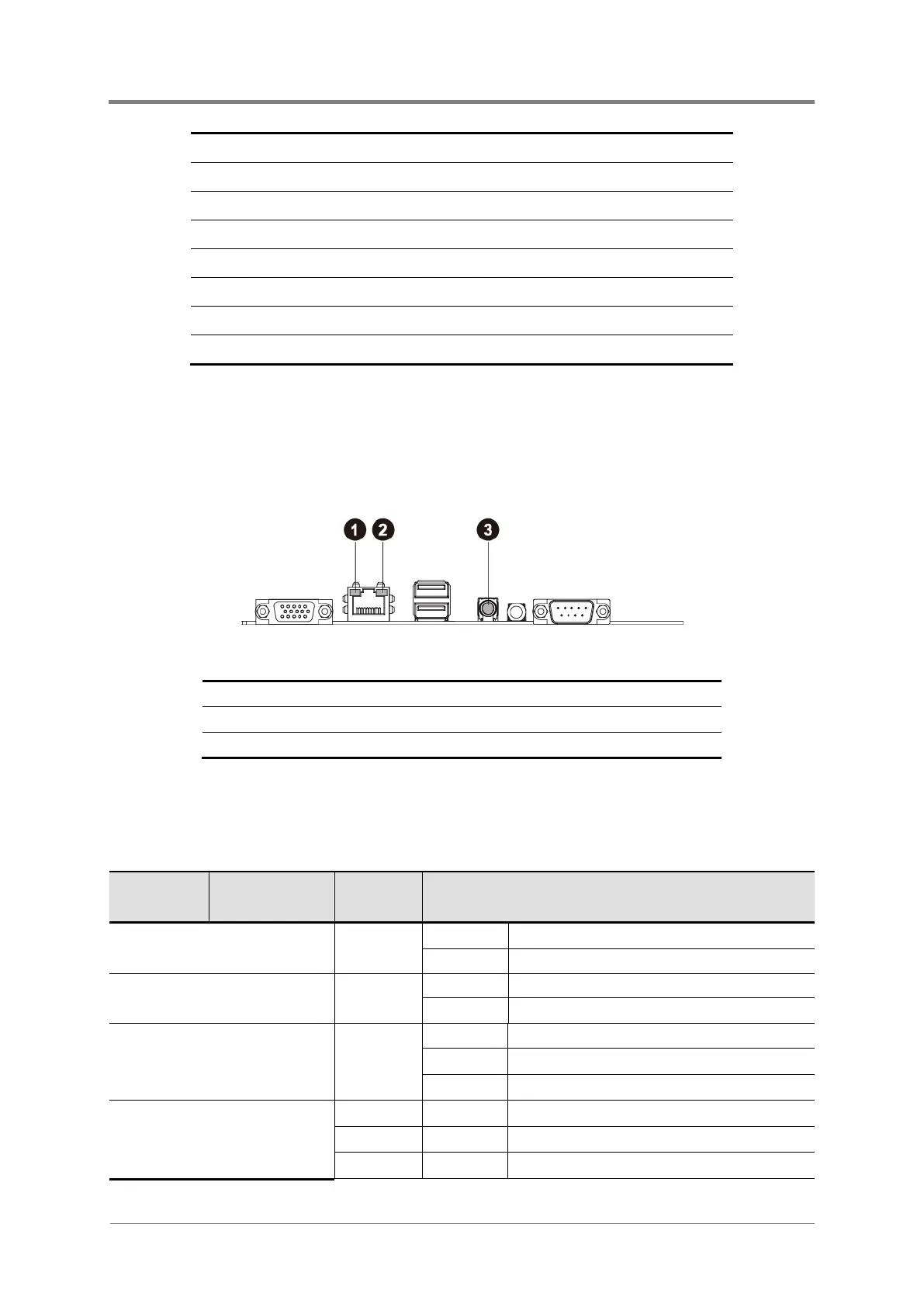
1.5 Back Panel LED Information
The back panel LED information displays details regarding the NIC LEDs, the management
port LED and the ID LED. The NIC port and management port contains two LEDs that show
the status of network activity, link or speed.
Figure 1-3 Back Panel LEDs
Management Port Speed LED
Management Port Link/Activity LED
The detailed LED information is shown below:
Table 1-3 LED Information of NIC Port
Color Status
Management Port Speed
Green
Management Port
Green
1Gbe NIC Ports
Link/Activity
Green
Off No connection
1Gbe Speed
Green
Linked to the network at 100Mbps
Amber
On Linked to the network at 1Gbe
Linked to the network at 10Mbps



 To Next Page