Hardware Operations
2015-MNU-000023
Reminder
Before you remove or install the power supply, please follow the steps below:
Disconnect all necessary cables.
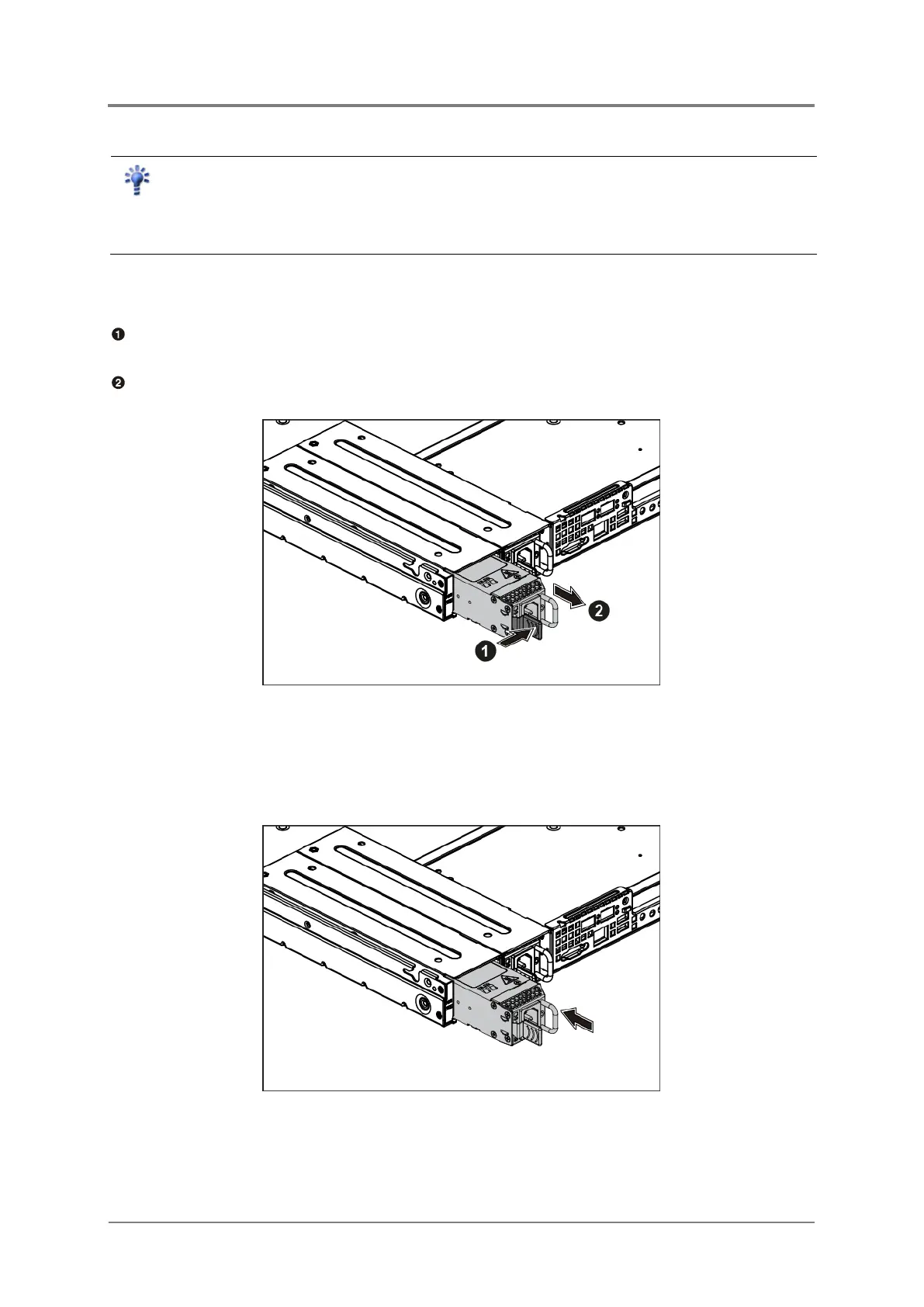
2.4.1 To remove the power supply
Press the retaining clip on the right side of the power supply along the direction of the
arrow.
At the same time, pull out the power supply. (The power supply takes considerable force to
remove.)
Figure 2-9 Removing the Power Supply
2.4.2 To install the power supply
Insert the replacement power supply firmly into the bay. The retaining clip should snap.
Connect the AC power cord to the replacement power supply.
Figure 2-10 Installing the Power Supply



 To Next Page