Hardware Operations
2015-MNU-000023
2.5.2 To install the power distribution board
Reverse the steps above to install the power distribution boards.
2.6 System Fans
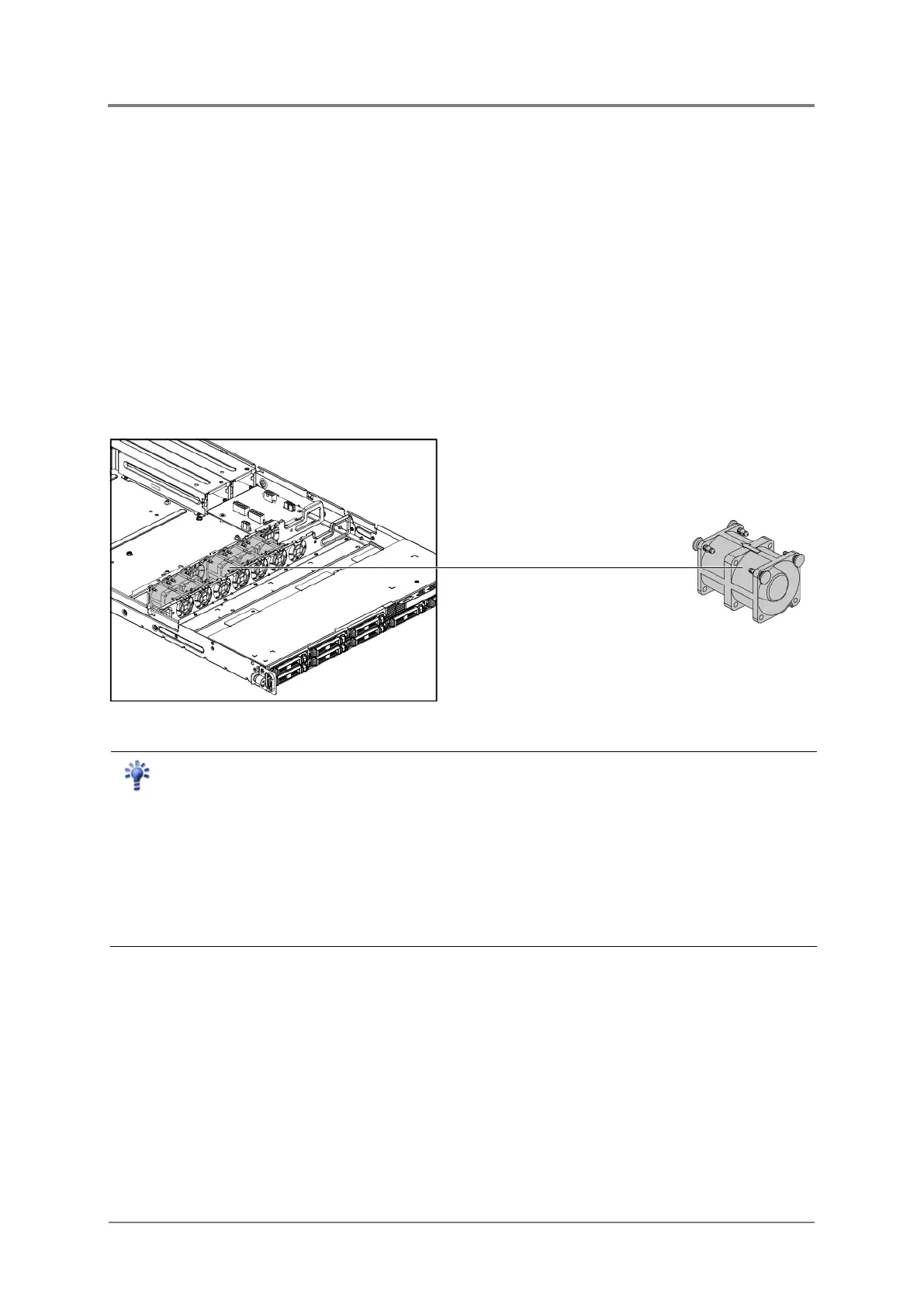
Subdividing the motherboard area and the backplane area is a metal cage that holds the
system fans. This server contains five system fans which are located inside the chassis.
These system fans maintain the ideal temperature for the motherboard, backplane and disk
drives.
The location of system fans is shown below:
Figure 2-13 System Fan Locations
Reminder
Before you remove or install the system fans, please follow the steps below:
Step
1
Make sure the
server is not turned on or connected to the AC power. To power off
the server, see “2.1.1 Power Off”.
Step 2
Remove the chassis cover. To remove the chassis cover, see
Disconnect all the necessary cables.



 To Next Page