Hardware Operations
2015-MNU-000023
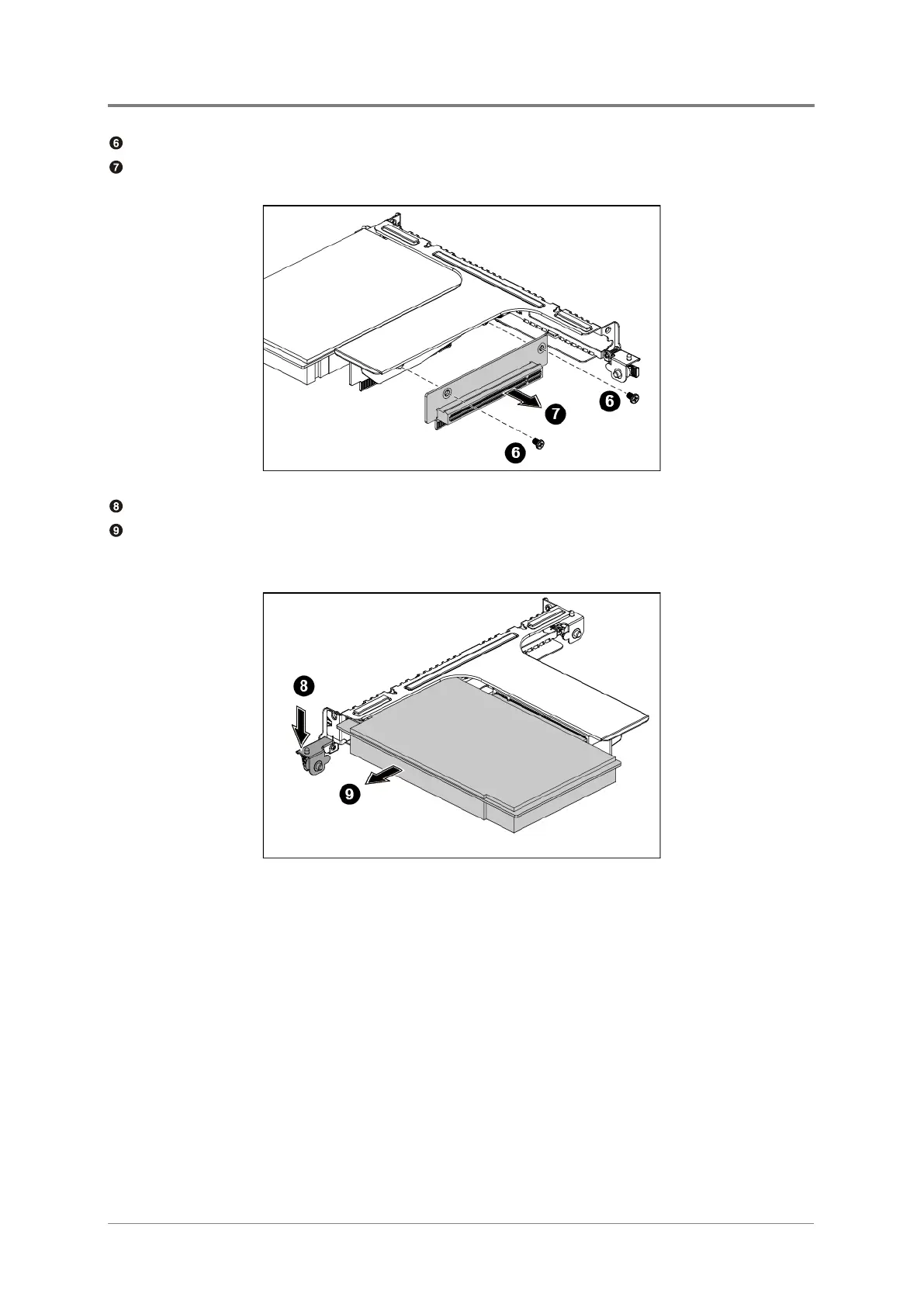
Unscrew the riser card on the right side.
Remove the riser card on the right ride along the direction of the arrow.
Figure 2-18 Removing the Riser Card
Rotate the slot-cover fastener on the left side to unlock the expansion card.
Meanwhile remove the expansion card, and the slot-cover fastener snaps back
automatically.
Figure 2-19 Removing the Expansion Card on the Left Side



 To Next Page