activated when the NVR detects the alarm. Manual means the alarm output device will be
activated after choosing the Manual and press the button Apply. Stop means the alarm
output device is not on-guard.
Status
Show the trigger status of alarm output port.
Network Alarm
This function can get alarm from IPC’s alarm input port, and then make actions on NVR.
Before You Start
Please make sure whether your IPC supports this function.
Steps:
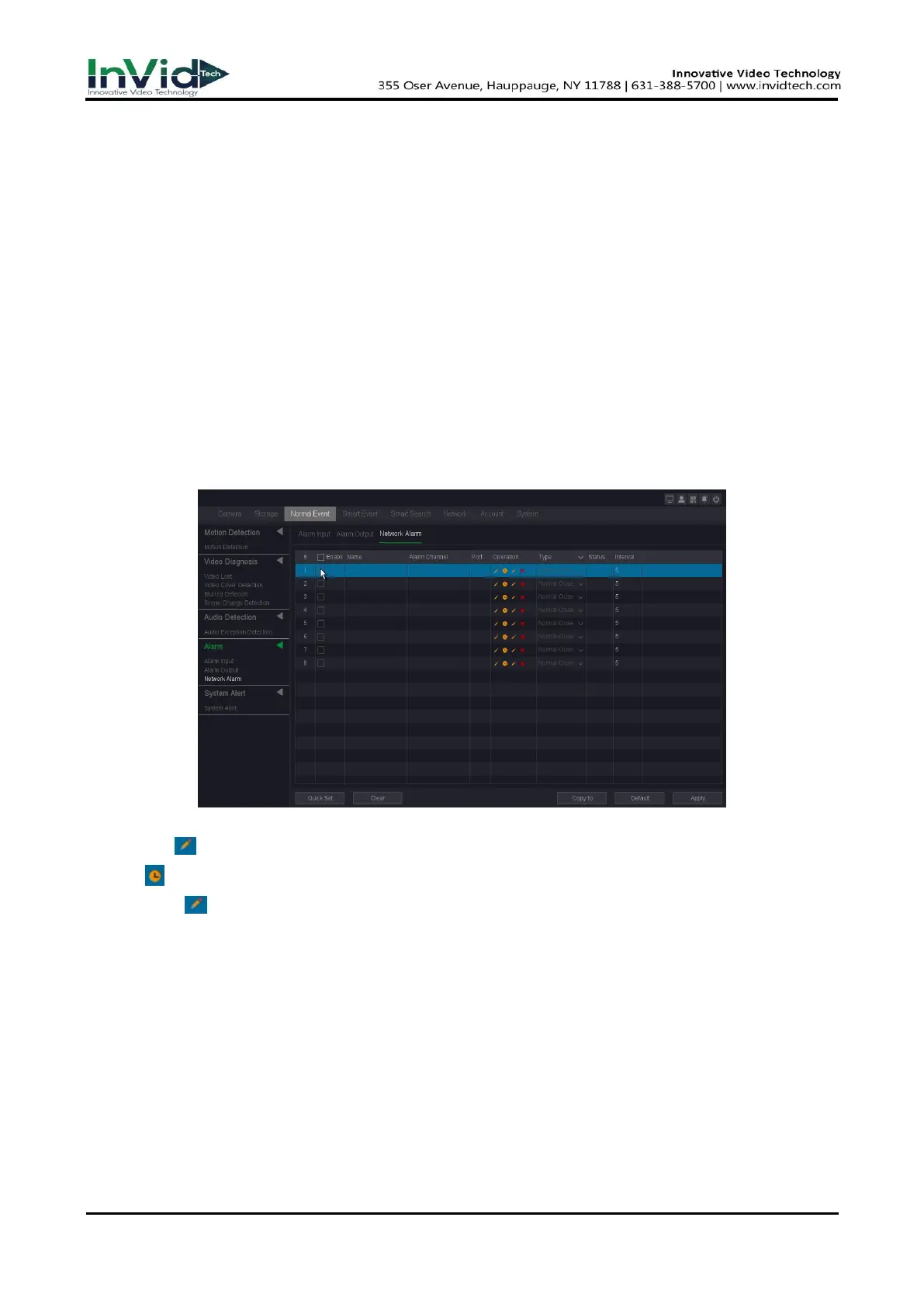
1. Go to Seven Grid Menu →Normal Event → Alarm → Network Alarm.
Figure 10-4-4-4
2. Click left to set the name, alarm channel and alarm Port.
3. Click to set the arming Schedule. Refer to for 6.3.3 Configure Arming Schedule for details.
4. Click right to set the Trigger process. Refer to 6.3.3 Configure Alarm Trigger process for
details.
5. Configure the other parameters as your desire.
6. Check the enable box to turn on.
7. Click Apply.
Enable
Alarm in enabled switch of IP channel.
Name
Set the name of the Alarm input device.
Alarm channels
Show which IP channel’s alarm input it is.



 To Next Page