Line Crossing
Line crossing detection detects people, vehicles, and objects crossing a set virtual line. The
detection direction can be set as bidirectional, from A to B or from B to A.
Steps:
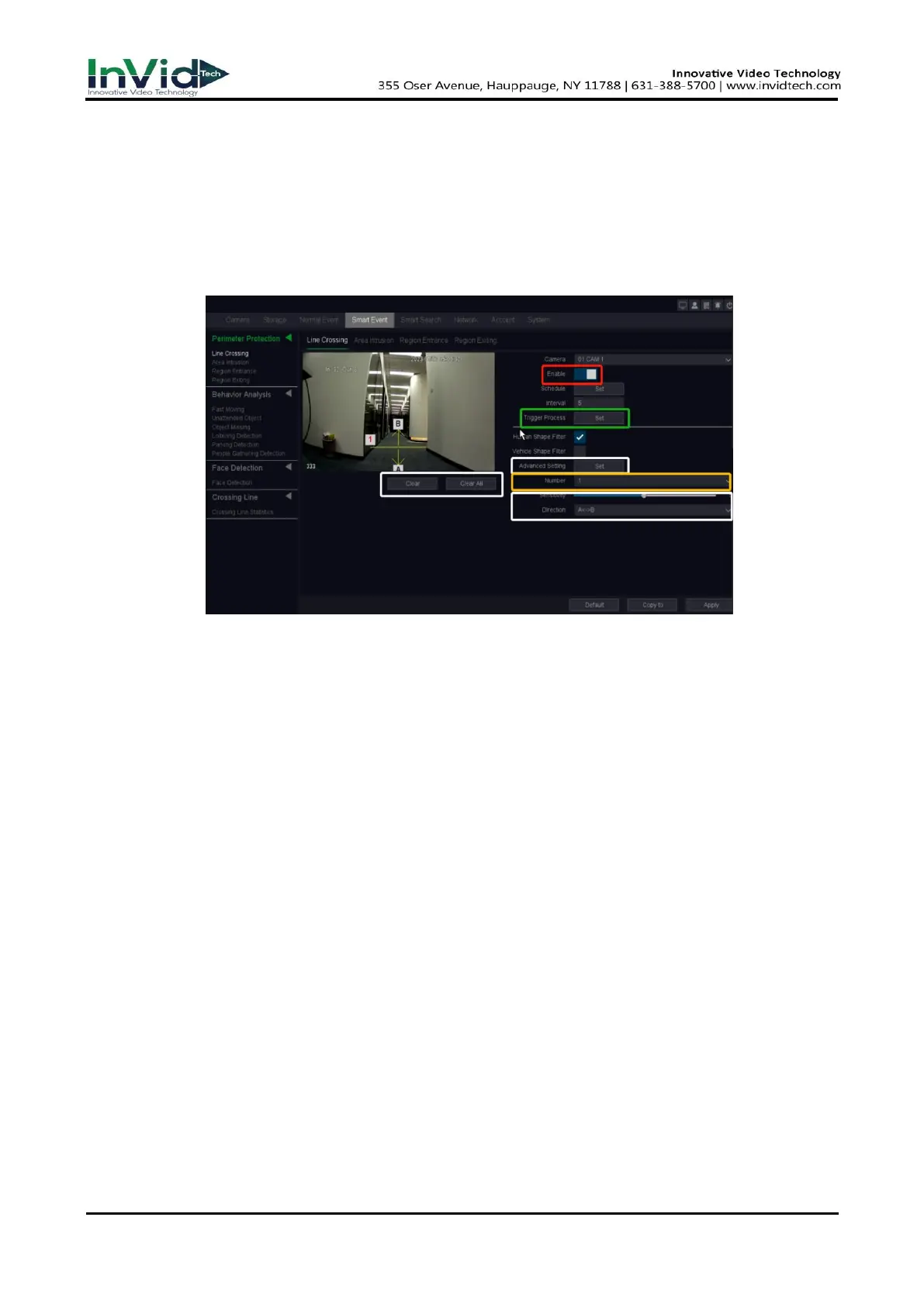
1. Go to Seven Grid Menu → Smart Event → Perimeter Protection → Line Crossing.
Figure 6-3-3-2 Line Crossing Detection
2. Select a camera.
3. Turn on Enable.
4. Set line crossing detection rules and detection line.
1) Select the Number to set Arming line. Up to 4 arming lines can be set.
– Click Clear or set two points in the preview window to clear or draw a line.
2) Select Direction as A<->B, A->B, or A<-B.
A<->B
The arrow on the A and B side shows. An object crossing a configured line in both directions
can be detected and trigger alarms.
A->B
Only an object crossing the configured line from the A side to the B side can be detected.
B->A
Only an object crossing the configured line from the B side to the A side can be detected.
3) Set Sensitivity. The higher the value is, the easier the detection alarm will be triggered.
5. Set the arming Schedule. Refer to for Configure Arming Schedule below for details.
6. Set the Trigger process. Refer to Configure Alarm Trigger process below for details.
7. Optional: Click Advanced setting to Set Target Detection as Human Shape Filter or Vehicle
Shape Filter to discard alarms which are not triggered by human body or vehicle.
8. Click Apply.



 To Next Page