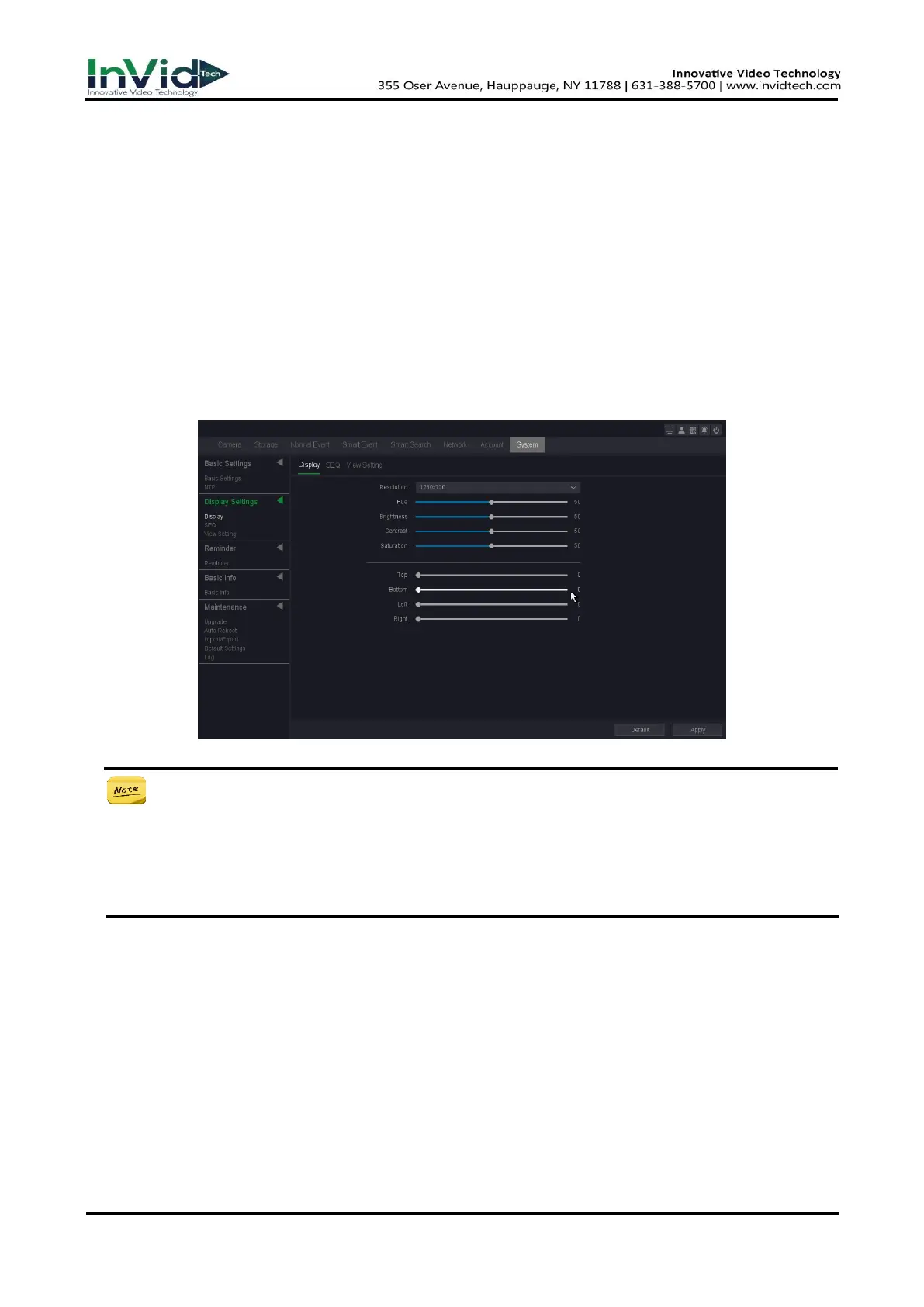
Hue
Set the color tone of the display.
Brightness
Set the brightness of the display.
Contrast
Set the contrast of the display.
Saturation
Set the saturation of the display.
Top & Bottom & Left & Right
Set the distance between the top, bottom, left, and right borders of the display.
Figure 10-1-2-1
For 6B series NVR, they support show different things on two monitors, and their
display mode includes.
● Homologous: All monitors will display the same thing.
● VGA/HDMI1, HDMI2: VGA/HDMI1 port will display the different thing with HDMI2 port.
● HDMI1, VGA/HDMI2: VGA/HDMI2 port will display the different thing with HDMI1 port.
SEQ
In this pare you can set the patrol screen of the monitor.
1. Go to Seven Grid Menu → System → Display settings → SEQ.
2. Click Apply after the setting is complete.
Layout
The channel quantity and channel group for preview, for example there’s a 64ch NVR, and
choose View 16 – 1, the preview interface will show channel 1-16; if choose View 16 – 2,
the preview interface will show channel 17-32, etc.



 To Next Page