UPNP
UPnP is a networking standard that uses protocols on the Internet to allow electronic devices
connected to a network to detect and identify each other.
Before You Start
If you want to use UPNP function, Enable the UPnP™ function of your router, when the device
network working mode is multi-address, the default device route should be on the same network
segment as the LAN IP address of the router.
Steps:
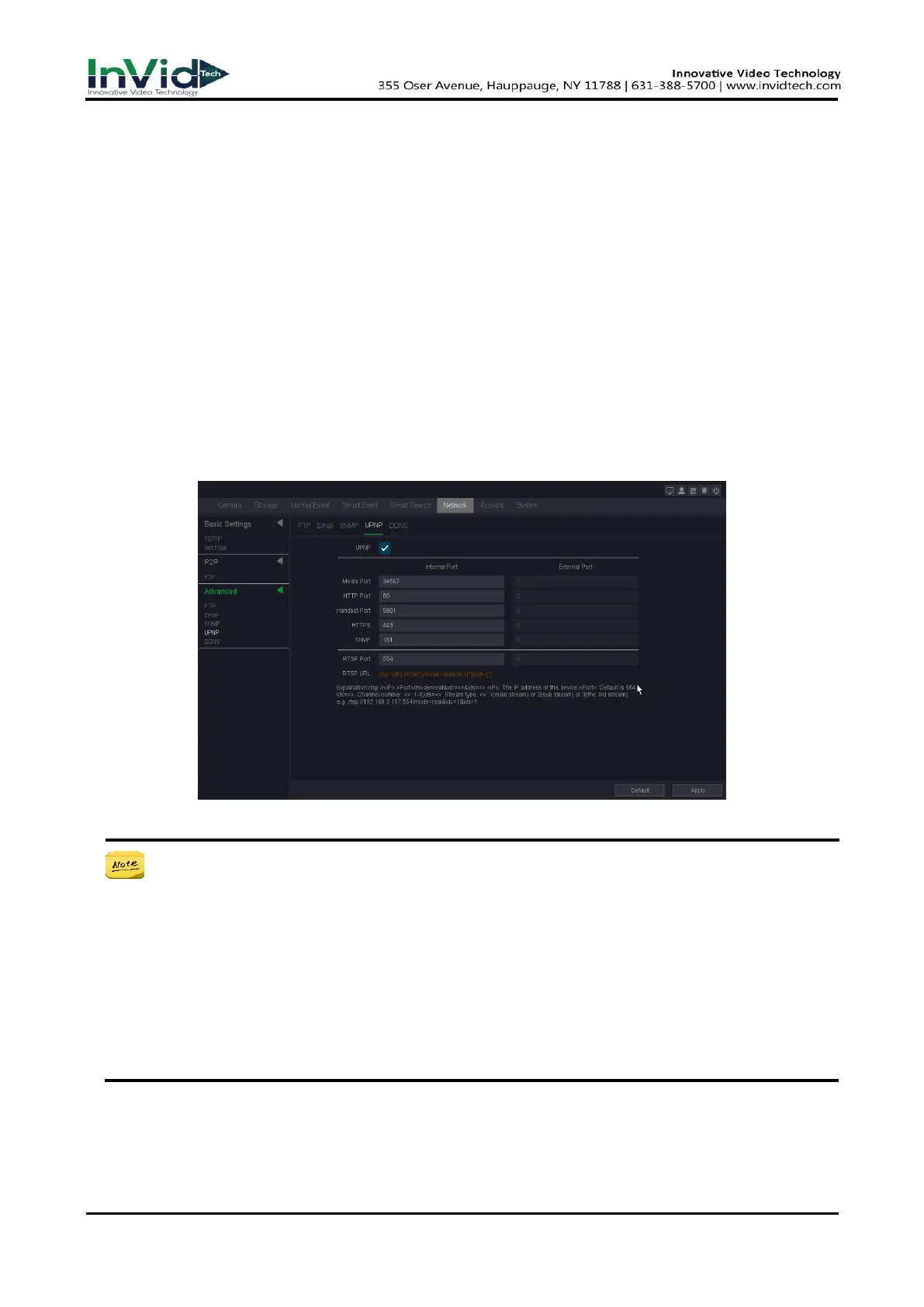
1. Go to Seven Grid Menu → Network → Advanced → UPNP.
2. Turn on UPNP.
3. Set up Media Port, HTTP Port, Handset Port, HTTPS and SNMP as your desire. (If you are not
sure, do not modify it, it may conflict with other ports of the system).
4. Click Apply.
Figure 10-2-3-4
● RTSP Port: The RTSP (Real Time Streaming Protocol) is a network control protocol
designed for use in entertainment and communications systems to control streaming
media servers. Enter the RTSP port in the text field of RTSP Port. The default RTSP port is
554, and you can change it according to different requirements.
● The value of the RTSP port No. should be 554 or between 1024 and 65535, while the
value of the other ports should be between 1 and 65535 and the value must be different
from each other. If multiple devices are configured for the UPnP™ settings under the same
router, the value of the port No. for each device should be unique.
● As shown in the figure above, you can use the RTSP address for RTSP streaming.



 To Next Page