JUICE ULTRA - Operation Instructions and Installation Guide
Version 1-3A
5 Diagnosis and parameterization
All rights reserved. The reproduction of this document, also partially, is allowed only with authorization by alpitronic s.r.l.
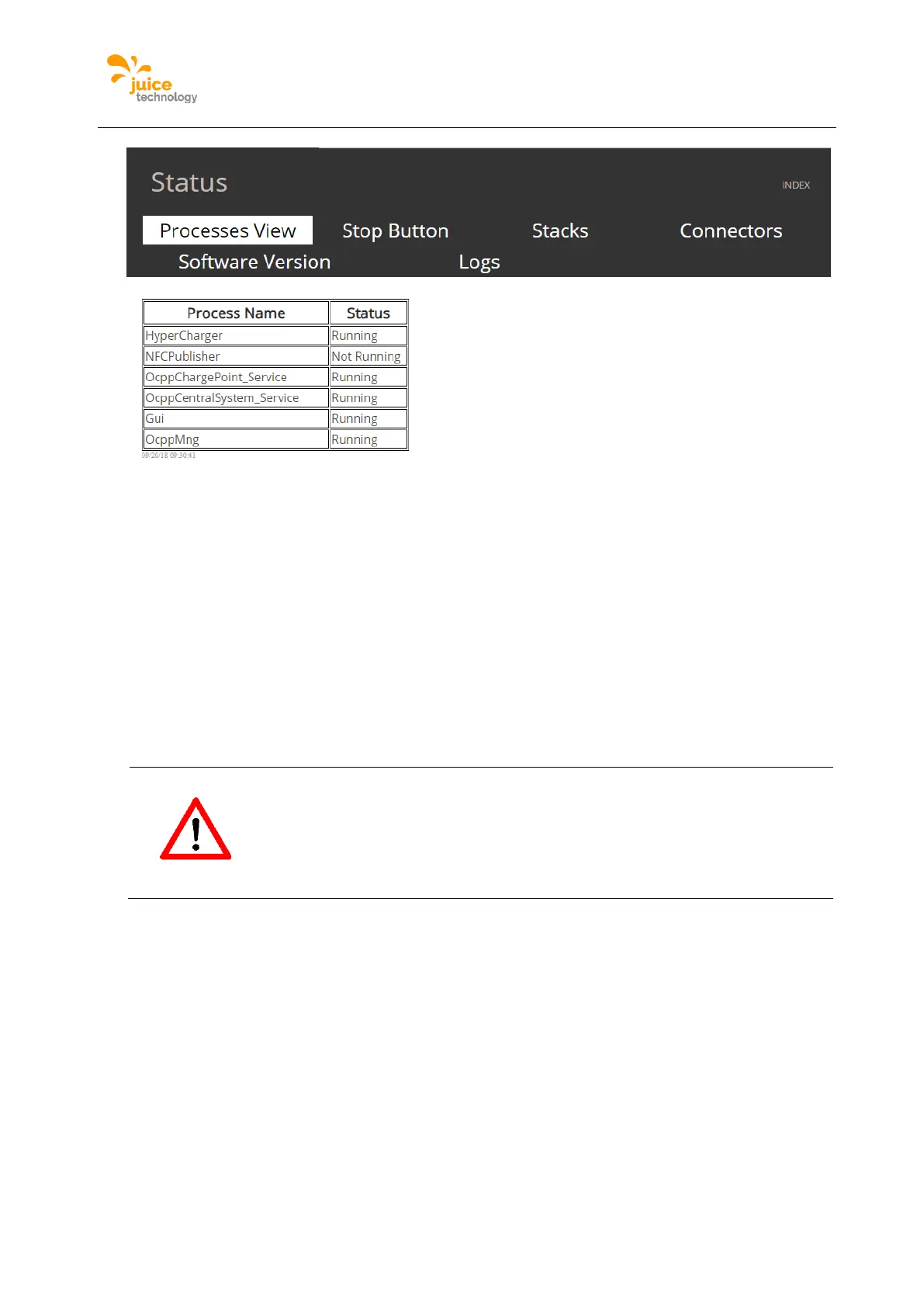
Figure 36: Example of Process View webpage
Stop Button
The menu stop button shows whether the Stop button is currently clicked.
Location:
Click on ‘STATUS’ from the main menu and following the top menu click on ‘Stop Button’.
There are two possible options ‘PRESSED’ or ‘OK’. This feature is important to troubleshoot
if the charging station stops being able to charge a vehicle. It is also important to note at not
all Charging Stations have the Stop button feature, if so the webpage will be disabled.
Attention
Attention
The option ‘Reset Stop Button’ will force a restart within the inner
hardware of the charging station to reset the Stop Button. It is important
to do a reset only when the charging station is idle and the stop button
has been manually disengaged.
Figure 37 is an example of the webpage, please note there is also a ‘Reset Stop Button’,
this allows to reset the hardware stack, please do this only when there are no cars plugged
in. This feature is optional and many not be present in all Charging Stations.


 To Next Page