All rights reserved. The reproduction of this document, also partially, is allowed only with authorization by alpitronic s.r.l.
5.2. Diagnosis
There are currently three-diagnosis options for the charging station.
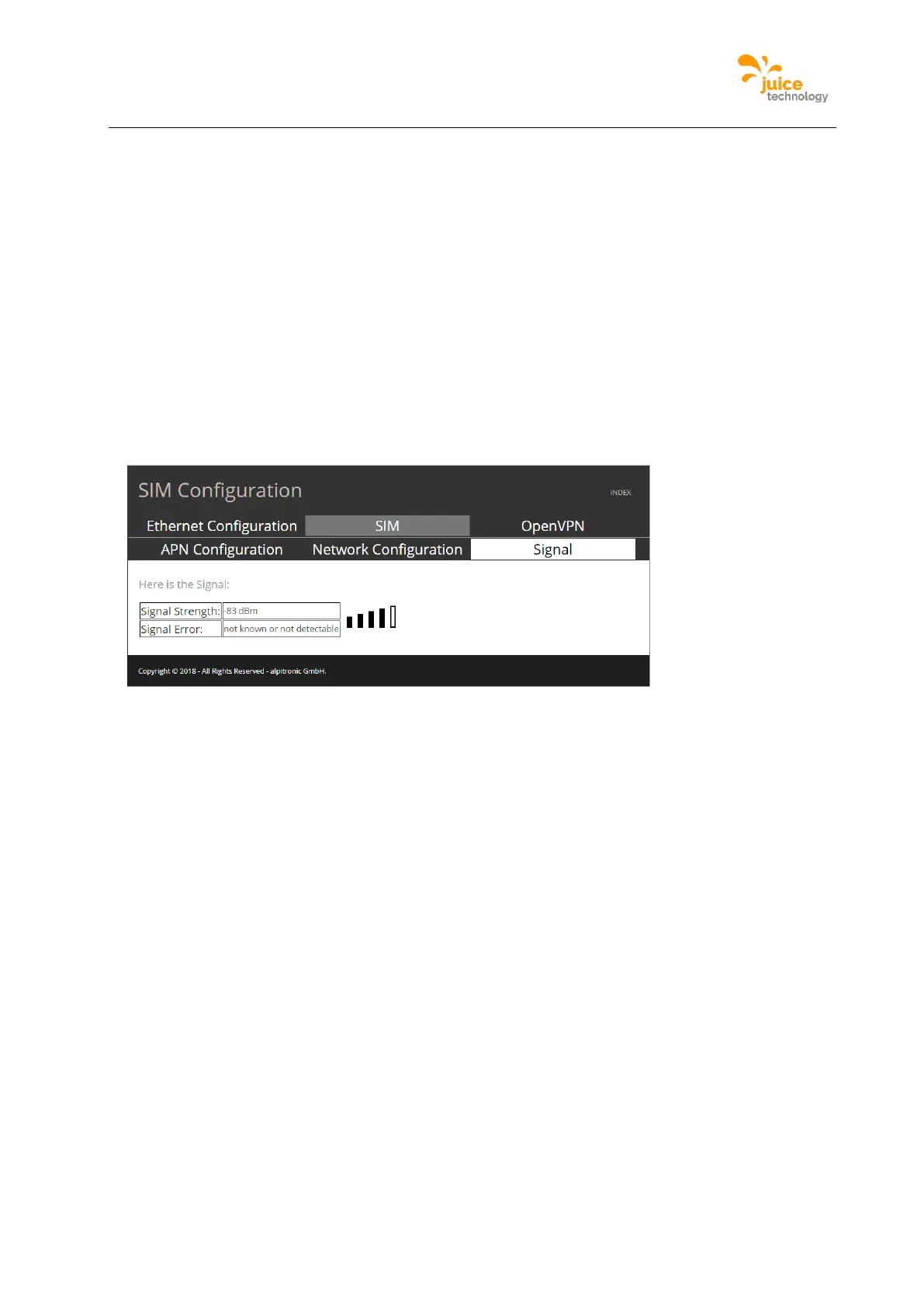
SIM Signal
The menu SIM signal allows one to check the strength of the connection using the GSM
modem as connection method to the backend server.
Location:
Click on ‘NETWORK’ from the main menu and then following the top menu ‘SIM’ to the menu
‘Signal’ can be found.
There are three possible views for the signal webpage, whether the modem is turned off
(example shown in Figure 35), whether the modem is not connected by GSM, and when the
modem is turned on and there exists a GSM connection.
Figure 35: Example of SIM Signal webpage
Processes View
The menu processes views is a webpage where the status of the critical processes of the
charging station are shown. For each process there are two options ‘Running’ or ‘Not
Running’.
Location:
Click on ‘STATUS’ from the main menu and following the top menu click on ‘Processes
View’.
Figure 36 is an example of the Processes View webpage, note that the webpage
automatically refreshes and has a timestamp.


 To Next Page